Skip to content

Ignore potential virus warning in Win10 #15

@KennardWang

Description

@KennardWang

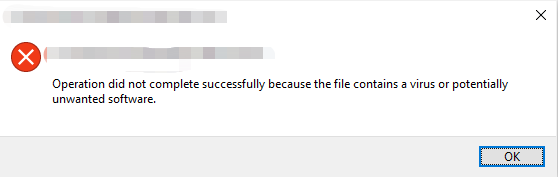
Potential Virus Warning

Windows will prompt warning if running unknown .exe file
image


How to Ignore

  1. Create a new folder

image

  1. Download, move to the folder and unzip

image

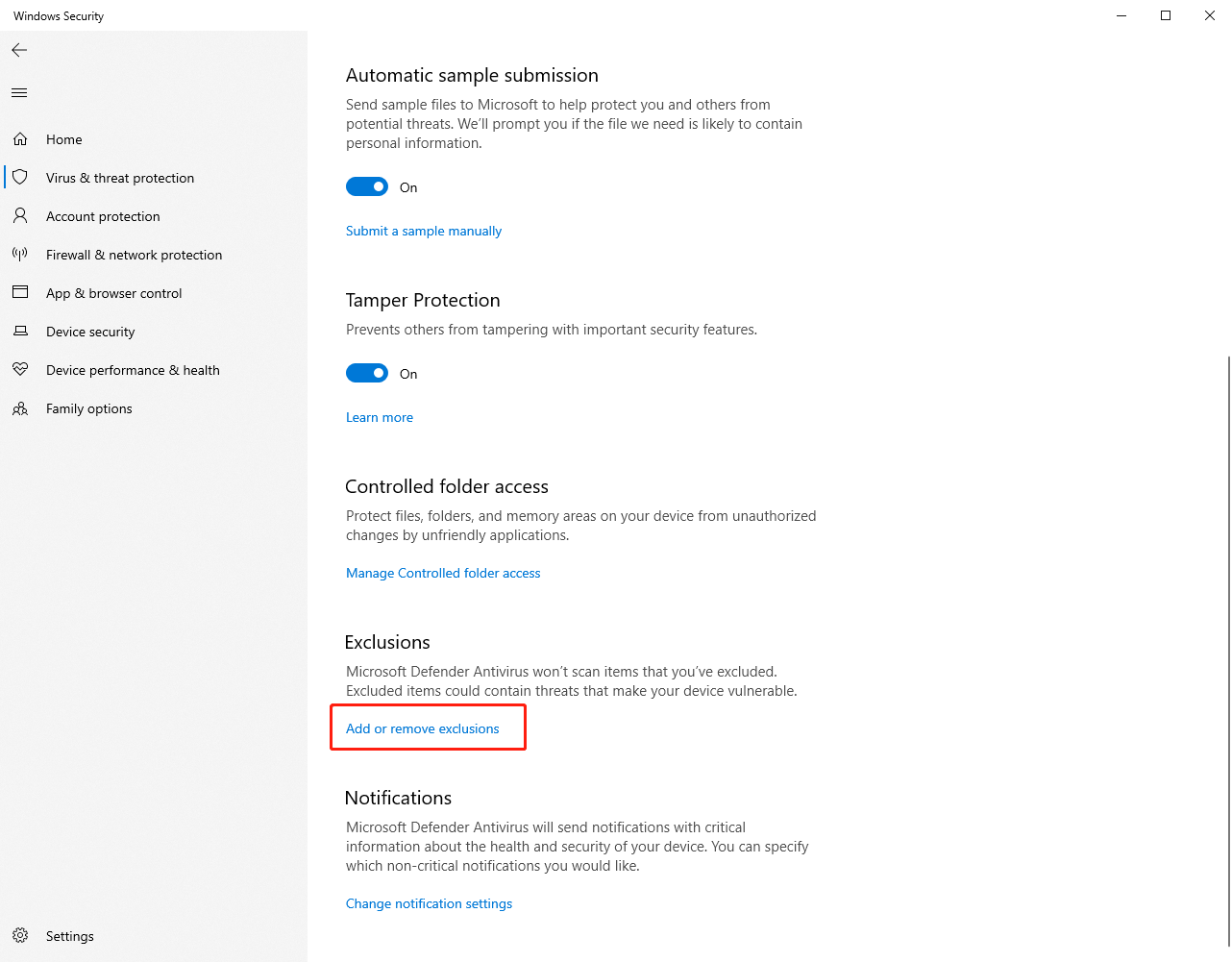
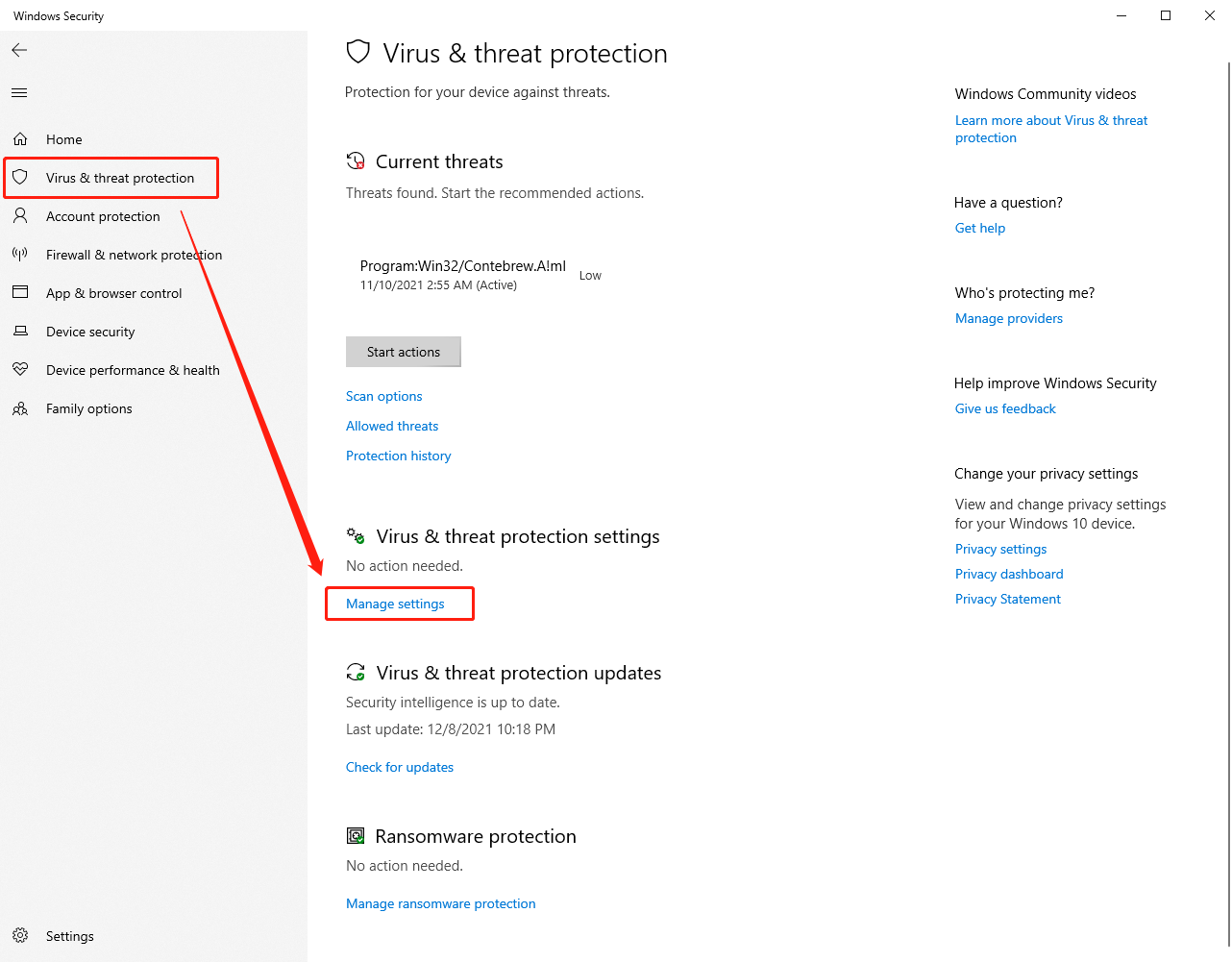
  1. Open Virus & threat protection, select Manage settings
image

  1. Find Add or remove exclusions

image

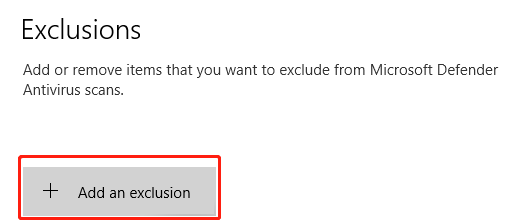
  1. Choose Add an exclusion and add the created folder
image
image

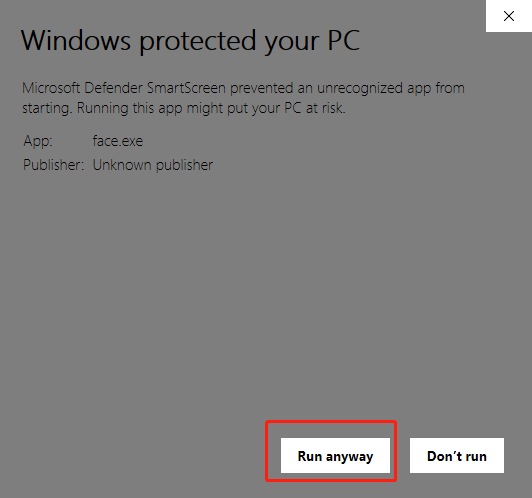
  1. Run face.exe

image

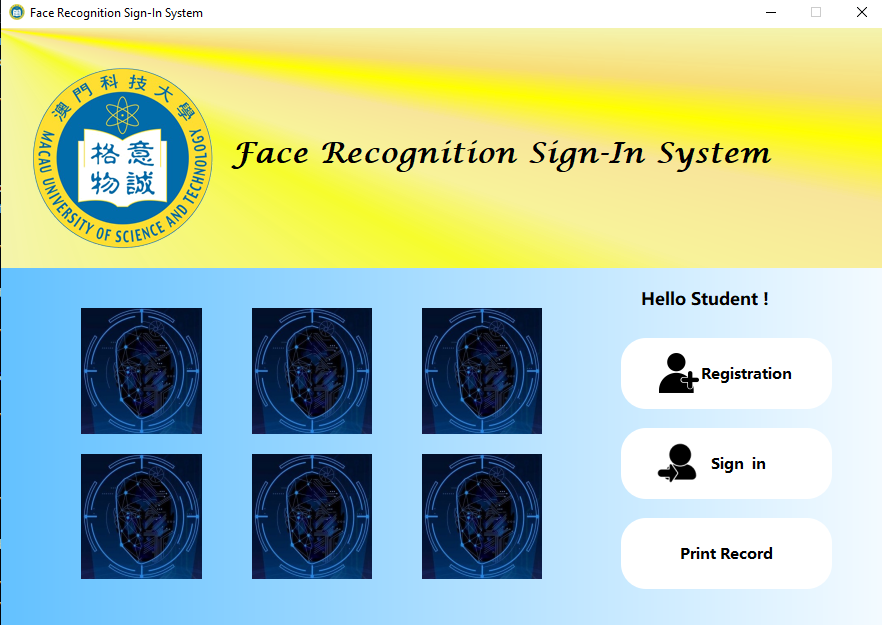
  1. Success

image

Metadata

Metadata

Assignees

No one assigned

    Labels

    environment issueconfiguration for environmenttutorialtutorial for helping configuration

    Type

    No type

    Projects

    No projects

    Milestone

    No milestone

    Relationships

    None yet

    Development

    No branches or pull requests

    Issue actions