Debug your plugins during development
To make debugging from Visual Studio possible, a few things must be configured correctly.
Add a Post-build event to create a Plugins sub-folder where XrmToolBox looks for plugin assemblies.
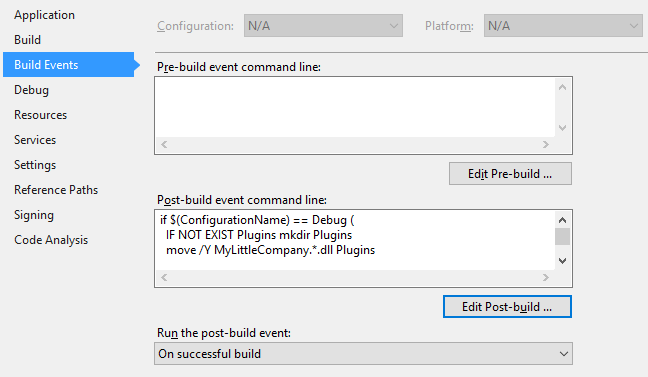
Sample post-build event:
if $(ConfigurationName) == Debug (
  IF NOT EXIST Plugins mkdir Plugins
  move /Y MyLittleCompany.*.dll Plugins
  move /Y MyLittleCompany.*.pdb Plugins
)
Define external program to start for debugging.
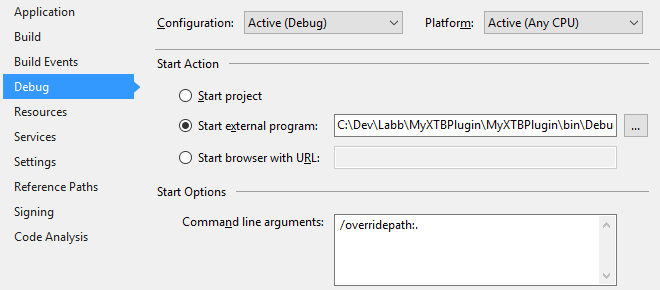
Sample path:
C:\Dev\Labb\MyXTBPlugin\MyXTBPlugin\bin\Debug\XrmToolBox.exe
Command line arguments used to specify the current working folder for XrmToolBox:
/overridepath:.
As expected versions of some dependencies might be different between your own plugin and XrmToolBox itself, and to automatically enable connection logging, the sample XrmToolBox.exe.config file from hte XrmToolBox NuGet package should be added to the project.
Right-click the project, select Add - Existing item...
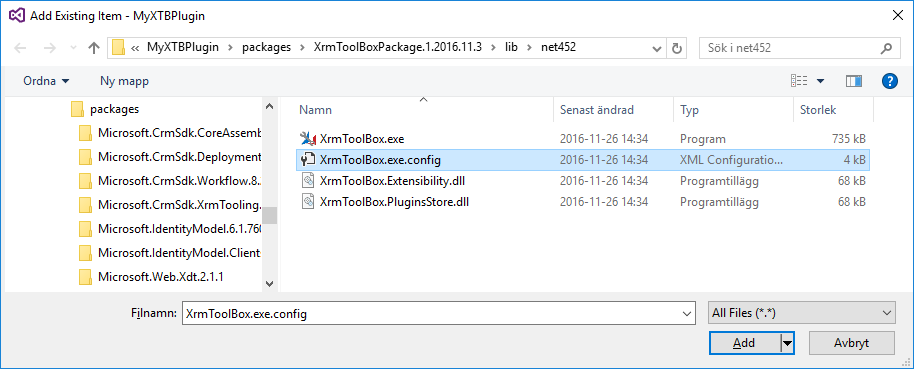
Browse to the packages folder under your solution, and latest version folder for the XrmToolBox package.
To make sure the configuration file is available run-time, go to properties for the file and set Copy to Output Directory = Copy always.
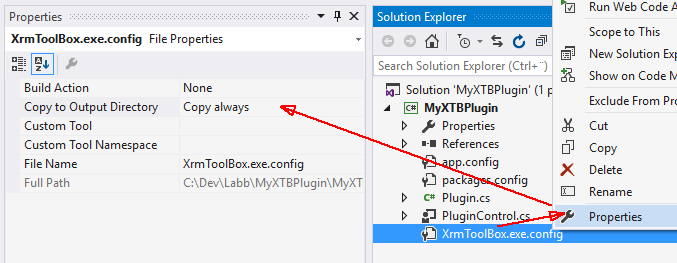
Some dependencies might not be specified in the sample configuration file.
Copy missing dependentAssembly blocks from the app.config file in the project and paste these blocks into the added configuration file.

In this case, Microsoft.Xrm.Tooling.Connector and NuGet.Core were needed.
When developing and debugging your plugin, adding the /plugin: command line parameter helps a few clicks, as it opens the plugin immediately on startup of XrmToolBox.
If your plugin name (as specified in the plugin description class) contains spaces, the whole argument should be contained in double quotation.
Sample plugin argument:
/plugin:Iconator
"/plugin:My XTB Plugin"
In the same way as automatically starting a plugin it is possible to connect to an organization by using the /connection: argument.
Sample connection argument:
/conenction:MyDemoOrg
"/connection:My New DemoOrg"