




Connect language models to vision models for natural language visual analysis
🚀 Quick Start • 📖 Documentation • 🎯 Examples • 🔧 Installation • 🤝 Contributing
Langvio bridges the gap between human language and computer vision. Ask questions about images and videos in plain English, and get intelligent analysis powered by state-of-the-art vision models and language models.
- 🗣️ Natural Language Interface: Ask questions like "Count all red cars" or "Find people wearing yellow"
- 🎥 Multi-Modal Support: Works with both images and videos
- 🚀 Powered by YOLO-World v2: Fast, accurate object detection without predefined classes
- 📹 ByteTracker Integration: Advanced multi-object tracking for video analysis with boundary crossing detection
- 🤖 LLM Integration: Supports OpenAI GPT and Google Gemini for intelligent explanations
- 📊 Advanced Analytics: Object counting, speed estimation, spatial relationships, temporal tracking
- 🎨 Visual Output: Generates annotated images/videos with detection highlights and tracking trails
- 🌐 Web Interface: Includes a Flask web app for easy interaction
- 🔧 Extensible: Easy to add new models and capabilities
import langvio

# Create a pipeline
pipeline = langvio.create_pipeline()

# Analyze an image
result = pipeline.process(
    query="Count how many people are wearing red shirts",
    media_path="street_scene.jpg"
)

print(result['explanation'])
# Output: "I found 3 people wearing red shirts in the image.
#          Two are located in the center-left area, and one is on the right side."

# View the annotated result
print(f"Annotated image saved to: {result['output_path']}")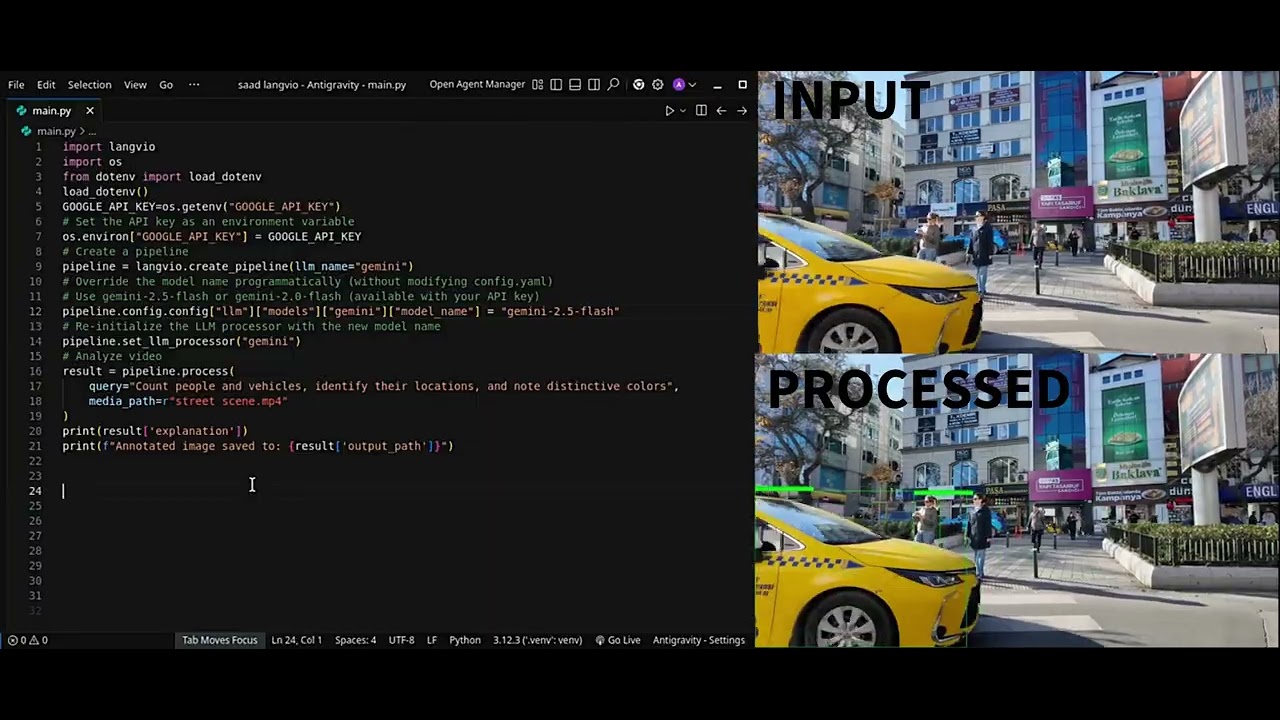
# Basic usage
langvio --query "Count the cars" --media image.jpg

# With custom configuration
langvio --query "Find red objects" --media scene.jpg --config custom.yaml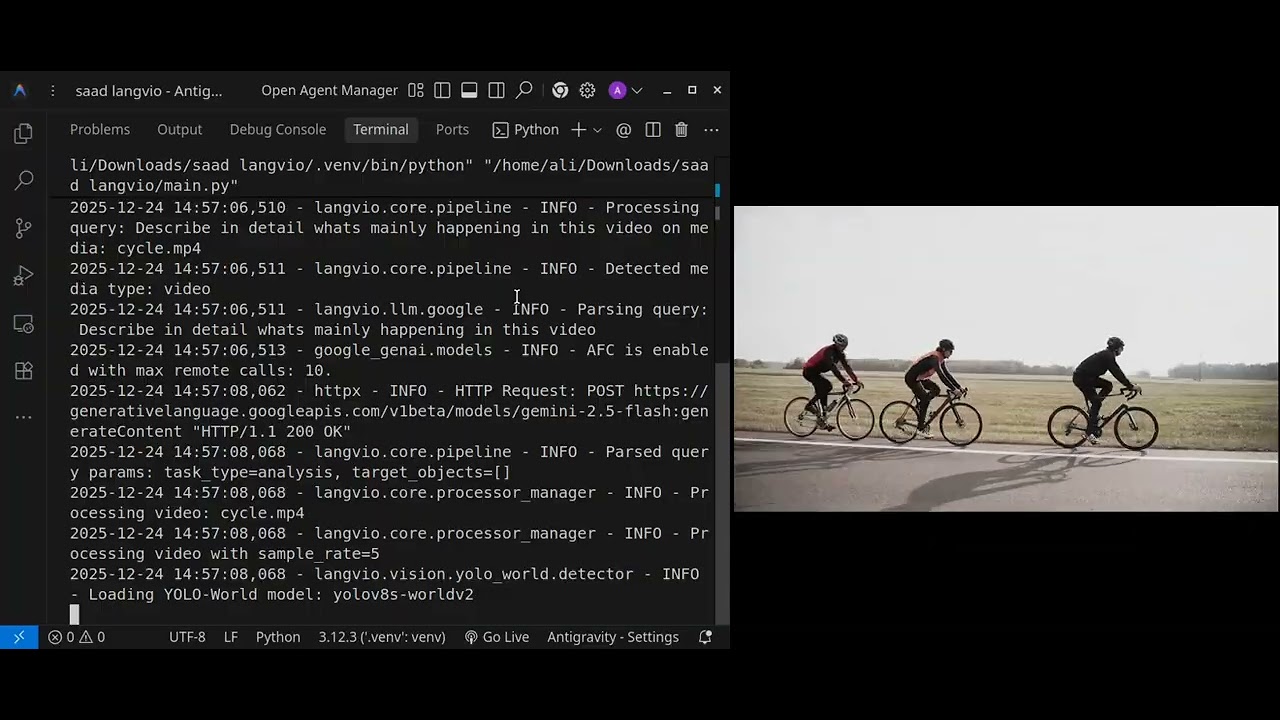
pip install langvioChoose your preferred language model provider:
# For OpenAI models (GPT-3.5, GPT-4)
pip install langvio[openai]

# For Google Gemini models
pip install langvio[google]

# For all supported providers
pip install langvio[all-llm]

# For development
pip install langvio[dev]- Create a
.envfile for your API keys:
# Copy the template
cp .env.template .env- Add your API keys to
.env:
# For OpenAI
OPENAI_API_KEY=your_openai_api_key_here

# For Google Gemini
GOOGLE_API_KEY=your_google_api_key_here- Langvio automatically loads these environment variables!
import langvio

# Create a pipeline (automatically detects available LLM providers)
pipeline = langvio.create_pipeline()

# Process an image
result = pipeline.process(
    query="What objects are in this image?",
    media_path="path/to/your/image.jpg"
)

print(result['explanation'])
print(f"Output: {result['output_path']}")# Analyze videos with temporal understanding
result = pipeline.process(
query="Count vehicles crossing the intersection",
media_path="traffic_video.mp4"
)
# Get detailed analysis including speed and movement patterns
print(result['explanation'])# Launch the web interface
cd webapp
python app.py
# Visit http://localhost:5000 in your browser# Count specific objects
pipeline.process("How many cars are in this parking lot?", "parking.jpg")
# Find objects by attributes
pipeline.process("Find all red objects in this image", "scene.jpg")
# Spatial relationships
pipeline.process("What objects are on the table?", "kitchen.jpg")# Track movement patterns (uses ByteTracker for multi-object tracking)
pipeline.process("Track people walking through the scene", "crowd.mp4")
# Boundary crossing detection (ByteTracker tracks entry/exit)
pipeline.process("How many vehicles entered vs exited the intersection?", "traffic.mp4")
# Speed analysis (uses tracked trajectories from ByteTracker)
pipeline.process("What's the average speed of vehicles?", "highway.mp4")
# Activity detection with temporal tracking
pipeline.process("Detect any unusual activities", "security_footage.mp4")
# Object counting with tracking
pipeline.process("Count people entering and exiting the building", "entrance.mp4")# Complex multi-part analysis
pipeline.process(
"Count people and vehicles, identify their locations, and note distinctive colors",
"street_scene.jpg"
)
# Verification tasks
pipeline.process("Is there a dog in this image?", "park_scene.jpg")
# Temporal analysis
pipeline.process("How many people entered vs exited the building?", "entrance.mp4")graph TD
A[User Query] --> B[LLM Processor]
B --> C[Query Parser]
C --> D[Vision Processor]
D --> E[YOLO-World Detection]
E --> F[Attribute Analysis]
F --> G[Spatial Relationships]
G --> H{Is Video?}
H -->|Yes| I[ByteTracker Multi-Object Tracking]
H -->|No| J[LLM Explanation]
I --> K[Boundary Crossing Detection]
K --> L[Speed Estimation]
L --> M[Temporal Analysis]
M --> J
J --> N[Visualization]
N --> O[Output with Tracking Trails]
- 🧠 LLM Processor: Parses queries and generates explanations (OpenAI, Google Gemini)
- 👁️ Vision Processor: Detects objects and attributes using YOLO-World v2
- 📹 ByteTracker: Multi-object tracking system for video analysis with boundary crossing detection
- 🎨 Media Processor: Creates visualizations and handles I/O
- ⚙️ Pipeline: Orchestrates the entire workflow
- YOLO-World v2 (small, medium, large, extra-large)
yolo_world_v2_s- Small (fastest)yolo_world_v2_m- Medium (balanced, recommended)yolo_world_v2_l- Large (most accurate)yolo_world_v2x- Extra-large (highest accuracy)
- Aliases (all map to YOLO-World v2):
yolo11n,yolo,yoloe- Fastest (map to small)yoloe_medium- Balanced (maps to medium)yoloe_large- Accurate (maps to large)
- Automatic model selection based on performance needs
- OpenAI:
gpt-4o-mini- Default (fast, cost-effective)gpt-3orgpt-3.5- GPT-3.5 Turbo (fast)gpt-4- GPT-4.1 Mini (best reasoning)gpt-4.1-mini,gpt-4.1-nano- Latest models
- Google:
gemini- Gemini 2.0 Flash (free tier available) - Extensible architecture for adding more providers
# config.yaml
llm:
  default: "gpt-4o-mini"  # Default model
  models:
    gpt-4o-mini:
      model_name: "gpt-4o-mini"
      model_kwargs:
        temperature: 0.1
        max_tokens: 2048
    gemini:
      model_name: "gemini-2.0-flash"
      model_kwargs:
        temperature: 0.2

vision:
  default: "yolo11n"  # Fastest default, or "yolo_world_v2_m" for balanced
  models:
    yolo_world_v2_m:
      type: "yolo_world"
      model_name: "yolov8m-worldv2"
      confidence: 0.45
      # ByteTracker configuration
      track_thresh: 0.3      # Detection confidence threshold for tracking
      track_buffer: 70       # Frames to keep lost tracks
      match_thresh: 0.6      # IoU threshold for track matching

media:
  output_dir: "./results"
  visualization:
    box_color: [0, 255, 0]
    line_thickness: 2
# Use custom configuration
pipeline = langvio.create_pipeline(config_path="config.yaml")# Basic usage
langvio --query "Count the cars" --media image.jpg
# With custom configuration
langvio --query "Find red objects" --media scene.jpg --config custom.yaml
# List available models
langvio --list-modelsLangvio uses ByteTracker for robust multi-object tracking in videos. ByteTracker is a state-of-the-art tracking algorithm that maintains object identity across video frames, even through occlusions and complex scenes.
Key ByteTracker Capabilities:
- Multi-Object Tracking: Tracks multiple objects simultaneously with unique persistent IDs
- Boundary Crossing Detection: Automatically detects when objects enter/exit defined regions
- Object Counting: Accurate counting with entry/exit tracking (in/out counts)
- Speed Estimation: Calculates object speeds based on tracked trajectories over time
- Track Persistence: Maintains object identity even through occlusions and temporary disappearances
- Configurable Tracking: Adjustable thresholds for tracking confidence, buffer, and matching
ByteTracker Technical Features:
- Kalman filter-based motion prediction for smooth tracking
- IoU-based data association for matching detections to tracks
- Track buffer management for handling occlusions (configurable buffer size)
- High/low confidence detection handling for robust tracking
- Automatic track initialization and termination
The combination of YOLO-World v2 detection and ByteTracker tracking provides:
- Seamless Integration: YOLO-World detections feed directly into ByteTracker for tracking
- Efficient Processing: Optimized frame sampling (default: every 5th frame, every 2nd for tracking tasks)
- Track File Management: Saves/loads tracking data as JSON for faster re-analysis
- Visualization: Draws tracking trails, object IDs, and trajectories on video output
- Performance: Handles real-time video processing with configurable quality/speed tradeoffs
- Positional Understanding: "objects on the table", "cars in the parking lot"
- Relative Positioning: left/right, above/below, near/far relationships
- Containment Detection: objects inside other objects
Powered by ByteTracker multi-object tracking:
- Movement Patterns: Track object trajectories and behaviors across frames
- Activity Recognition: Detect activities and interactions over time
- Temporal Relationships: Understand object co-occurrence and interactions
- Trajectory Analysis: Visualize and analyze object movement paths
- Entry/Exit Tracking: Monitor objects crossing boundaries or entering/exiting regions
- Advanced Color Recognition: 50+ color categories with confidence scoring
- Size Classification: Automatic small/medium/large categorization
- Multi-attribute Analysis: Combined color, size, and position analysis
# Automatic model selection based on use case
pipeline = langvio.create_pipeline()  # Uses best available model

# Manual model selection for specific needs
pipeline = langvio.create_pipeline(
    vision_name="yolo_world_v2_l",  # High accuracy
    llm_name="gpt-4"                # Advanced reasoning (or gpt-4o-mini for speed)
)- YOLO-World models: Better accuracy for complex scenes with flexible object detection
- Model selection: Use smaller models (
yolo_world_v2_s) for speed, larger (yolo_world_v2_l) for accuracy - Confidence thresholds: Adjust based on precision/recall needs (lower = more detections)
- Frame sampling: Control video processing speed vs accuracy (default: every 5th frame)
- Environment variables: Use
LANGVIO_DEFAULT_LLMandLANGVIO_DEFAULT_VISIONto set defaults
Langvio includes a comprehensive test suite. Run tests with:
# Install test dependencies
pip install langvio[dev]

# Run all tests
pytest

# Run with coverage
pytest --cov=langvio --cov-report=html

# Run specific test file
pytest tests/test_config.py
See tests/README.md for more testing information.
We welcome contributions! Here's how to get started:
# Clone the repository
git clone https://github.com/MugheesMehdi07/langvio.git
cd langvio

# Install in development mode
pip install -e .[dev]

# Run tests
pytest

# Format code
black langvio/
isort langvio/- Fork the repository
- Create a feature branch (
git checkout -b feature/amazing-feature) - Commit your changes (
git commit -m 'Add amazing feature') - Push to the branch (
git push origin feature/amazing-feature) - Open a Pull Request
- 📖 Full Documentation: Comprehensive guides and API reference
- 🎯 Examples: Ready-to-run example scripts
- 🌐 Web App: Flask web interface for easy testing
- ⚙️ Configuration: Sample configuration files
Copyright (c) 2025 LangVio
Permission is hereby granted, free of charge, to any person obtaining a copy of this software and associated documentation files (the "Software"), to deal in the Software without restriction, including without limitation the rights to use, copy, modify, merge, publish, distribute, sublicense, and/or sell copies of the Software, and to permit persons to whom the Software is furnished to do so, subject to the following conditions:
The above copyright notice and this permission notice shall be included in all copies or substantial portions of the Software.
THE SOFTWARE IS PROVIDED "AS IS", WITHOUT WARRANTY OF ANY KIND, EXPRESS OR IMPLIED, INCLUDING BUT NOT LIMITED TO THE WARRANTIES OF MERCHANTABILITY, FITNESS FOR A PARTICULAR PURPOSE AND NONINFRINGEMENT. IN NO EVENT SHALL THE AUTHORS OR COPYRIGHT HOLDERS BE LIABLE FOR ANY CLAIM, DAMAGES OR OTHER LIABILITY, WHETHER IN AN ACTION OF CONTRACT, TORT OR OTHERWISE, ARISING FROM, OUT OF OR IN CONNECTION WITH THE SOFTWARE OR THE USE OR OTHER DEALINGS IN THE SOFTWARE.
This project utilizes certain datasets, models, APIs, and algorithms that are subject to their respective original licenses and terms of use. Users must comply with all terms and conditions of these original licenses, including but not limited to:
-
OpenAI Terms of Use: This project uses OpenAI's GPT models (GPT-3.5, GPT-4, GPT-4o-mini, etc.) via the OpenAI API. Users must comply with OpenAI's Terms of Use and Usage Policies when using OpenAI models through this software.
-
Google Gemini Terms of Service: This project uses Google's Gemini models (Gemini Pro, Gemini 2.0 Flash) via the Google AI API. Users must comply with Google's Terms of Service and Gemini API Terms when using Gemini models through this software.
-
YOLO World License: This project uses YOLO-World v2 models developed by Ultralytics. Users must comply with the Ultralytics YOLO License (AGPL-3.0) and any additional terms specified by Ultralytics for YOLO-World models.
-
ByteTracker License: This project uses the ByteTracker algorithm for multi-object tracking. Users must comply with the original ByteTracker license terms as specified in the ByteTracker repository.
This project does not impose any additional constraints beyond those stipulated in the original licenses. Furthermore, users are reminded to ensure that their use of the datasets, models, APIs, and algorithms is in compliance with all applicable laws and regulations.
For the full license text, see the LICENSE file.
- Ultralytics for the amazing YOLO-World v2 models
- ByteTracker algorithm for robust multi-object tracking
- LangChain for LLM integration framework
- OpenAI and Google for language model APIs
- OpenCV for computer vision utilities
⭐ Star us on GitHub if Langvio helps you!