UI_Video
Tag video frames with metadata and synchronize videos with electrophysiologic data.
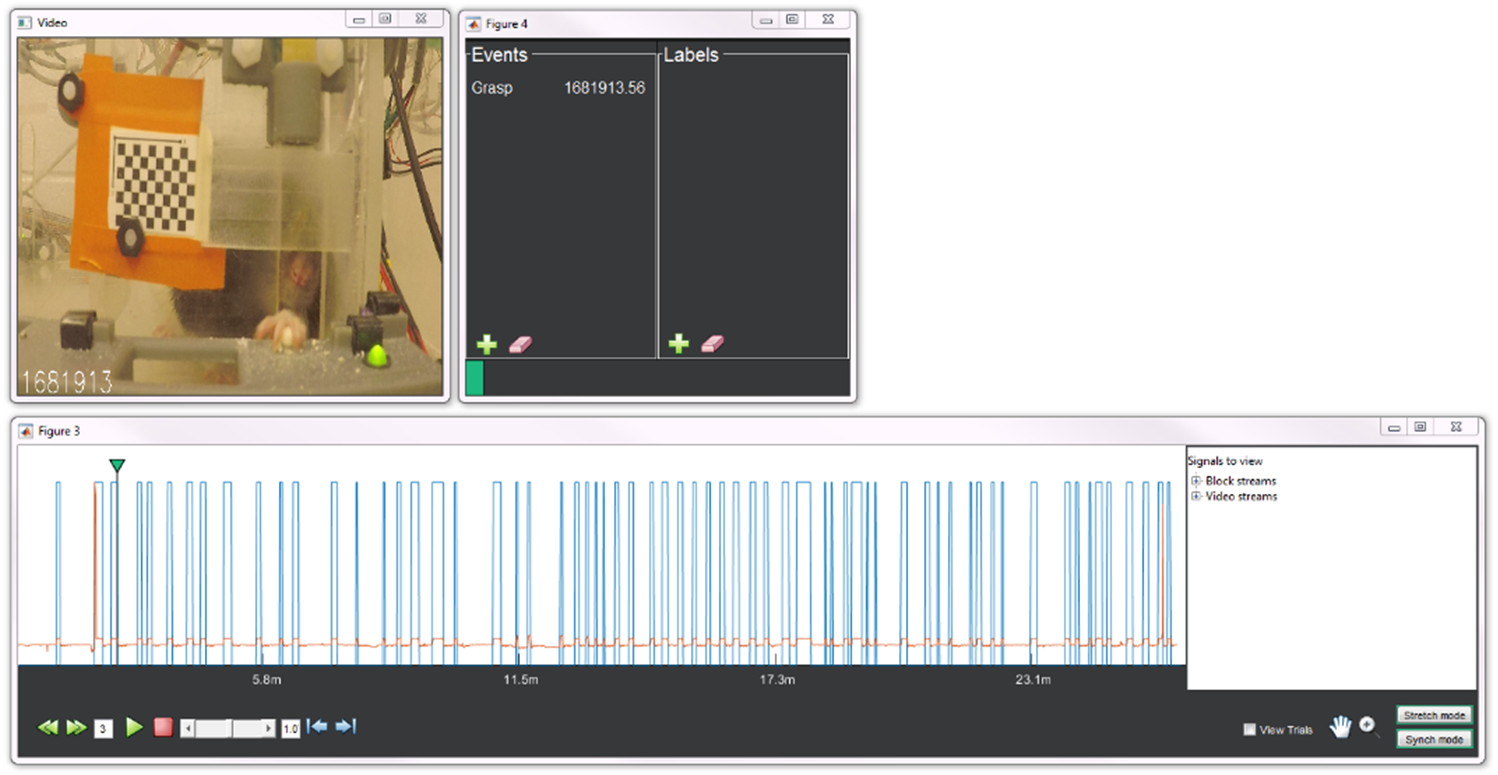
nigeLab.libs.VidScorer(blockObj.Cameras(1))
- The three windows above should open up
- Check the correct digital input under the "Block streams" expandable menu on the right side of the main panel
- The blue high/low signal should appear in the same window after a moment of loading
- Check the "show trials" option near the bottom of the main panel and the digital signal should also be filled with a green color
- Each green block represents a trial as you have determined it in the set-up
- As a default, there are
pars.BeginTrialandpars.EndTrialstructures which can be used to indicate the start and stop of a trial based on a digital input. You can change the names of these, the digital signals used to indicate an event, or whether that signal should be high/low/etc. - Make sure the name you are using for the digital input matches the stream name contained in the blockObj--
blockObj.Streams.DigIO(1)
blockObj.doEventDetection
- Set
pars.HasVideo = true;and input the folder containing the videos underpars.VidFilePath -
pars.UniqueKey.varsshould have the metadata from the video name that matches the metadata contained in the recording name -
pars.NamingConventionworks to save the metadata from the video name similar to that done with parsing the initial tank file name set-up
- Check
blockObj.Camerasfor correct assignment which should result in a structure under the Meta property with the number of cameras by the total number videos
path = fullfile('K:\Rat\Video\UnilateralReach\Experimental_Folder\Animal_Folder','R20-99_2020_1_11_0_Left_A_0.mp4');
camObj = nigeLab.libs.nigelCamera(blockObj,{path});
or with multiple video files for the block
path = {'K:\Rat\Video\UnilateralReach\Experimental_Folder\Animal_Folder\R20-99_2020_1_11_0_Left_A_0.mp4', 'K:\Rat\Video\UnilateralReach\Experimental_Folder\Animal_Folder\R20-99_2020_1_11_0_Left_A_1.mp4'};
camObj = nigeLab.libs.nigelCamera(blockObj, path);