Repository navigation
Right Click -> Merge selected entries #2202
Description
Activity
I haven't heard about this kind of behaviour before. New entries are not created from the browser extension unless told so. Could you provide some screenshots or details about the new entry that is being created?
I'll try and recreate the scenario - it's not consistent for me...
I think the idea is still very valid no matter the result of the browser plugin test.
Reacted by Sami Vänttinen, Richard, TFWol, andreyplus, Max FERGER, chriswayg, Andrew Booze, tmjGit, Blueshawk, physkets and 1 moreI think what is happening is this:
- Go to a site that does NOT have a URL in the entry
- "Auto Paste" the entry (user/password)
- The Browser Plugin will then prompt/ask to create/update the entry - Click and do it
- A new entry will be created in "KeePassXC-Browser Passwords"
Afterwards I now have 2 entries - one in the original folder and one in the new "KeePassXC-Browser Passwords" folder.
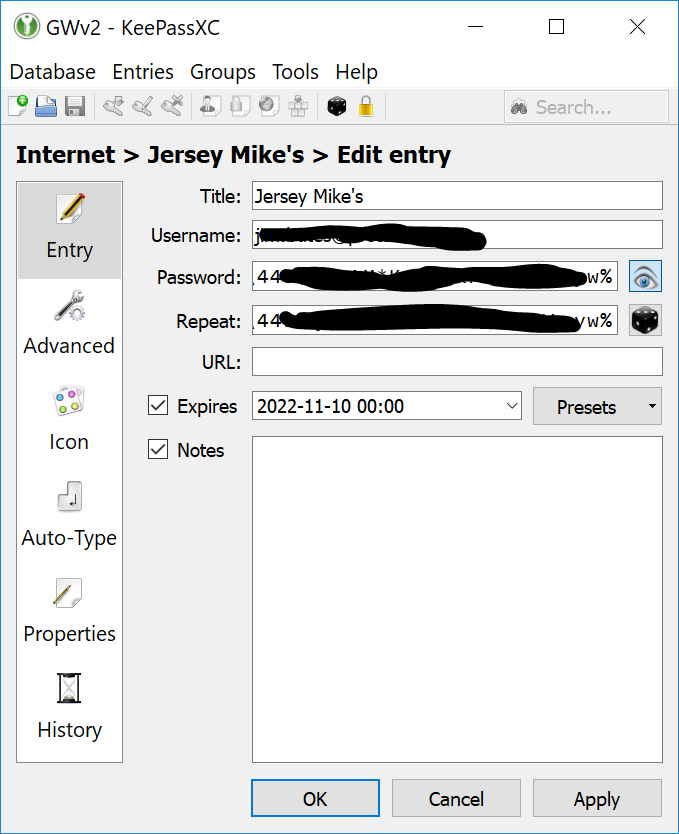
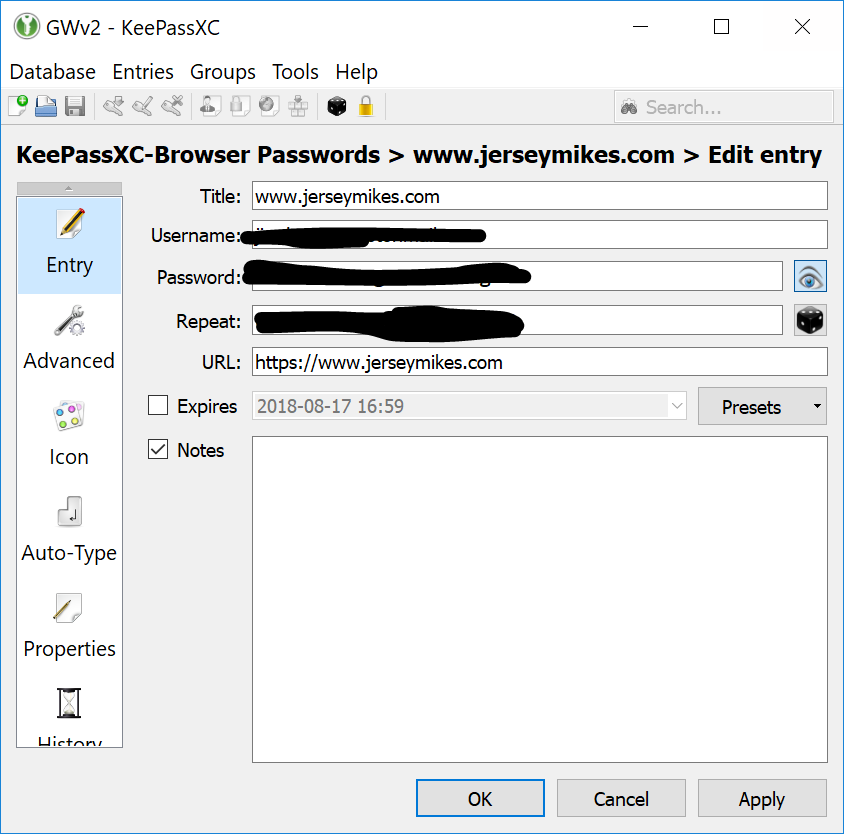
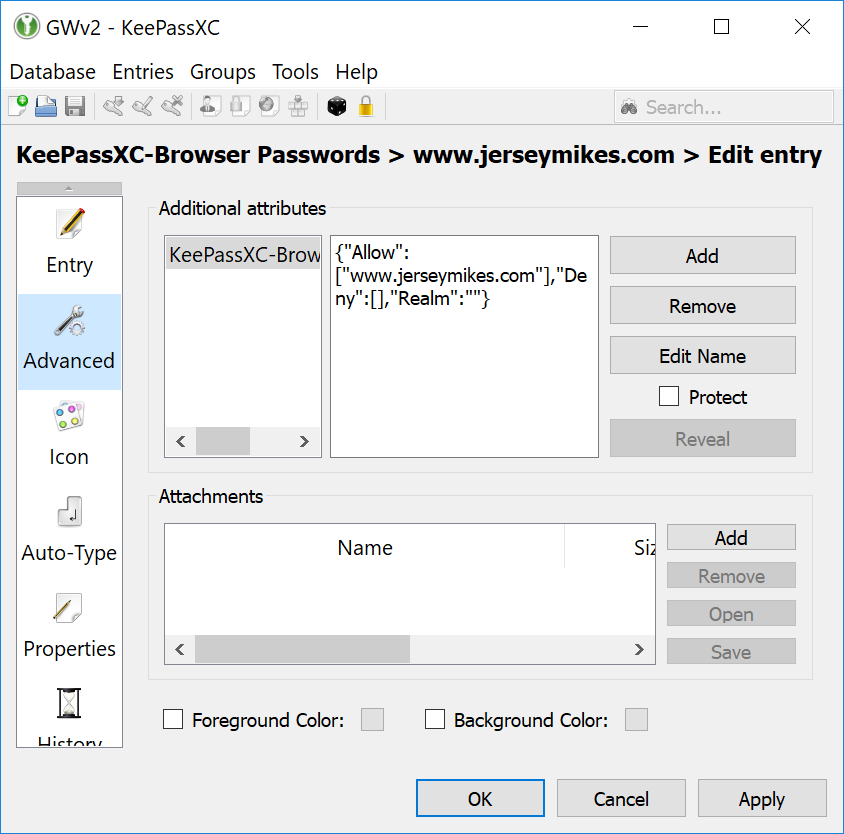
If the entry doesn't have a URL, KeePassXC-Browser has no way to know that entry for the site already exists. That's why a new one is created instead of updating the old one. If you add the URL to the original entry, everything should be fine.
- changed the title
[-]Feature Request: Merge entries[/-][+]Right Click -> Merge selected entries[/+]on Sep 30, 2018 See also #3272.
It would be great to be able to merge duplicate entries. I use Nextcloud and used to occasionally get conflicts. When I merge the two databases, I inevitably end up with two sets of entries. It would be great to remove duplicate entries either via teh GUI or via keepassxc-cli.Reacted by BlueshawkIn Keepassxc (not browser) I use four different machines, and I will open of change entries on which ever one I happen to be using. Sometimes, for example when travelling, I am using my laptop all the time, and have difficulaty using the machines at home. At home I rarely use the laptop. Thus the keepassxc databases diverge. I want to be able to unify them. But I do not want to go through hundreds of entries updating them and adding them. That is what computers are for. Ie, there should be a way of merging two databases with the newest entries from either being kept for any entry. If I try to save and then import I get two separte sections on the one database, not a merging of them. I could go through one by one, but since these days with everyone demanding passwords, the number is simply far too large to go through merging them by hand.
Now apparently the URL is used. But passwords need not be associated with a URL. It should be able to merge by name of entry, not url, and certainly not by UUID.
I think a good generalization of this is "merge into other entry as historical entry" and "extract historical entry as new standalone entry", building on the existing "entry history" feature.
+1, making sure this is still active
8 remaining items
+1
Reacted by runiqI was just looking for similar issue but my motivation was slightly different -- I started using Passkeys and only recently discovered that it's possible to add passkey to the existing entry (with username and password; via #10372) so right now I have a bunch of entries -- some are with credentials and the others are with passkeys.
It would be super helpful to be able to select the two corresponding items and merge them.
(I considered moving the passkey relevant information to the main entry but it seems there are a lot of fields and I'm not sure if it's enough to copy-paste all of them to the credential entry or would that break anything…)
EDIT: OK, I found out you can export passkeys from Health check window (but there is no option to do that directly from the main window) and then import to relevant entry -- a bit more work but I can have it more consistent :D
Reacted by Thomas SauvajonReacted by Thomas SauvajonI would like this feature specifically to merge the entry with a passkey into a past entry for the same site. The scenario is:
- I used an existing entry to log in to my Google account with a username and a password.
- It offered me to create a passkey.
- The passkey was created in KeePassXC as a new entry that did not exist previously.
- Now I'd like to merge the passkey into the original entry for the account and have just one entry for this Google account going forward.
Thank you.
Reacted by Wojtek and Dale Harris@Hermholtz You can export a passkey and import it to another entry.
Reacted by Dale HarrisThanks, that's what I'm exercising now, but it can be easier, can't it? ;-)
Reacted by Wojtek and John L. GaltThanks, that's what I'm exercising now, but it can be easier, can't it? ;-)
It could, but so far I haven't decided what's the best way to do that.
Maybe "Import passkey from entry..." in the context menu would do the trick? Just thinking.
Maybe "Import passkey from entry..." in the context menu would do the trick? Just thinking.
This is exactly what i would love to see and to have. I have so many entries, where the passkey is separated from the "normal" entry. I would absolutly love, if this could be implemented
Reacted by Dale HarrisConsider https://keepasspasskey.github.io/ which just implemented the plugin for the original KeePass that allows to cut/copy/paste passkey between entries.
I am on Linux, so i am not able to use that software :))
+1! Much needed!
Reacted by Blueshawk, Leonardo Amaral and SunriseSeagullI am interested in the original entry merge issue. I quit my career as a dev many years ago but I have now access to Claude code, should I submit a proper pr would that be welcome? The passkey import seems to be already under scrutiny and I do not think for a moment that I can come up with a better idea than the maintainers.
A PR for the original request would be welcome
I've opened a pull request that implements this:
It adds a Merge Entries… action for two or more selected entries. You choose the entry to keep and, for each field that differs, which value wins; nothing is dropped silently. It also covers the passkey case discussed above: merging an entry that holds a passkey into an entry without one moves the passkey over.
Feedback and testing are welcome.
Reacted by BlueshawkReacted by Leonardo AmaralReacted by Jonathan White, Wojtek and Lapo Luchini- added a commit that references this issue
on Sep 22, 2026


It would be nice to have a capabitlity to merge 2 (or more) entries into a single entry.
Use case:
I use the KeePassXC-Browser plugin and when I go to a site for the 1st time which already has an entry in my KeePassXC database; when I "allow" access to the matching entry, a NEW entry is created in my KeePassXC database - typically with the system host name as the "Title".
I'd really like to "merge" these 2 entries and then delete duplicated fields (if any).