Feature request: Responsive Hero Layout #2370

Replies: 2 comments

-
|
Hi Kyle, sorry for the delay here...a lot of the page functionality is due for an update, to be sure. A responsive banner with different image alignment options is a great idea that I'll pass along. (I should note, however, that one of the things we're looking at is a larger overhaul to migrate page functionality on to pub infrastructure so you get draft/release, auto-saving, collaboration, etc. for pages as well as Pubs, so I suspect we'll do that before making too many mods to the pages.) In the meantime, you can accomplish this pretty easily by simply adding a class name (e.g. wfu-responsive-banner) to the grid div and the following to the html block (you could also use a style tag to replace all the inline styles, which might make it easier to manage and would also mean you wouldn't have to use If you wanted to do this a lot without using html: it's a little hacky, but you could use the global css to override our existing banners a bit, too. |
Beta Was this translation helpful? Give feedback.

-
|
Thanks, Gabe. Made a couple of tweaks but it works great now! I'll probably move to custom CSS soon when I have some more time. For those who might like something similar, here's what I used. You can see it in action here. |
Beta Was this translation helpful? Give feedback.


Uh oh!
There was an error while loading. Please reload this page.
Uh oh!
There was an error while loading. Please reload this page.
-
I'd love to have a way to create a layout block to serve as the hero/banner for a collection. I'm trying to use a "cover" image across all pubs in the same collection, and I'd like to display that cover prominently on the collection page.
The text block, while somewhat responsive, doesn't allow for much in terms of side-by-side alignment of elements. The HTML block seems to ignore what I'm trying to do with various styling approaches that don't require media queries, but it's pretty much a certainty that I'm doing that part wrong. :)
Basically what I want is this two-column layout:
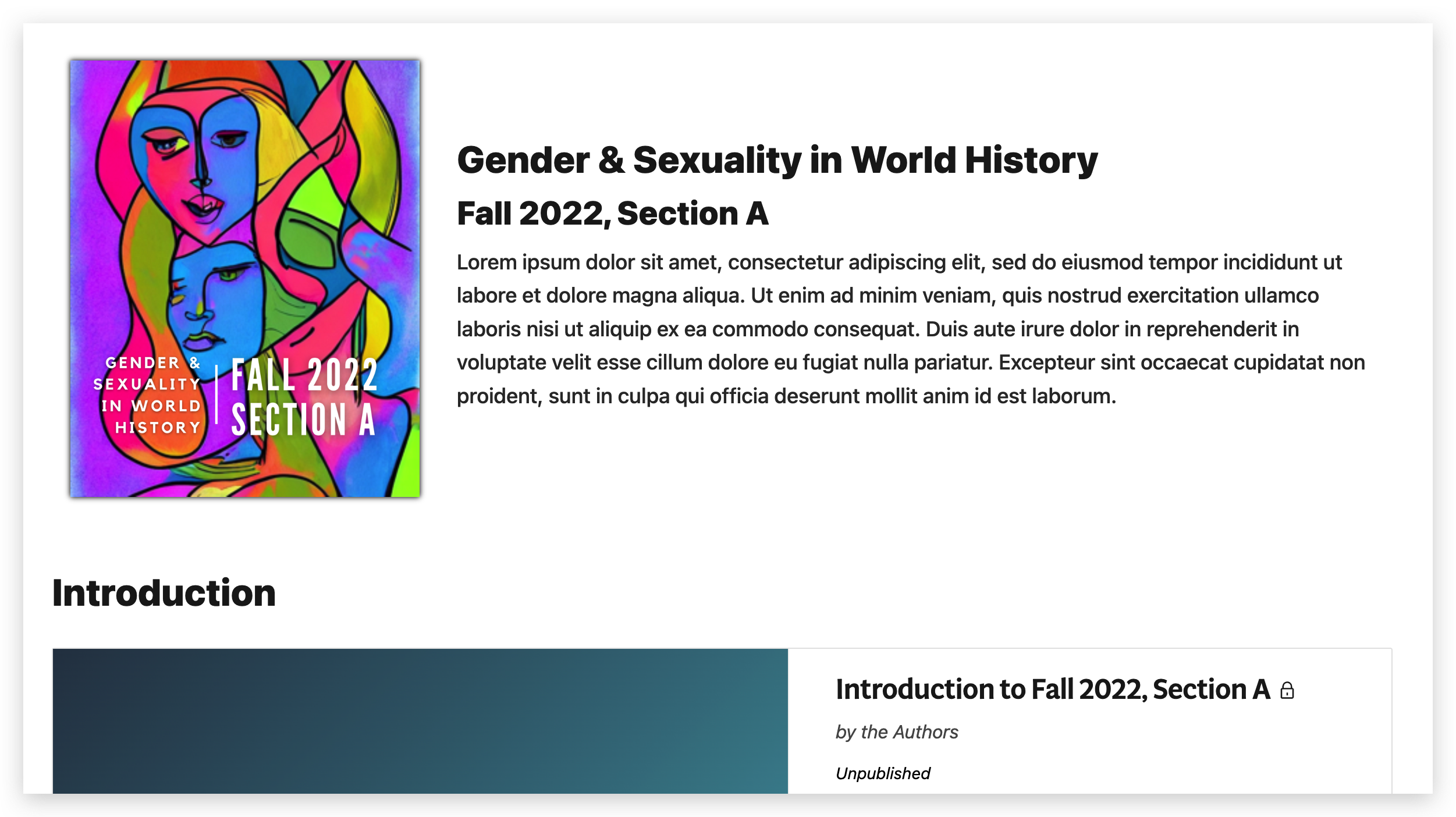
But on smaller screens, the text elements would flow below the image, and the image would fill the column. I'd use the heck out of this if it was available (or if someone could help me modify my code to work reliably across communities). My extremely hacky copypasta below:
Beta Was this translation helpful? Give feedback.
All reactions