

Interactive fuzzy search across file contents using fzf, with live preview and instant results. Combined with a powerful Git Diff Search Editor for high-efficiency code review.
Coding Agents (Claude Code, Copilot, Cursor) often modify dozens of files in a single
turn. The Git Diff Search Editor (Ctrl+Shift+G) is purpose-built for this:
- Unified Review: See all uncommitted changes (staged and unstaged) or recent commits in a single, searchable tab.
- Contextual Awareness: Unlike a simple
git diff, you get a foldable Search Editor where you can see the surrounding context of every change. - Navigation Power: Click any line to jump directly to the source file for manual adjustments.
Traditional search requires exact matches or complex regex. R3BL Fuzzy Search brings the
power of fzf and ripgrep to your editor:
- Typo Tolerance: Search for
exprtto findexport. The fuzzy algorithm handles small mistakes so you don't have to. - Instant Discovery: Results appear in a dedicated panel as you type (250ms debounce), allowing you to refine your query in real-time until you find exactly what you need.
- Smart Ranking: Matches are ranked by relevance, not just file order, so the best results always appear at the top.
When renaming symbols or changing APIs across a large project:
- Interactive Filtering: Use the interactive panel (
Alt+Shift+D) to quickly gauge the scope of changes. - Persistent Search Editor: Press
Enterto move results into a permanent.code-searchtab. This becomes your "todo list" for the refactor. - Exclude on the fly: Quickly toggle
.gitignorerespect or add exclude patterns without openingsettings.json.
- Interactive Search Panel: Always-editable search box with live preview as you type.
- Fuzzy Search: Smart search using fzf that tolerates typos and is case-insensitive.
- Fast Results: Powered by ripgrep for lightning-fast file content search.
- Live Preview: See results update in real-time as you type (250ms debounce).
- Dual View Modes:
- Interactive Panel: Preview results with clickable navigation for quick lookups.
- Search Editor Tab: Press
Enterto open full results in a permanent code tab.
- Git Diff Search Editor: View all uncommitted changes or recent commits in a Search Editor tab with folding and click-to-navigate.
- Customizable Excludes: Configure which files and directories to exclude from search on-the-fly via the interactive UI.
- Smart Result Ranking: Best matches appear first, sorted by relevance using
fzf.
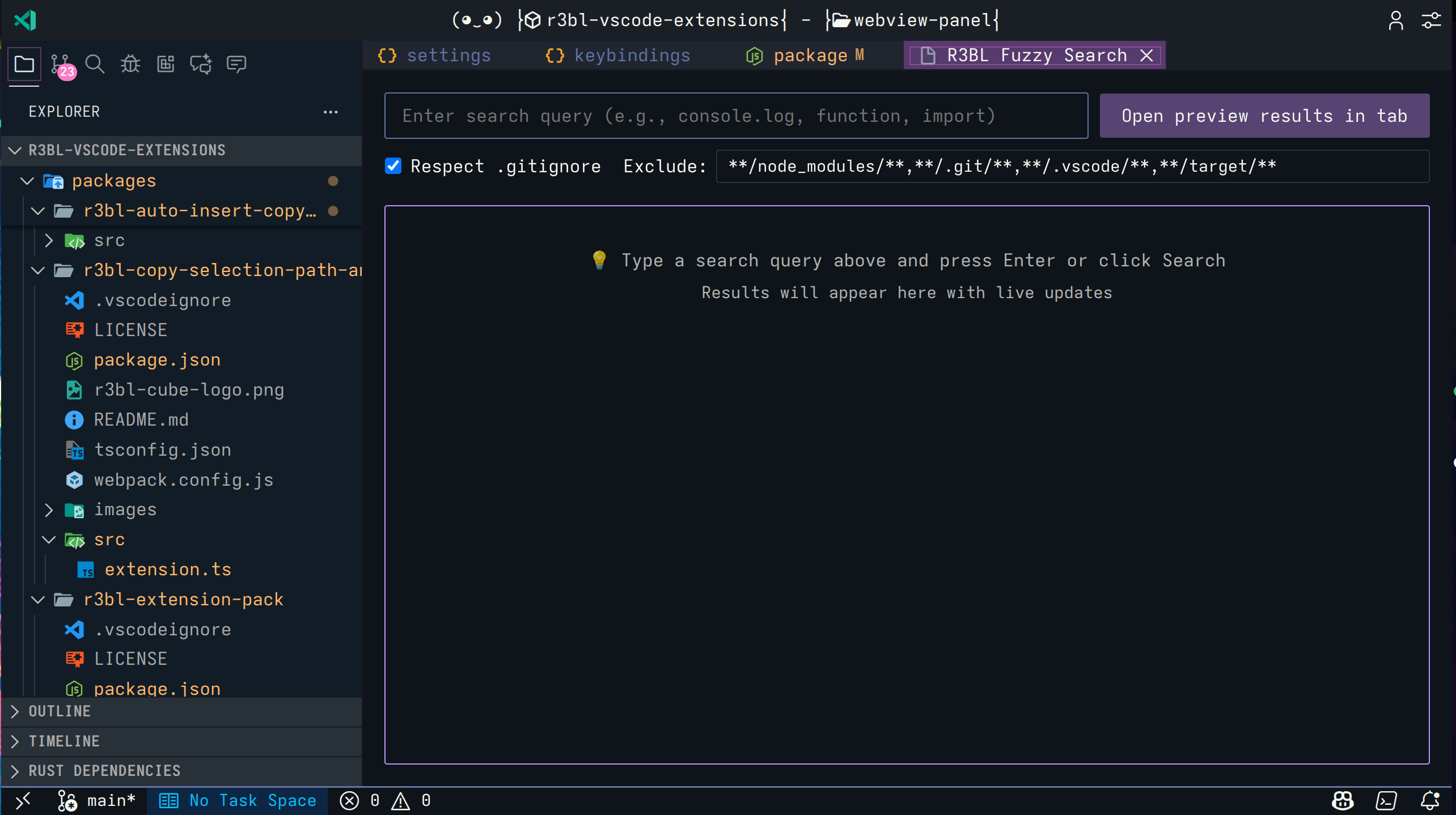 Interactive search panel with live preview and always-editable search box
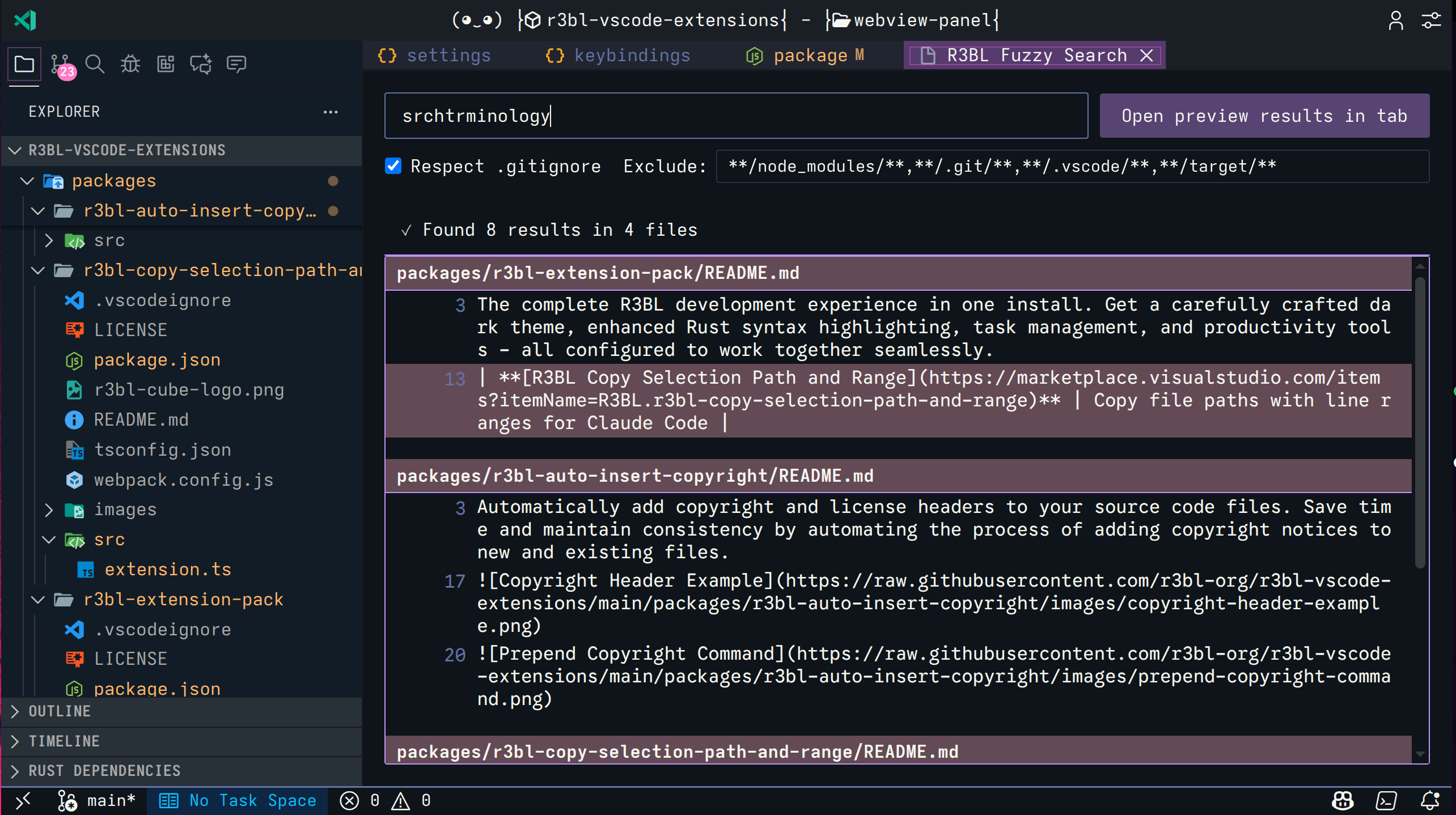 Live preview shows results as you type with 250ms debounce
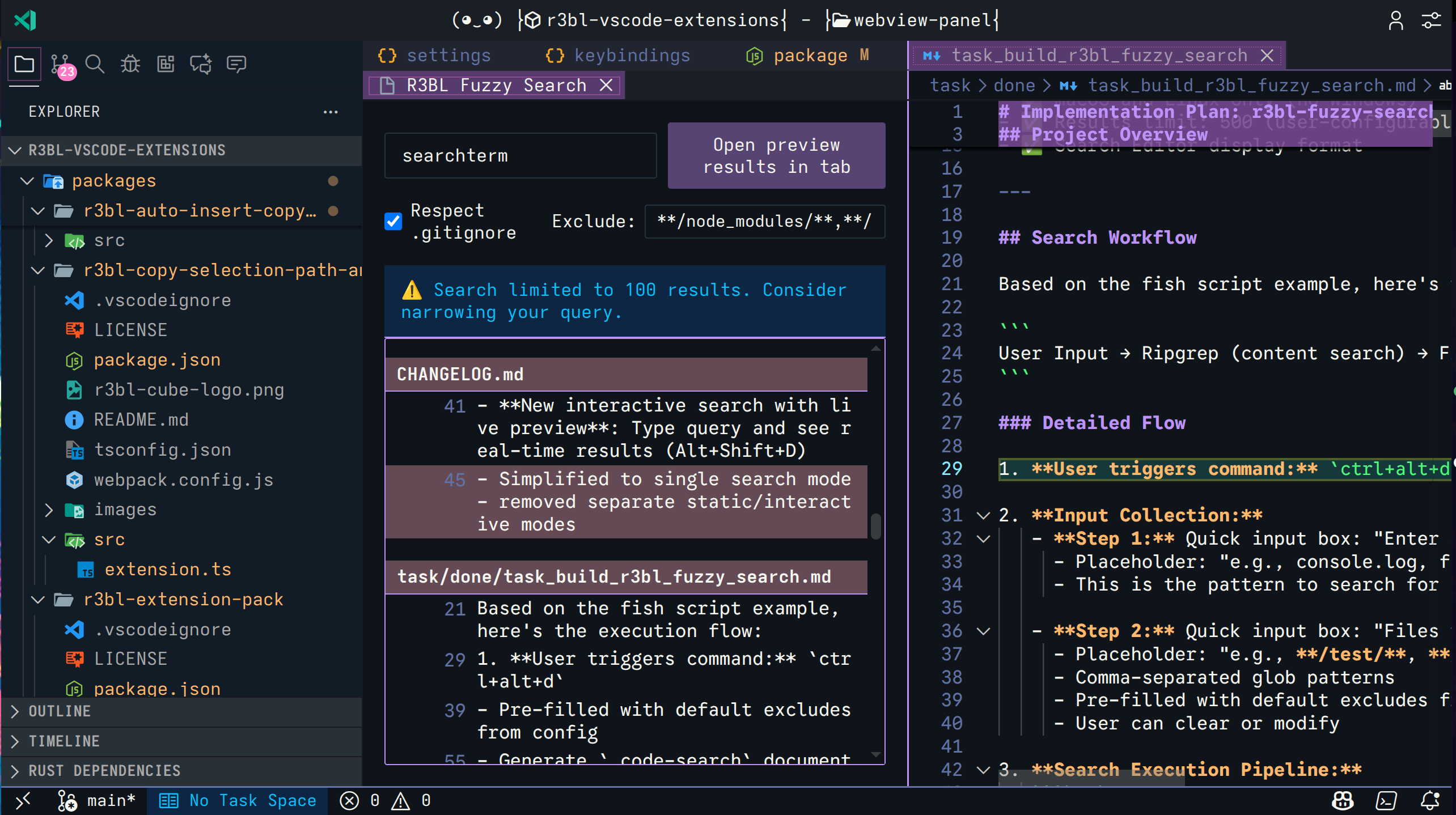 Click any result to jump directly to that location in your code
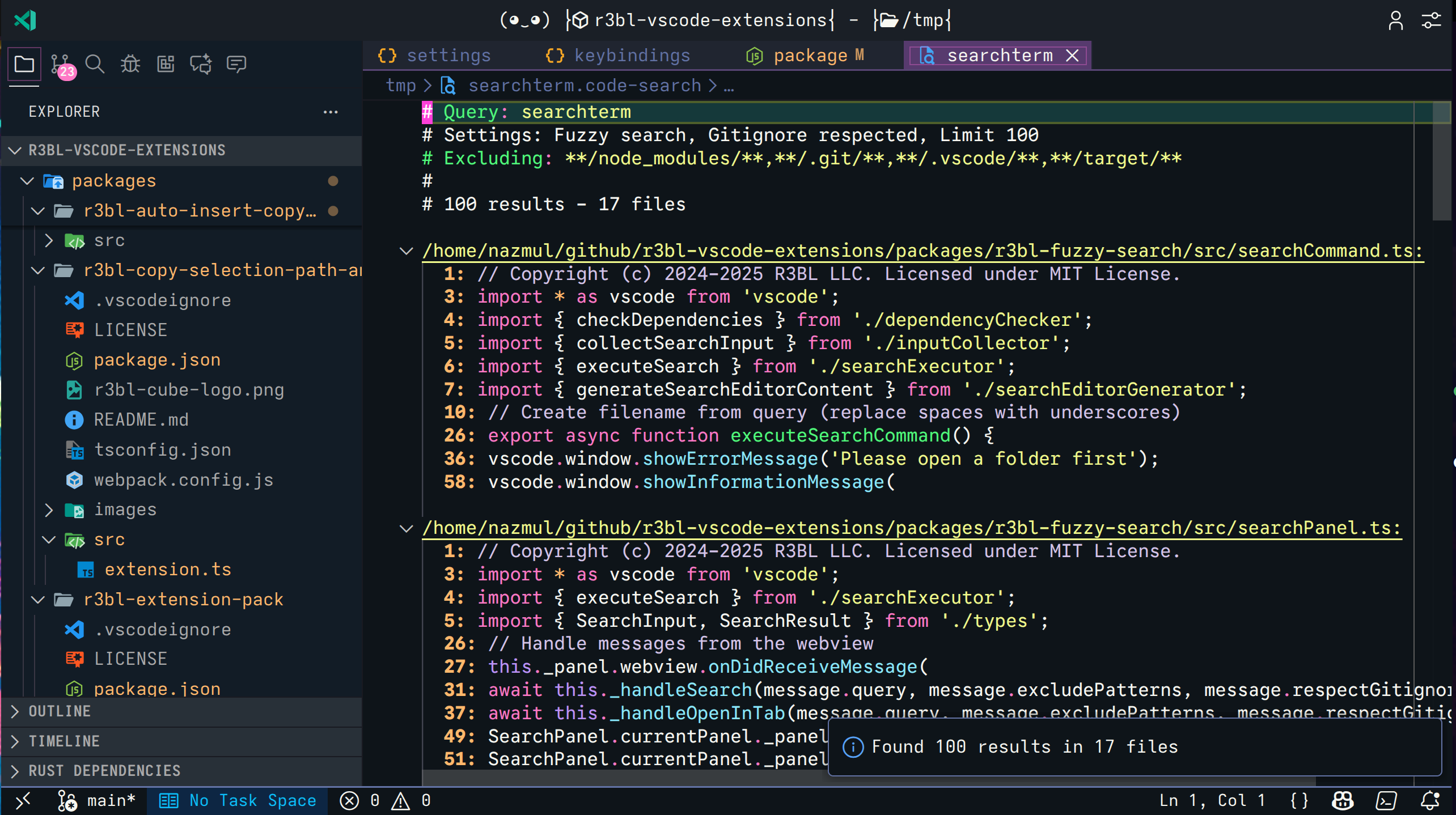 Press Enter to open full results in a Search Editor tab with clickable line numbers
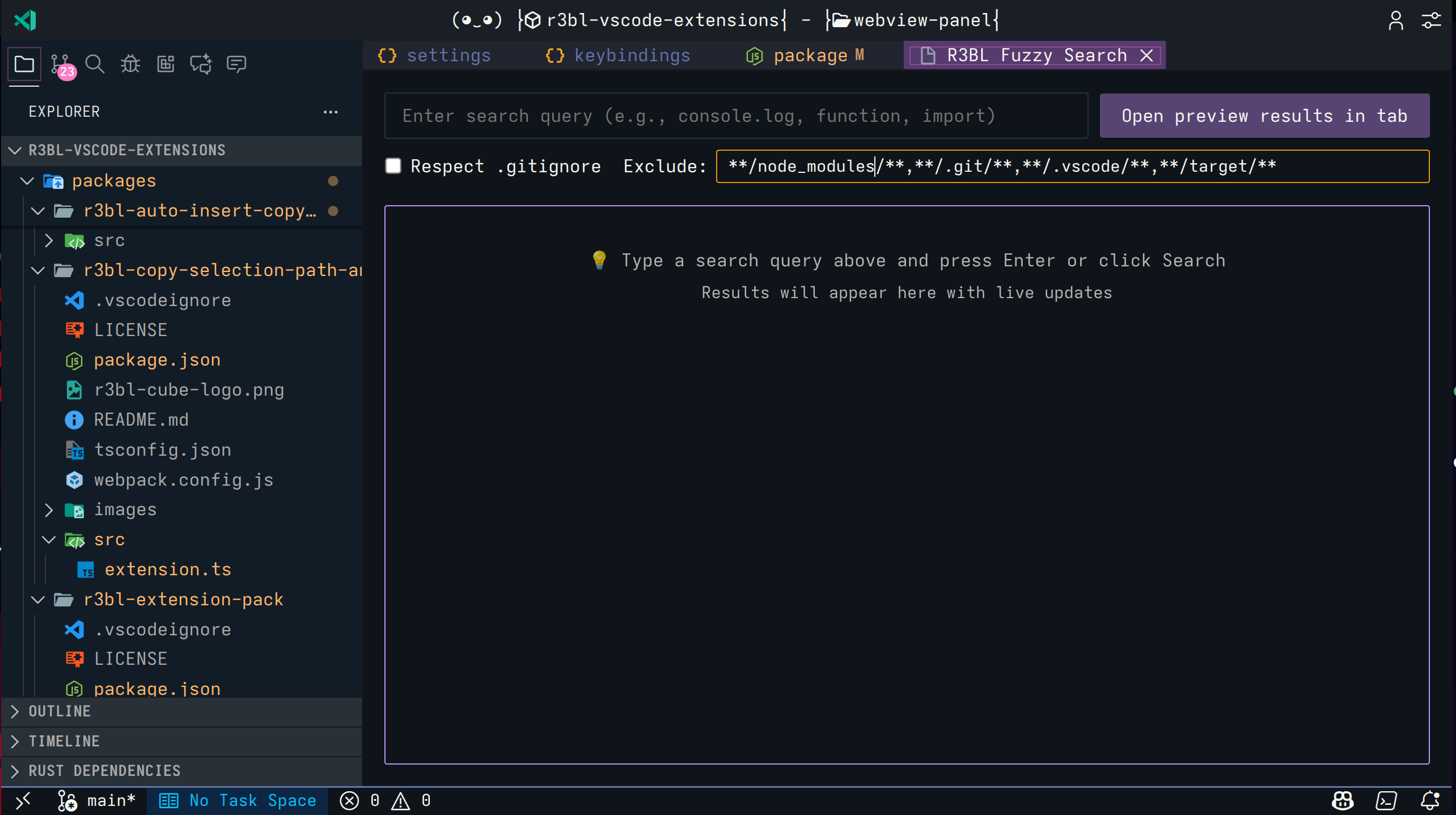 Configure exclude patterns and .gitignore respect with interactive buttons
This extension requires the following command-line tools to be installed:
- git: Required for the Git Diff Search Editor command.
- ripgrep (rg): Required for fast file content search.
- fzf: Required for fuzzy matching and ranking.
Platform Support: macOS and Linux only (Windows is not supported).
Alt+Shift+D— Open the interactive fuzzy search panel.Ctrl+Shift+G— Open the Git Diff Search Editor (Uncommitted changes or Recent Commits).Ctrl+R— Refresh the content of an open Git Diff Search Editor (while tab is focused).
- Open search panel: Press
Alt+Shift+D. - Type your query: Results appear in real-time. Typos are okay!
- Navigate instantly: Click any result in the panel to jump to that location.
- Open full results: Press
Enterto open results in a permanent Search Editor tab. - Configure settings: Use the gear icon to modify excludes or the search-stop icon to
toggle
.gitignorerespect.
- Trigger command: Press
Ctrl+Shift+G. - Select context: Choose between "Uncommitted Changes" or a list of recent commits.
- Review: Review the diff in a searchable, foldable tab.
- Refresh: Press
Ctrl+Rwhile the Search Editor tab is focused to refresh its content with the latest git state. - Navigate: Click any line to jump to the source file.
r3blFuzzySearch.fzfPath: Path to fzf executable (default:fzf).r3blFuzzySearch.ripgrepPath: Path to ripgrep executable (default:rg).r3blFuzzySearch.defaultExcludePattern: Default comma-separated glob patterns to exclude.r3blFuzzySearch.resultLimit: Maximum results to display (default: 100).r3blFuzzySearch.respectGitignore: Respect .gitignore files by default (default: true).r3blFuzzySearch.commitHistoryLimit: Number of recent commits to show in picker (default: 10).r3blFuzzySearch.gitDiffMaxLinesPerFile: Maximum number of diff/preview lines displayed per file in Git Diff Search Editor (default: 5).
| Feature | Built-in Search | R3BL Fuzzy Search |
|---|---|---|
| Matching | Exact/Regex | Fuzzy (FZF) |
| Typo Tolerance | No | Yes |
| Speed | Fast | Fast (rg+fzf) |
| Live Preview | No | Yes (250ms debounce) |
| Result Display | Sidebar or Editor | Interactive Panel + Tab |
| Instant Navigation | No | Click to jump |
| Gitignore | Always respected | Toggleable on-the-fly |
| Result Ranking | Basic | Smart (by relevance) |
This extension uses the R3BL Shared extension for centralized services across all R3BL extensions (message queuing, global configuration, and more).
See CHANGELOG.md for detailed release notes and version history.
MIT
Found a bug or have a suggestion? Please open an issue at: https://github.com/r3bl-org/r3bl-vscode-extensions/issues
Enjoy fuzzy searching!