The Toolbox is a Kickstarter for your every day project. It provides some important bricks and structure basics which allows rapid and quality-orientated web development.
- Pimcore 5.
Get the Pimcore4 Version here.
- Add code below to your
composer.json - Activate & install it through the ExtensionManager
"require" : {
    "dachcom-digital/toolbox" : "~2.4.0"
}- create often used bricks in a second
- extend, override toolbox bricks
- add config elements via yml configuration
- add consistent and beautiful config elements
- implement conditions to your config (for example: display a dropdown in config window if another checkbox has been checked)
- add your custom bricks while using the toolbox config environment
- removes the default
pimcore_area_*element wrapper from each brick
- It's not a Avada Theme. While the Toolbox provides some basic Javascript for you, you need to implement and mostly modify them by yourself.
- Toolbox supports only the twig template engine, so there is no way to activate the php template engine (and there will never be such thing).
Frontend JS Implementation
We're providing some helpful Javascript Plugins to simplify your daily work with the ToolboxBundle.
Read more about the javascript implementation here.
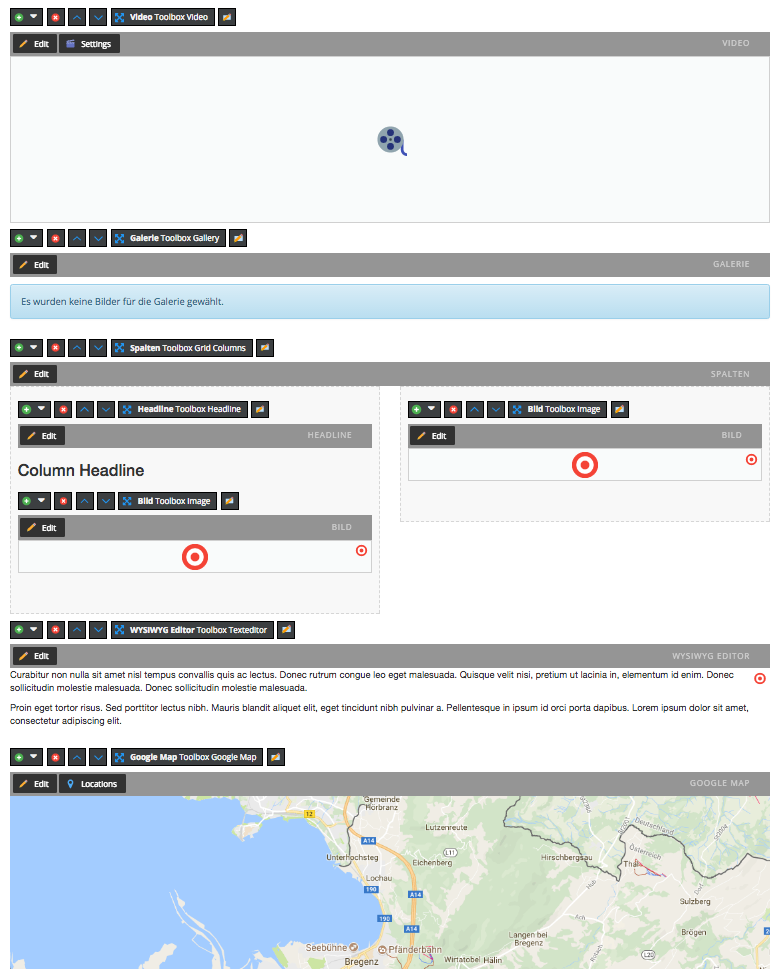
The Toolbox provides a lot of ready-to-use Bricks:
- Accordion
- Anchor
- Columns
- Container
- Content
- Download
- Gallery
- Google Map
- Headline
- iFrame
- Image
- Link List
- Parallax Container
- Parallax Container Section
- Separator
- Slide Columns
- Spacer
- Teaser
- Video
- Important Usage Information
- Code Style
- Helper Commands
- Toolbox Elements Overview
- Conditional Logic in Configuration
- CK-Editor Configuration
- Image Thumbnails Strategy
- Configuration Context (New!)
- Create a Custom Brick
- Theme / Layout
- Overriding Views
- Data Attributes Generator
- Column Adjuster
- Configuration Flags
- Javascript Plugins
- fix the pimcore iframe maskFrames bug (in some cases the iframe overlay field does not apply to the right position)
- Transforms all the brick config buttons (
pimcore_area_edit_button_*) to more grateful ones.
Copyright: DACHCOM.DIGITAL
For licensing details please visit LICENSE.md
Before updating, please check our upgrade notes!