Contains source code for 3 projects:
- Flappy Bird Game:
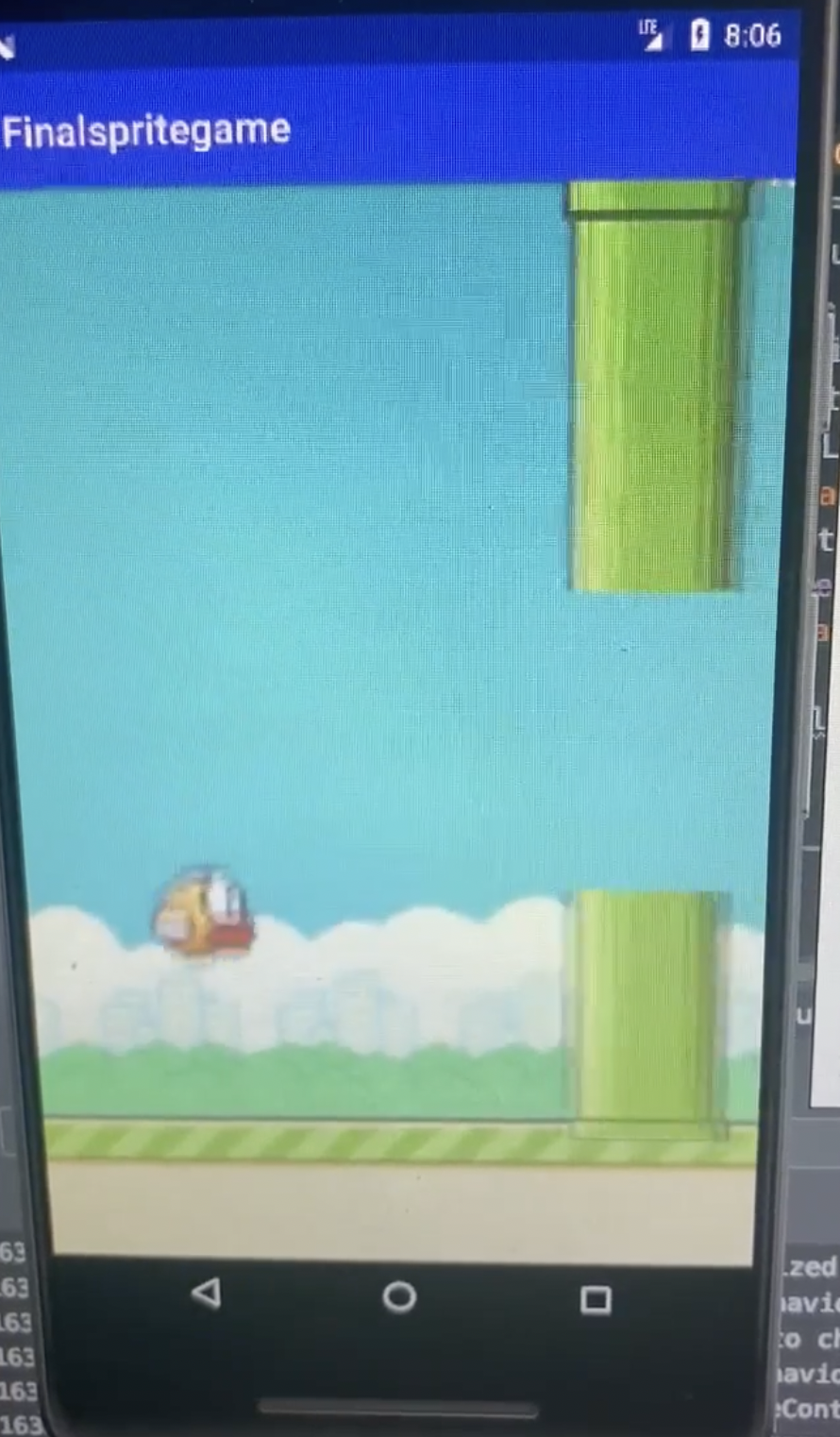
Technical Description: I developed my Flappy Bird game using the Android Studio IDE. I incorporated freely available images (found on Google Images) of sprites in the original Flappy Bird game to make my application as similar as possible. All of the game components (buttons, score tracking, bird/pole movements) were programmed in the languages of Java and XML. I was able to test my application using an Android Virtual Device (AVD), specifically the Pixel 2, as I didn’t have access to a physical Android phone.
Story: My inspiration to create my own remake of the original Flappy Bird game came in my Mobile Application Development class last year in school. As I was learning how to build applications on Android Studio that could be deployed on Android phones, I wanted to use what I knew to build a fully functioning game. I used to love playing games such as Flappy Bird and Temple Run on my family’s iPad when I was little, and so I wanted to see if I could create an app that truly meant something to me. The process of building a fully functioning game was very rewarding, but challenging as well. As I didn’t have much experience with creating complex applications with multiple stages and moving parts involved, I spent time researching how to create responses to user actions (e.g. having the bird rise when the user tapped on the screen). I also faced struggles with having the game terminate and restart when the bird bumped into a pole; to solve this issue, I consulted sources such as Stack Overflow and my teacher. I truly learned a lot from the experience of building Flappy Bird, as it gave me insight into the careers of game developers. I was able to build upon my programming skills while working on a project that I had a personal connection to. Being able to play my own Flappy Bird game and watch the bird fly across the screen was a unique experience, as I knew firsthand how it worked.
- Plant Disease Detection:
Demo:
PlantDoc_Demo.1.1.mp4
Technical Description: I built and trained a convolutional neural network to detect plant diseases given an image of a leaf in Python using Google Colab. I utilized the VGG-19 CNN, a 19 layer network pre-trained on the Image Net database, as my base network. I modified the network by changing the size of the input image to be 256x256 and adding two layers to the network, of which the final utilized the “softmax” activation function. I trained my network on the Plant Village dataset, a library containing 54,303 images of plant leaves, organized into 38 categories by species and type of disease. I developed my website using the Sublime Text IDE and the Flask web framework. I used a freely available Bootstrap template released under an MIT license as the basic UI for my website, but made many modifications to cater it to my project’s needs. Currently, my website is able to receive user input (an image of a leaf), run it through my convolutional neural network, and return a predicted diagnosis. My website also contains information about each disease and potential treatments, a user account system, and a database of prior diagnoses for each user.
Story: My family started to garden about a year ago, and we quickly found out we weren’t very good at it. As none of us have much knowledge about plant health, we often struggle with treating our plants when they become diseased. My motivation for this project was to solve this issue. I have always been interested in applications of artificial intelligence in the real world, and so this project was the perfect opportunity for me to explore. Through the experience of working on this project, I have become much more comfortable in using popular machine learning libraries and creating/training neural networks. I have also been able to further my understanding of the theory behind convolutional neural networks, and how the pooling and convolutional layers involved are useful in image recognition. Integrating my network to my website proved to be a challenge for me, but through research, I have learned that a Python based web framework is useful in many artificial intelligence applications (which are mainly programmed in Python). In the future, I hope to work on projects involving image feature recognition to detect diseases in humans, as I am interested in pursuing a career in the intersection of the computer science and medicine fields.
- Othello:
Technical Description: I created my Othello program in Python using the PyCharm IDE. The goal of my program was to be able to choose the best move to play given a specific board state and a token (black/white, x/o). Given a certain board state, my program first determines all the possible moves it can play. Then, utilizing the minimax algorithm (which looks at the success of each possible move in future game states) and alpha beta pruning, my program continues trying to reach higher depths in the algorithm until it is stopped by a time limit. I also developed a heuristic determining how “good” a non-final game state is based on certain characteristics (how many corners are covered by my tokens, what is the difference in number of tokens between me and the opponent, etc.).
Story: In my Artificial Intelligence class, one of the long-term projects I worked on was creating a program capable of being able to play the board game Othello. In class, I learned about concepts such as the minimax algorithm and alpha beta pruning, which are commonly used in creating board game playing algorithms. When incorporating these concepts into my own Othello program, one of the challenges I faced was being able to improve the speed of my code, as the assignment involved a limit of the time that could be used to pick a move. The minimax algorithm makes better decisions when it is able to reach a higher depth in game states, and so I had to improve the efficiency of other parts of my code to reduce the time taken. In order to do this, I eliminated unnecessary traversals of arrays, and thought of more efficient ways to calculate a heuristic given a specific game state. I very much enjoyed the experience of working on this assignment, as the logical thought process behind the minimax algorithm was very fascinating to me. Though the concepts were intuitive, I realized the powerful impact that such a simple algorithm can have in our world. In addition, I enjoyed the process of slowly adding various strategies to my program and watching my code “learn”.