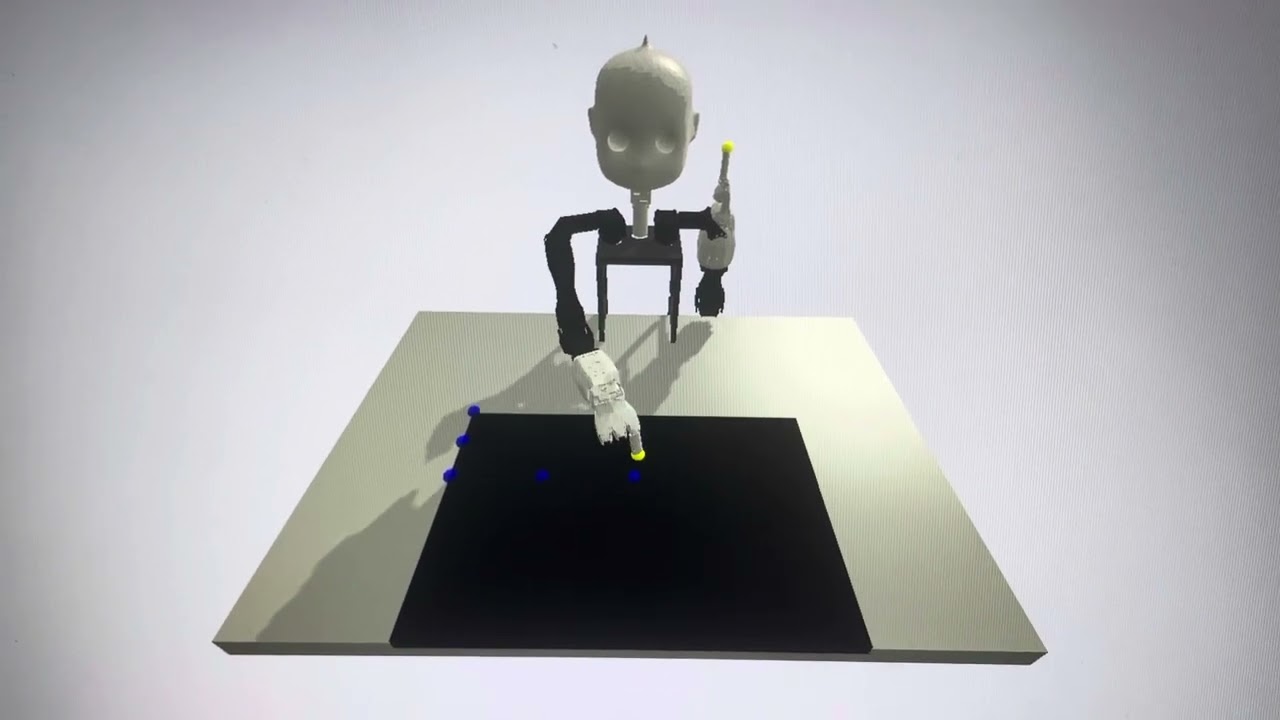
Inverse kinematics for Nico robot. Win/Linux friendly.
You need just numpy and pybullet
pip install pybullet
If you want to work with real robot, you need o install NicoMotion
https://github.com/knowledgetechnologyuhh/NICO-software/tree/master/api/src/nicomotion
python setup.py
If you do not have real robot, you can comment lines 6 and 7 in ik_solver.py
This is a basic class to control Nico grasping with predefined grasp pose. In the Grasper class there are methods to control both arms and head based on the target position (and orientation). There are methods for both DK and IK control, namely:
DK - move to pose, close hand, open hand, perform_grasp, perform_drop
IK - move_arm, move_both_arms, move_gripper,close_gripper,open_gipper, point_griper, close_finger, move_finger, look_at, grasp_object, move_object, pick_object, place_object
There are several example scripts to control the robot, try grasper....py
If you want to test the robot urdf joints use visualizer.py
If you want to test IK in simulation use grasp_gui_slider.py
Basic test
python ik_solver.py
It has to output 7 joint angles in radians in repetitive manner
Visualization
python ik_solver.py -g
There is robot randomly calculating IK for finger on the line
Left/right hand switch
python ik_solver.py -g -l
The IK solver switch to left hand
Custom position
python ik_solver.py -g -p 0.4 -0.3 0.3
It will repeatedly calculate IK for this position and output joint angles to terminal
Reset to initial position
python ik_solver.py -g -i
It will reset robot to initial position defined in line 166 after each calculation
Animate motion
python ik_solver.py -g -a
It will show the trajectory of motion in simulator
Real robot
python ik_solver.py -g -rr
It will initialize robot to default position and then execute the motion from IK
Custom movements
If you want to put custom trajectory or other methods (from x,y,z to joint angles) write it to the target method instead of random generator
Calibration matrix
python ik_solver.py -g -c -i -a
Reachchecker
python reachchecker.py -g -i -o 0 0 1.57 -ip -0.3 -0.6 1.3 -io 0 0 1.57 -r tiago_dual_mygym.urdf -d 1 --output_file tiago_test -v -c 0.2 0.8 0.05 -0.7 0.7 0.05 0.75 0.75 0.1
python reachchecker.py -g -i -a -o 0 0 3.14 -ip 0.0 -0.6 1.2 -io 0 0 3.14 -r nico_upper_rh6d_r.urdf -en table_nico.urdf -d 1 --output_file nico_test -v --robot_pos 0.0 0.0 0.73 -c 0.2 0.5 0.05 -0.3 0.3 0.05 0.87 0.87 0.1
python reachchecker.py -g -i -o 0 0 1.57 -ip -0.3 -0.6 1.3 -io 0 0 1.57 -r tiago_dual_mygym.urdf -d 1 --output_file tiago_test -v -c 0.25 0.7 0.1 -0.65 0.65 0.1 0.72 0.72 0.1 -a -to apple.urdf --grasp
python reachchecker.py -g -i -a -o 0 0 3.14 -ip 0.0 -0.6 1.2 -io 0 0 3.14 -r nico.urdf -en table_nico2.urdf -d 1 --output_file nico_test -v --robot_pos 0.0 0.0 0.68 -c 0.25 0.45 0.05 -0.20 0.20 0.05 0.73 0.73 0.1 -to apple50.urdf --grasp
python reachchecker.py -g -i -a -o 0 3.14 3.14 -ip -0.1 -0.6 1.2 -io 0 3.14 3.14 -r nico_grasp.urdf -en table_nico2.urdf -d 1 --output_file nico_test -v --robot_pos 0.0 0.0 0.68 -c 0.25 0.45 0.05 -0.20 0.20 0.05 0.89 0.89 0.1
reachchecker_rr.py -g -i -a -o 0 3.14 3.14 -ip -0.1 -0.6 1.2 -io 0 3.14 3.14 -r nico_graspfixed.urdf -en table_nico2.urdf -d 1 --output_file nico_test --robot_pos 0.0 0.0 0.68 -c 0.3 0.45 0.05 -0.20 0.20 0.05 0.89 0.89 0.1 -rr
Experiment
Will point at 7 points on the touchscreen based on legibility experiment paradigm
python experiment.py
Calibration
Will run tablet calibration based on stored positions in specified csv file (joint values) it is calibrated on several points on the touchscreen and body
python calibrators.py
Grasping
Will grasp object from 5 points predefined in csv as joint angles, open a close hand and put object to the storage.
python grasping.py
GraspingIK
will grasp object placed on touchscreen spefied n pixels or x,y from touchscren corner
python graspik.py -p 10 10