




A real-time chatroom web service with magic link authentication.
Roomz is a real-time chat application with secure magic link authentication. Built with modern async technology (Quart + SocketIO), it provides seamless real-time messaging with passwordless login.
| Login | Magic Link | Chat | CLI |
|---|---|---|---|
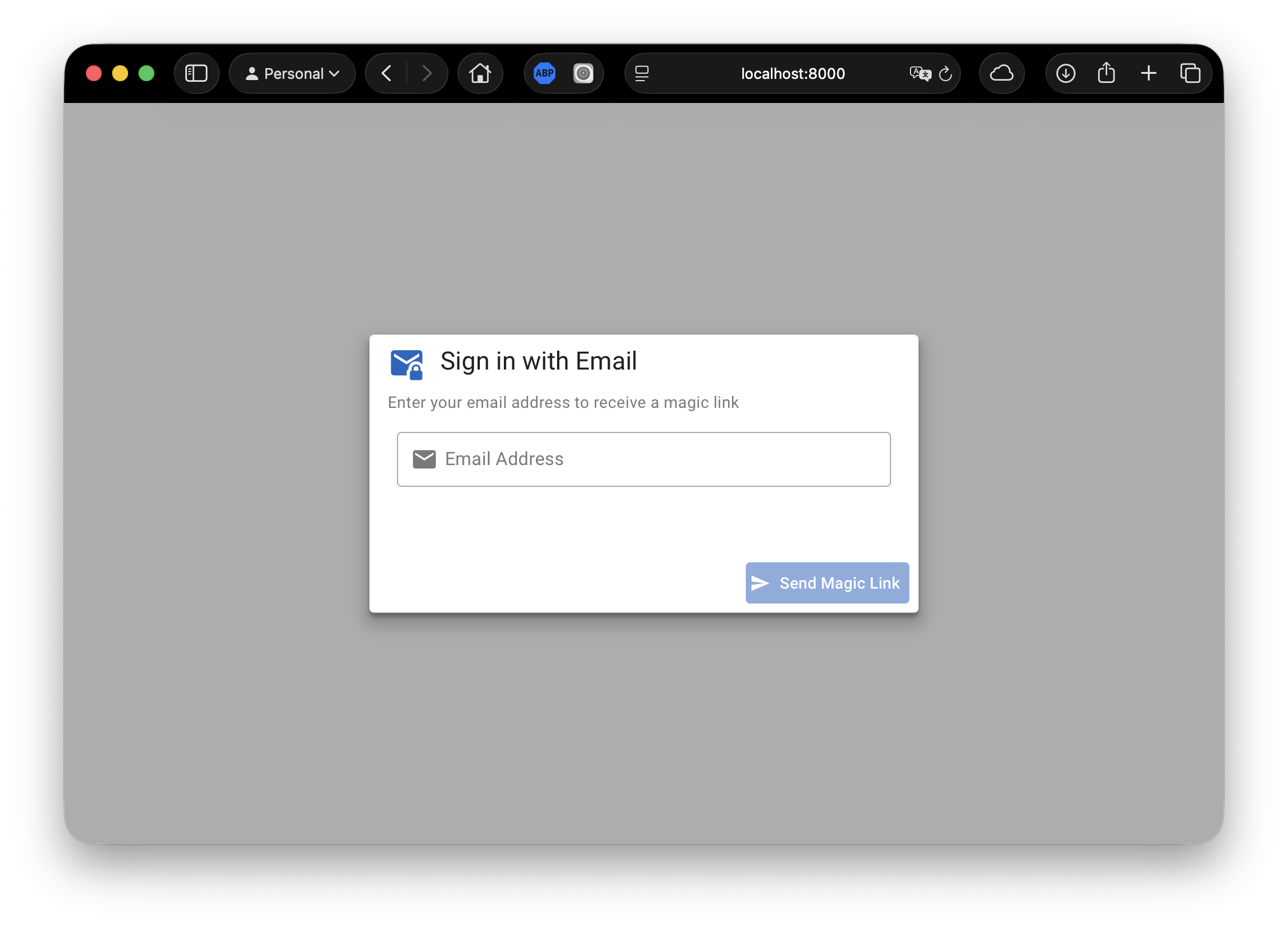 |
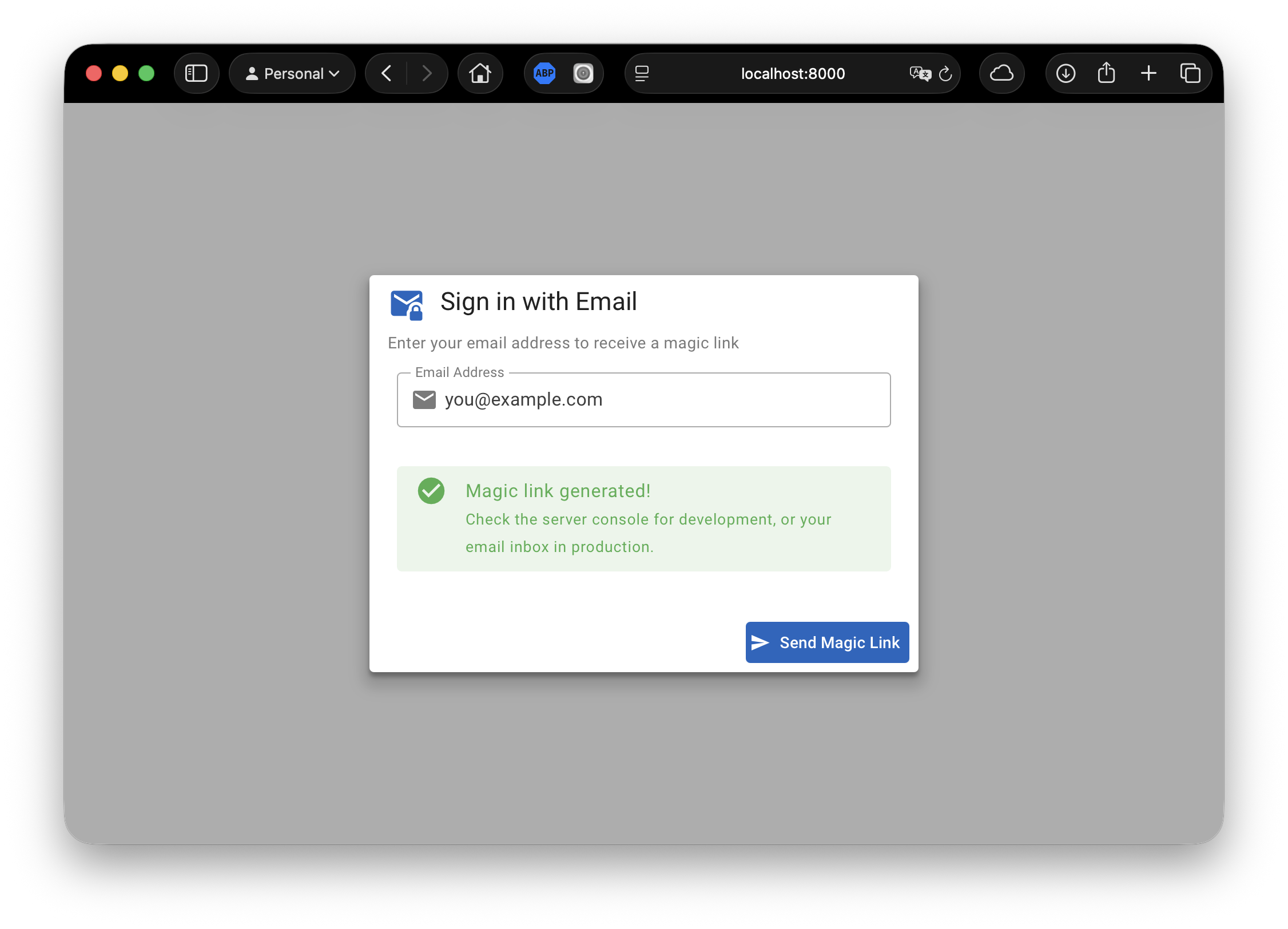 |
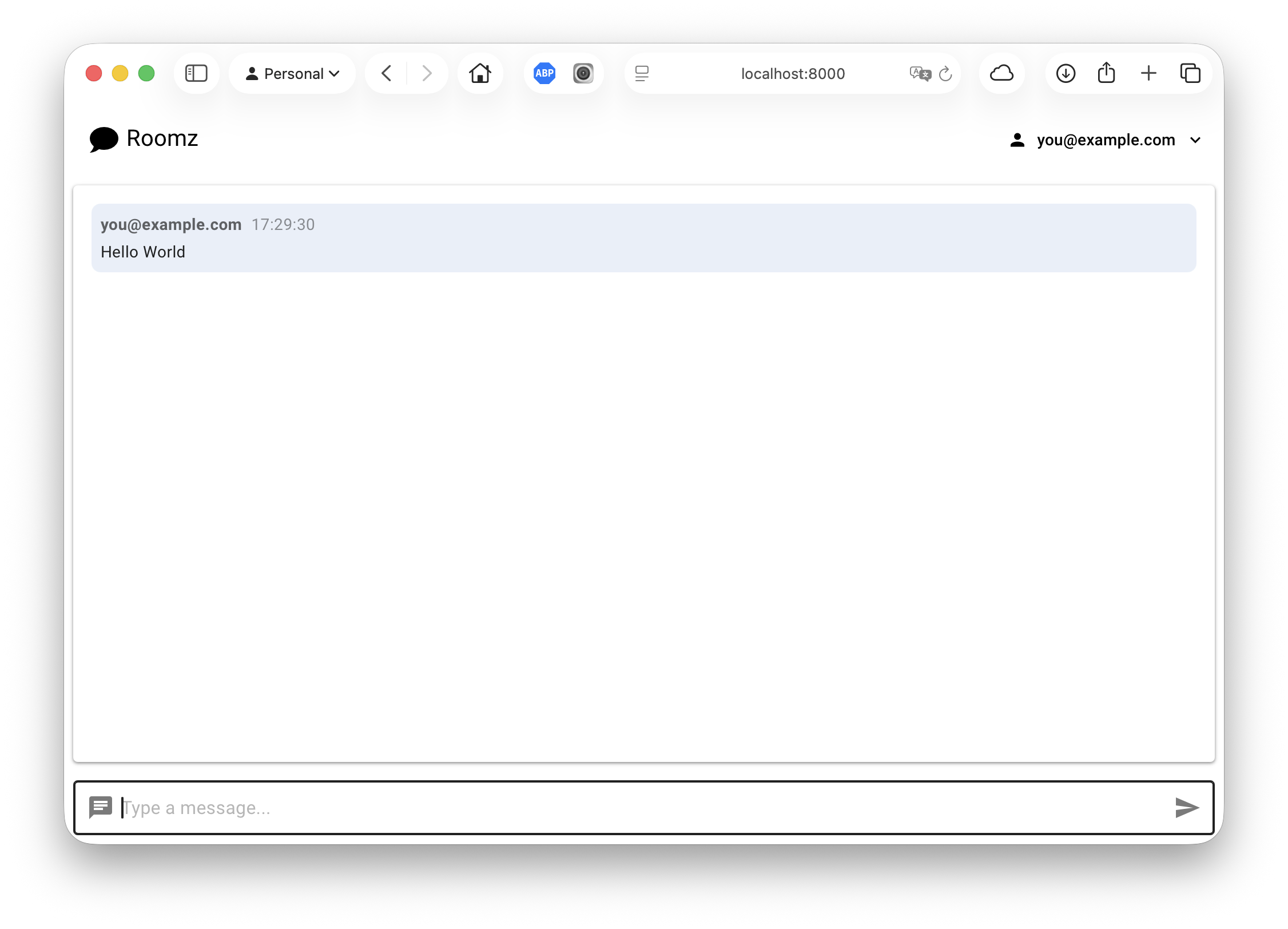 |
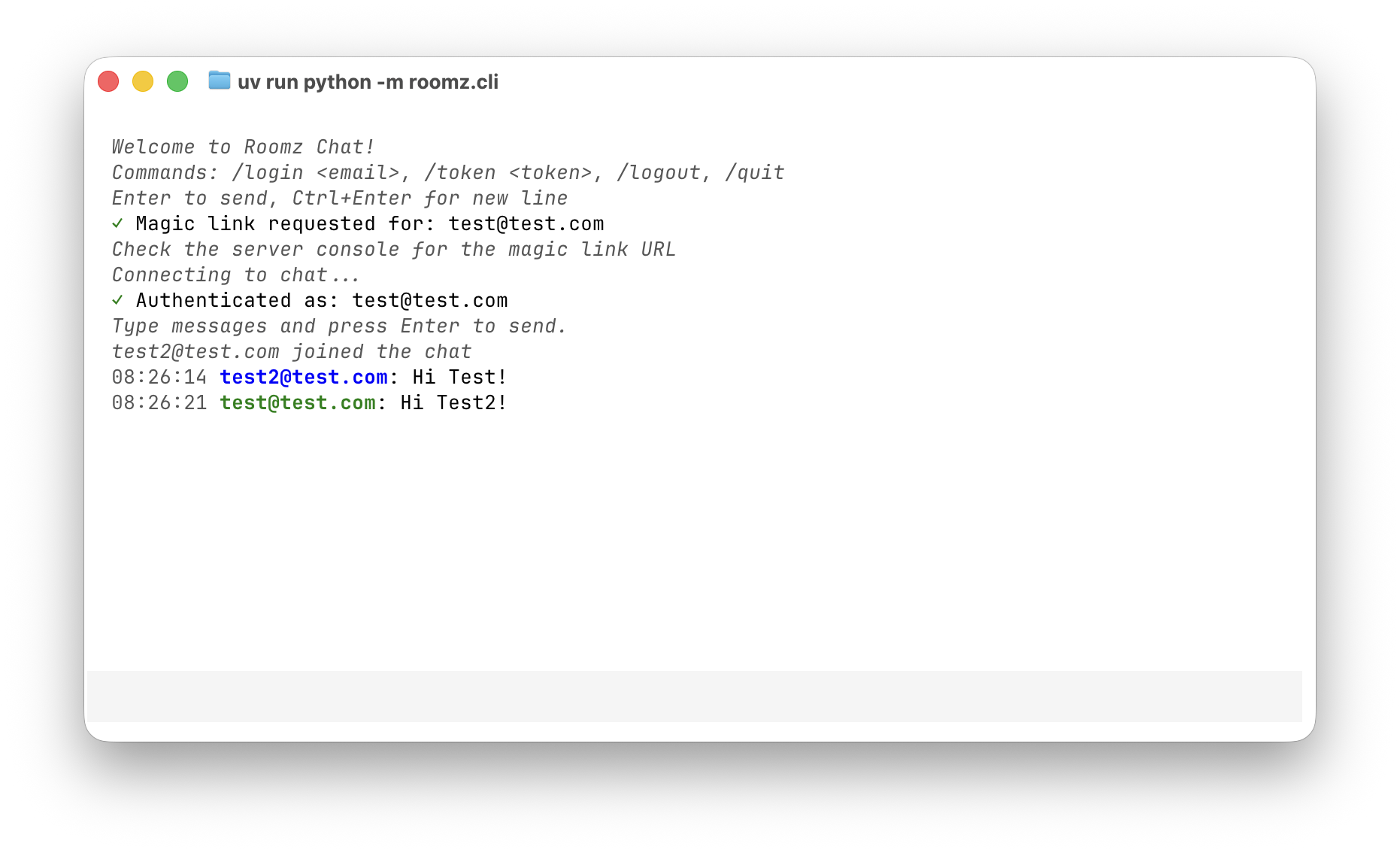 |
- Magic Link Authentication: Passwordless login via email
- Instant Messaging: Messages appear instantly across all connected users
- Real-time Updates: See when users join or leave
- Display Names: Set a custom display name shown as "Name (email)" in chat
- Responsive Design: Works on desktop, tablet, and mobile
- Connection Status: Visual indicator shows when disconnected
- Accessibility: Keyboard navigation and screen reader support
- Python 3.10 or higher
- uv package manager
# Clone or navigate to the project
cd /path/to/roomz

# Install dependencies
uv sync

# Install dev dependencies (for testing)
uv sync --extra dev# Start the chat server
uv run gunicorn -k uvicorn.workers.UvicornWorker roomz.server:asgi_app
# Or for development with auto-reload:
uv run uvicorn roomz.server:asgi_app --reload --host 0.0.0.0 --port 8000Open http://localhost:8000 in your browser.
Roomz uses environment variables for configuration. Create a .env file in the project root:
# Required: JWT secret key (minimum 32 characters)
# Generate with: python -c "import secrets; print(secrets.token_urlsafe(32))"
JWT_SECRET_KEY=your-256-bit-secret-key-here

# Required: Comma-separated list of allowed email addresses
ALLOWED_EMAILS=user@example.com,other@example.com

# Email Configuration (choose one)
# Development: Log magic links to console (default)
EMAIL_SENDER=console

# Production: Send emails via Resend
# EMAIL_SENDER=resend
# RESEND_API_KEY=re_your_api_key_here
# EMAIL_FROM=noreply@yourdomain.com  # Optional, defaults to no-reply@example.com

# Optional: JWT token expiration in days (default: 30)
JWT_EXPIRY_DAYS=30

# Optional: Magic link expiration in minutes (default: 15)
MAGIC_LINK_EXPIRY_MINUTES=15

# Optional: Rate limit for magic link requests per email per hour (default: 5)
MAGIC_LINK_RATE_LIMIT=5
Security Notes:
JWT_SECRET_KEYmust be at least 32 characters (256 bits)ALLOWED_EMAILScontrols who can authenticate- Removing an email from
ALLOWED_EMAILSimmediately revokes their access - Session cookies are httpOnly and SameSite=Strict
Email Setup:
- Development: Set
EMAIL_SENDER=console(or leave unset). Magic links are logged to the server console. - Production: Set
EMAIL_SENDER=resendand provideRESEND_API_KEY. Get your API key from resend.com.
# Run all tests
uv run pytest tests/ -v

# Run tests with coverage
uv run pytest --cov=src/roomz --cov-report=term-missing

# Run tests across Python versions
uv run tox- Open the application in your browser
- Enter your email address
- Click "Send Magic Link"
- Check the server console for the magic link (development mode)
- Click the magic link to authenticate
- You're now in the chat!
- After authentication, you see the chat interface
- Type a message in the input field at the bottom
- Press Enter or click the Send button
- Your message appears instantly to all connected users
- Open the application in multiple browser tabs or windows
- Authenticate in each tab (can use same or different email)
- Type messages in any tab
- All tabs see the messages instantly
- System messages show when users join or leave
Roomz includes a Python client library for programmatic access to the chat service.
The easiest way to use Roomz from the command line:
# Start the CLI (auto-discovers config from ~/.roomz.toml)
uv run roomz-cli

# Or specify server URL via CLI argument
uv run roomz-cli --server-url http://your-server:8000

# Or specify display name
uv run roomz-cli --display-name "Alice"
Commands:
/login <email>- Request a magic link/token <token>- Connect with magic link token/name <name>- Set display name (shown as "Name (email)")/name- Clear display name (show email only)/logout- Disconnect and clear session/quit- Exit the CLI
Features:
- Session caching (auto-reconnect on restart)
- Split-screen TUI with message history
- Color-coded messages (your messages in green)
- Multiline support (Enter to send, Ctrl+Enter for new line)
- Display names (set via
/namecommand, environment variable, or config file)
Roomz uses clevis for configuration management with built-in security validation.
Configuration Resolution Order (highest to lowest priority):
- CLI arguments (
--server-url,--display-name) - Project-level config (
./roomz.tomlin current directory) - User-level config (
~/.roomz.tomlin home directory) - Dataclass defaults
Environment Variable Interpolation:
Use ${VAR} syntax in TOML files to interpolate environment variables:
# ~/.roomz.toml
[client]
server_url = "${ROOMZ_SERVER_URL}"
display_name = "${ROOMZ_DISPLAY_NAME}"
Static Configuration:
# ~/.roomz.toml
[client]
server_url = "http://localhost:8000"
display_name = "Alice"
Security Features:
- Config files with group/other read permissions are rejected (must use 0600)
- Config files in world-writable directories are rejected
- Home directory is trusted (no directory security check)
- Session cache files are created with 0600 permissions
For programmatic access in your Python applications:
from roomz.client import AsyncClient, RoomzConfig, ClientConfig
from pathlib import Path

# Option 1: Explicit configuration
client = AsyncClient(
  config=RoomzConfig(client=ClientConfig(server_url="http://localhost:8000")),
  session_cache_file=Path.home() / ".cache" / "roomz" / "session.json"
)

# Option 2: Auto-discover from environment/config files
client = AsyncClient()

# Register event handlers
client.on("message", lambda data: print(f"{data['user']['email']}: {data['content']}"))
client.on("user_joined", lambda data: print(f"{data['user']['email']} joined"))

# Request magic link
await client.login("user@example.com")

# Connect with magic link token
await client.connect(token="magic-link-token")

# Or reconnect with cached session
await client.connect()

# Send message
result = await client.send("Hello, world!")
if "error" in result:
  print(f"Failed: {result['error']}")

# Disconnect
await client.disconnect()
client.clear_cached_session()For synchronous applications:
from roomz.client import SyncClient, RoomzConfig, ClientConfig

# Option 1: Explicit configuration
with SyncClient(config=RoomzConfig(client=ClientConfig(server_url="http://localhost:8000")), session_token="token") as client:
  client.on("message", lambda data: print(data['content']))
  result = client.send("Hello!")

# Option 2: Auto-discover
with SyncClient(session_token="token") as client:
  client.on("message", lambda data: print(data['content']))
result = client.send("Hello!")The client automatically caches session cookies for reconnection:
from pathlib import Path

# Default location: ~/.cache/roomz/session.json
# Custom location:
client = AsyncClient(
  session_cache_file=Path("/custom/path/session.json")
)

# Disable caching:
client = AsyncClient(session_cache_file=None)
Security: Session cache files are created with 0600 permissions in a 0700 directory to protect JWT tokens.
| Layer | Technology |
|---|---|
| Backend | Quart (async Flask), SocketIO |
| Frontend | Vue 3, Vuetify 4 |
| Framework | Baseweb |
| Runtime | Python 3.10+ |
| Server | Gunicorn + Uvicorn |
| Auth | Magic links with httpOnly cookies |
Browser (Vue 3 + Vuetify 4)
    ↓ HTTP POST /auth/request-magic-link
    Magic Link Email (or console in dev)
    ↓ HTTP GET /auth/verify?token=...
    JWT Cookie Set (httpOnly, SameSite=Strict)
    ↓ WebSocket with JWT cookie auth
Quart Server + SocketIO
    ↓ JWT Validation + ALLOWED_EMAILS check
Connected Users
Stateless Authentication: Sessions use JWT tokens, enabling server restarts without losing sessions. Access is controlled by the ALLOWED_EMAILS environment variable.
roomz/
├── src/roomz/
│   ├── server/             # Server application
│   │   ├── __init__.py     # Quart app + SocketIO + Auth endpoints
│   │   ├── auth.py         # Magic link and session management
│   │   ├── models.py       # Session and magic link models
│   │   ├── components/     # Vue components
│   │   ├── pages/          # Page modules
│   │   └── static/         # CSS styles
│   ├── client/             # Python client library
│   │   ├── async_client.py # AsyncClient implementation
│   │   ├── sync_client.py  # SyncClient wrapper
│   │   ├── events.py       # Event emitter
│   │   └── exceptions.py   # Client exceptions
│   └── cli/                # Command-line interface
│       ├── app_tui.py      # Textual TUI application
│       └── styles/         # TUI stylesheets
├── tests/                  # Test suite
├── analysis/               # Design documents
├── reporting/              # Task reports
├── pyproject.toml          # Project configuration
└── README.md               # This file
See TODO.md for planned features and REQUIREMENTS.md for full requirements list.
MIT License - See LICENSE for details.
Built with: