Follow the instructions below to setting up the project.
- Download and Install Docker
You can start the project containers and database simply running:
make run-smd-setup-db
And access the address in the browser: http://localhost:8777
Other options available are:
make run-smd-setup: Build docker and start all containers with Laravel setupmake run-smd-setup-db: Build docker and start all containers with Laravel setup, database migrations and seedermake run-smd: Start all docker containersmake kill-smd: Kill all docker containersmake enter-nginx: Enter docker Nginx containermake enter-php: Enter docker PHP containermake enter-mysql: Enter docker MySQL containermake flush-db: Run PHP migrate fresh commandmake flush-db-with-seeding: Run php migrate fresh command with seeding
- Create the .env file in the src folder for Laravel environment from .env.example
- Run command
docker-compose build - Run command
docker-compose up -d - Run command
composer installinside PHP container on docker - Run command
docker exec -it php /bin/shon your terminal - Run command
chmod -R 777 storageon your terminal after went into PHP container on docker - If app:key still empty on .env run
php artisan key:generateon your terminal after went into php container on docker - To run artisan command like migrate, etc. go to php container using
docker exec -it php /bin/sh - Go to http://localhost:8777 or any port you set to open Laravel
Note: if you got a permission error when running docker, try running it as an admin or use sudo in linux
The Project will be running at http://localhost:8777
Companies can be accessed and created at http://localhost:8777/companies
A new subdomain is created with each company creation, e.g. newco has the subdomain newco.localhost.
- The project should work automatically for revision purposes. There was no intention to work with certificates and other host configurations in a localhost environment.
- The project is a proof of concept. No changes in the host machine should be mandatory, e.g. change the /etc/hosts files.
- Due to the limited time, the goal was not to create different virtualhosts for every new subdomain. It would add a new layer of complexity.
- The system should be able to resolve requests for different subdomains automatically, without the need for new views or new files for each creation of companies.
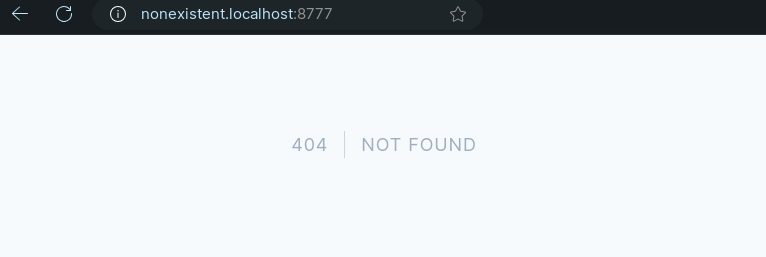
- I used Laravel's default error handling for non-existent subdomains, due to short development time. This already covers non-existent subdomains and other possible errors.


Task: Subdomain Manager Development
Objective: As a user, I want to be able to create my own organizations within a project. This includes each organization having a unique logo and subdomain.
Requirements:
Endpoints:
Create an organization Show organizations Open an organization Example:
Similar to Jira's organization creation (e.g., Udriver: https://udriver.atlassian.net) Steps:
Research PHP subdomain creation (Google "php subdomain create"). Document solutions. Create a host for subdomains (considering accessibility). Implement error handling for non-existing subdomains. Develop a microservice for subdomain management in Laravel. Important Notes:
Focus on the smart part of the solution, excluding editing and deleting functionalities. Provide a proof of concept within the estimated time of 3 hours. Share your Git repository with raul@itfolkstechnology.com and r.doniec@applicationpartner.pl after completion. Additional Details:
Emphasize error handling and backend response for non-existing subdomains. Prioritize the most crucial aspects due to the short estimated time. Thank you for your attention to detail and efficient work on this task.