Xook Web Application is a virtual library using the base technologies: HTML, CSS and JavaScript.
Objective: To create a virtual library using HTML and CSS for the layout and JS Vanilla for the interaction. Read from an API (fake or real online) and list books of different authors and genres. The application should allow filtering by genre, search by name and create a list of favorite books. No need to create registration system or login. fake api suggestion: https://bhagavadgita.io/api/
- Clone this project
- Go to the project folder ( cd Xook)
- When you enter the folder, click on the html file (it shows you by default the browser to open the project).
- If you want to open through the terminal while in the Xook folder install Live server:
npm install -g live-server - When it is installed, enter the command
live-serverin your terminal and it should open the project visually.
https://jshc27.github.io/Xook.BookStore/
- Low fidelity prototype: https://xook.invisionapp.com/freehand/Book-Store---Xook-NW1vbF74l
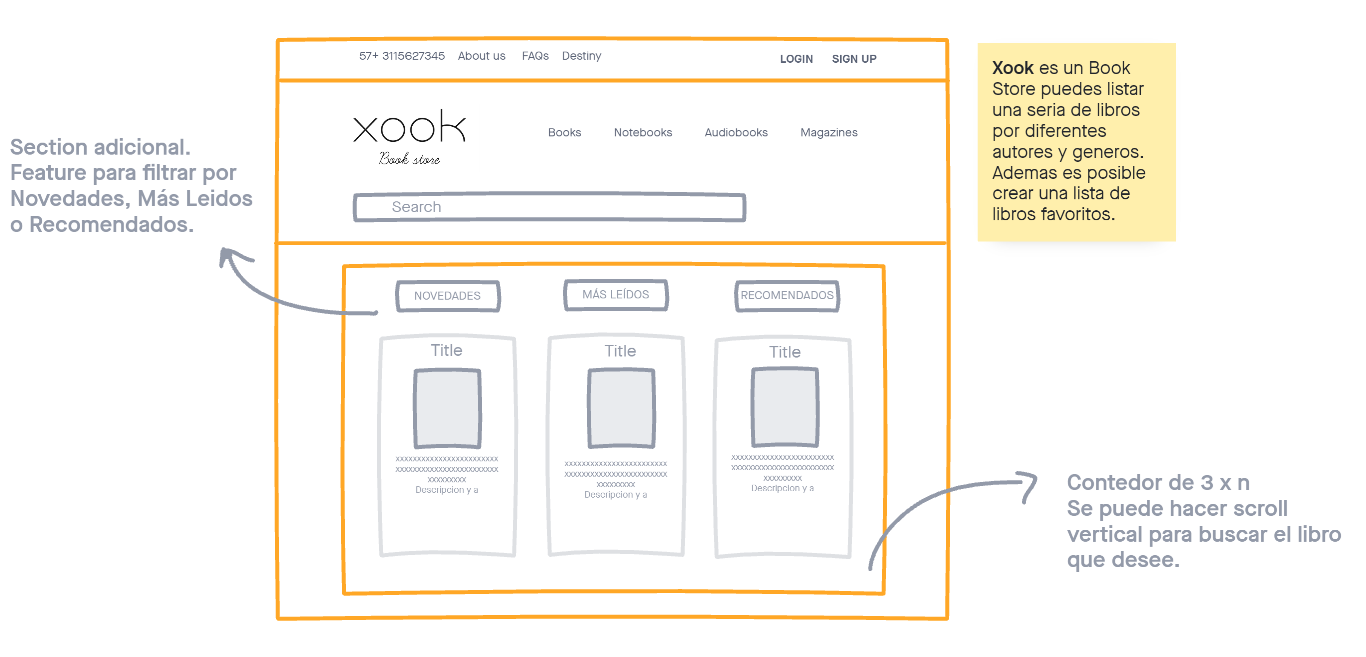
- High fidelity prototype: https://www.figma.com/file/MbPjG4mCom1PQsejkQd3AB/Book-Store-Xook?node-id=2%3A2
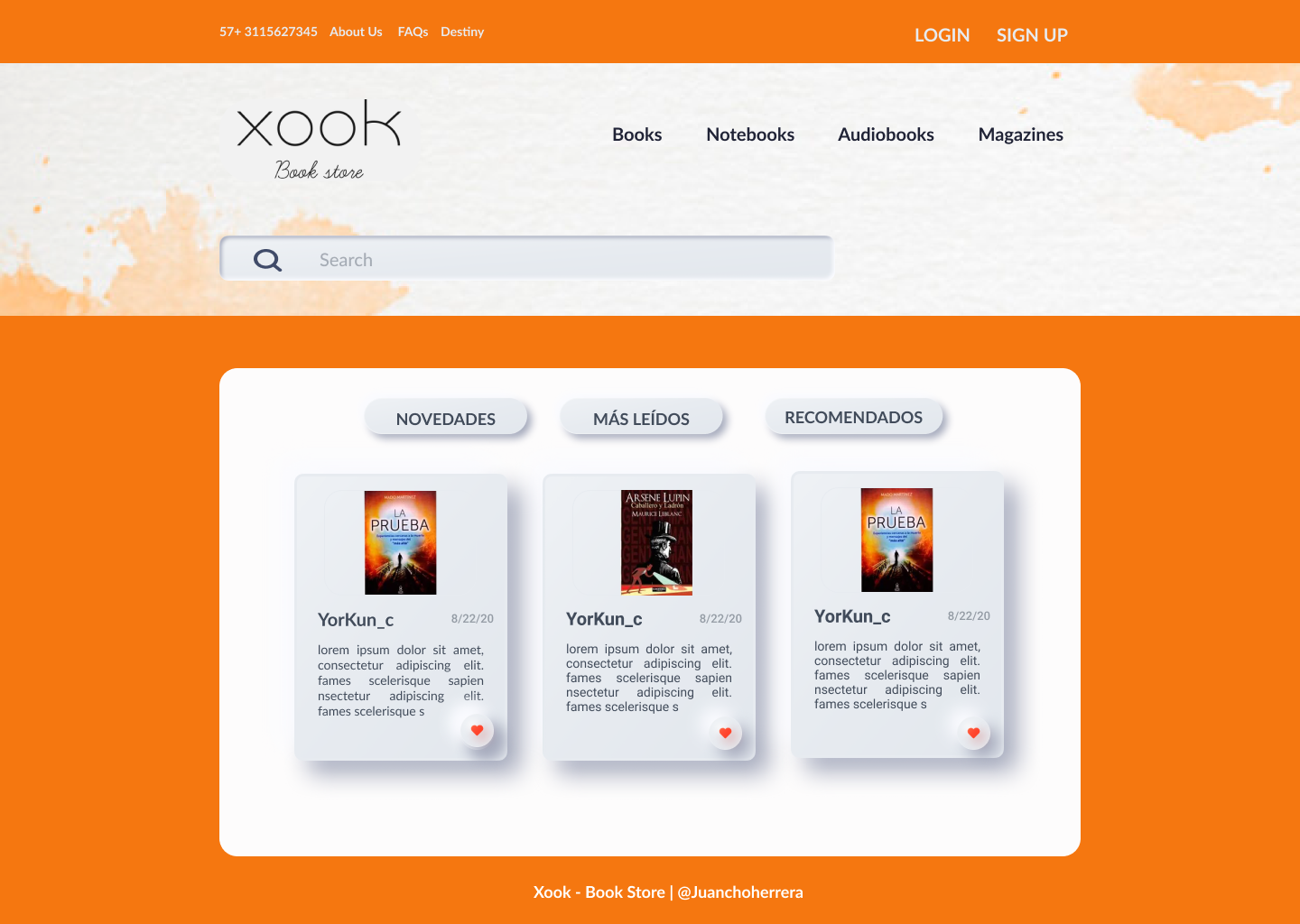
CSS rules to specify families:
- Font-family: 'Lato', sans-serif;
- Regular 400
- Bold 700
Title: 16px; Subtitle: 14px; Descriptions: 12px;
Border-Radius: 20px;
background: linear-gradient(317.7deg, rgba(0, 0, 0, 0.4) 0%, rgba(255, 255, 255, 0.4) 105.18%); background: #E7EBF0; border: 0,5px solid #FFFFFF 40 %; box-shadow: 2.5px 2.5px 5px 0px #A6ABBD inset; box-shadow: -2.5px -2.5px 5px 0px #FAFBFF inset;
background: linear-gradient(317.7deg, rgba(0, 0, 0, 0.4) 0%, rgba(255, 255, 255, 0.4) 105.18%); background: #E7EBF0; border: 1px solid; border-image-source: linear-gradient(91.57deg, rgba(255, 255, 255, 0.4) -4.29%, rgba(255, 255, 255, 0) 110.62%); box-shadow: 5px 5px 10px 0px #A6ABBD; box-shadow: -5px -5px 10px 0px #FAFBFF;
The MIT license (MIT)
I invite you to contribute to this project by improving the visual aspects or functionality and loading in the browser.