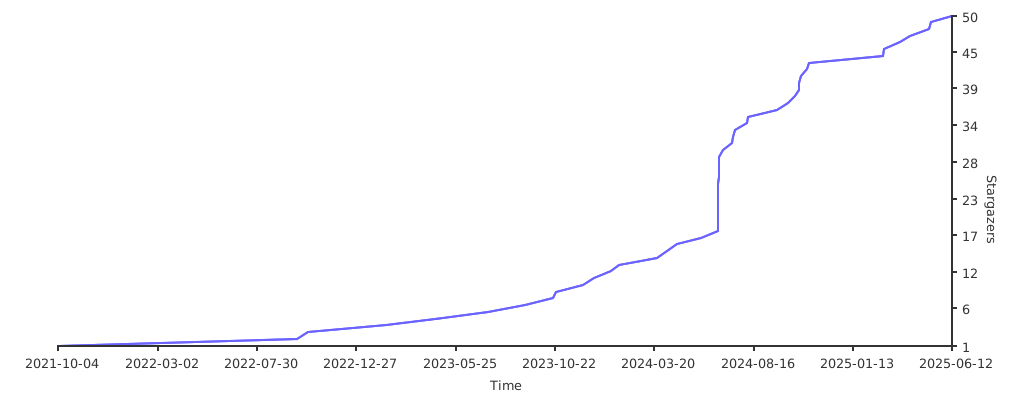
Speedily search and merge log messages by datetime.









Super Speedy Syslog Searcher (s4) is a command-line tool to search
and merge varying log messages from varying log files, sorted by datetime.
Datetime filters may be passed to narrow the search to a datetime range.
s4 can read standardized log message formats like RFC 3164 and RFC 5424
("syslog"),
Red Hat Audit logs, strace output, dmesg and X.org logs,
and can read many non-standardized ad-hoc log message formats,
including multi-line log messages.
It also parses binary accounting records acct, lastlog, and utmp
(acct, pacct, lastlog, utmp, utmpx, wtmp),
systemd journal logs (.journal),
Windows Event Logs (.evtx),
Windows Event Trace Logs (.etl),
OneDrive Log files (.odl, .aodl, .odlgz, .odlsent),
and Apple System Logs (.asl).
s4 can read logs that are compressed (.bz2, .gz, .lz4, .xz), or archived logs (.tar).
s4 aims to be very fast.
Run the POSIX-compliant shell script s4-easy-install.sh
curl -LsSf 'https://raw.githubusercontent.com/jtmoon79/super-speedy-syslog-searcher/main/tools/s4-easy-install.sh' | shOn Windows, run the PowerShell script s4-easy-install.ps1
& ([scriptblock]::Create((irm "https://raw.githubusercontent.com/jtmoon79/super-speedy-syslog-searcher/main/tools/s4-easy-install.ps1")))You may manually download an s4 binary file from the releases page.
Check your target platform:
-
Run
rustup.rsshell scriptcurl -LsSf 'https://sh.rustup.rs' | RUSTUP_INIT_SH_PRINT=arch sh
-
Check your platform target by running
rust -vV. It is thehostfield. Here is an example output:$ rust -vV rustc 1.88.0 (6b00bc388 2025-06-23) binary: rustc commit-hash: 6b00bc3880198600130e1cf62b8f8a93494488cc commit-date: 2025-06-23 host: x86_64-unknown-linux-gnu release: 1.88.0 LLVM version: 20.1.5
Or try binstall
cargo install --locked cargo-binstall
cargo binstall super_speedy_syslog_searcherOr try quickinstall
cargo install --locked cargo-quickinstall
cargo quickinstall super_speedy_syslog_searcher
Note that quickinstall seems to prefer "musl" builds.
The musl builds are more portable but at some cost to performance.
This project takes tens of minutes to build due to the compile-time regular expressions defined in subprojects/ere/ere_datetimes_impl/src/ere_datetimes_impl.rs. It uses a large amount of CPU and RAM during the build.
Low power CPUs or embedded SoCs may fail to build the project.
To build manually
cargo install --locked super_speedy_syslog_searcherA C compiler is required. Rust must be installed.
See further options in section Building locally.
If there are .asl, .etl, or .odl log files that may be processed then
create a Python virtual environment:
s4 --venvPython 3.9 or higher is required.
A different allocator can be used by passing a feature flag during the build.
e.g. --features mimalloc.
See the Performance Comparison.
cargo install --locked super_speedy_syslog_searcher --features mimallocError Bus error is a known issue on some aarch64-unknown-linux-gnu systems.
$ s4 --version
Bus error
Either use jemalloc or the default System allocator.
cargo install --locked super_speedy_syslog_searcher --features jemalloccargo install --locked super_speedy_syslog_searcher --features rpmallocHere are the packages for building super_speedy_syslog_searcher
with jemalloc, mimalloc, or rpmalloc on various Operating Systems.
apk add gcc make musl-devapt install gcc make libc6-devor
apt install build-essentialzypper install gcc glibc-devel makeyum install gcc glibc-devel makeCompiling mimalloc on Windows requires lib.exe which is part of Visual Studio Build Tools.
Instructions at rustup.rs.
Allocator tcmalloc performs poorer than the system allocator in testing.
See the Speed Comparison.
To install
cargo install --locked super_speedy_syslog_searcher --features tcmallocOn Ubuntu, tcmalloc requires these apt packages
apt install google-perftools libgoogle-perftools-dev libtcmalloc-minimal4Other platforms have not been checked for use with tcmalloc.
For example, print all the log messages in syslog files under /var/log/
s4 /var/logPrint the last 5 minutes of log messages
s4 /var/log -a=-5mOn Windows, print the ad-hoc logs under C:\Windows\Logs
s4.exe C:\Windows\LogsOn Windows, print all .log files under C:\Windows
(with the help of Powershell)
Get-ChildItem -Filter '*.log' -File -Path "C:\Windows" -Recurse -ErrorAction SilentlyContinue `
  | Select-Object -ExpandProperty FullName `
  | s4.exe -
On Windows, print the Windows Event logs
s4.exe C:\Windows\System32\winevt\LogsPrint the log messages after January 1, 2022 at 00:00:00
s4 /var/log -a 20220101Print the log messages from January 1, 2022 00:00:00 to January 2, 2022
s4 /var/log -a 20220101 -b 20220102or
s4 /var/log -a 20220101 -b @+1dPrint the log messages on January 1, 2022, from 12:00:00 and the preceding 5 minutes
s4 /var/log -a=@-5m -b 20220101T120000Print the log messages on for the 5 minute period ending 1 minute ago
s4 /var/log -a=@-5m -b=-1mPrint the log messages after 12:05 today and before 12:15 today
s4 /var/log -a 12:05 -b=@+10mPrint the log messages on the day of January 1 this year
s4 /var/log -a 01/01 -b=@+1dPrint the record-keeping log messages from up to a day ago
(with the help of find)
find /var -xdev -type f \( \
    -name 'lastlog' \
    -or -name 'wtmp' \
    -or -name 'wtmpx' \
    -or -name 'utmp' \
    -or -name 'utmpx' \
    -or -name 'acct' \
    -or -name 'pacct' \
  \) \
    2>/dev/null \
    | s4 - -a=-1d
Print the journal log messages from up to an hour ago, prepending the journal
file name (with the help of find)
find / -xdev -name '*.journal' -type f 2>/dev/null \
    | s4 - -a=-1h -n
Print the log messages from 10:00 today until 11:05 prepended with UTC datetime
s4 /var/log -u -a 10:00 -b @+1h5mPrint the log messages that occurred two days ago from 12:30 to 13:00
s4 /var/log -a='-2d!12:30' -b @+30mPrint the log messages that occurred two days ago during the noon hour in Bengaluru, India (timezone offset +05:30) and prepended with equivalent UTC datetime
s4 /var/log -u -a='-2d!12+05:30' -b @+1hProcess files only modified in the past 24 hours (with the help of find),
and print the last 5 minutes.
This is useful for paths with many log files.
find -mtime 1 -type f | s4 - -a=-5mthe equivalent in Powershell
Get-ChildItem -File -Recurse -ErrorAction SilentlyContinue `
  | Where-Object { $_.LastWriteTime -gt (Get-Date).AddDays(-1) } `
  | Select-Object -ExpandProperty FullName `
  | s4.exe - -a=-5m
Count the number of log messages in a log file.
Using ASCII Record Separator 0x1E as the separator between log messages.
s4 --separator '\x1E' /var/log/some.log | grep -oFe "$(echo -e '\x1E')" | wc -l((s4.exe C:\Windows\Logs\some.log --separator '\x1E').ToCharArray() `
| Where-Object { $_ -eq [byte](0x1E) }).CountAfter installing s4, you can copy the Claude skill s4-log-search into your project's Claude skills directory .claude/skills.
Speedily search and merge log messages by datetime.
DateTime filters may be passed to narrow the search.
s4 aims to be very fast.

Usage:
  s4 [OPTIONS] <PATHS>...

  s4 --venv

Arguments:
  <PATHS>...  Path(s) of log files or directories.
              Directories will be recursed. Symlinks will be followed.
              Paths may also be passed via STDIN, one per line. The user must
              supply argument "-" to signify PATHS are available from STDIN.

Options:

  -a, --after <DT_AFTER>
          DateTime Filter After: print log messages with a datetime that is at
          or after this datetime. For example, "20200102T120000" or "-5d".
          [env: S4_AFTER=]

  -b, --before <DT_BEFORE>
          DateTime Filter Before: print log messages with a datetime that is at
          or before this datetime.
          For example, "2020-01-03T23:00:00.321-05:30" or "@+1d+11h"
          [env: S4_BEFORE=]

  -t, --tz-offset <TZ_OFFSET>
          Default timezone offset for datetimes without a timezone.
          For example, log message "[20200102T120000] Starting service" has a
          datetime substring "20200102T120000".
          That datetime substring does not have a timezone offset
          so this TZ_OFFSET value would be used.
          Example values, "+12", "-0800", "+02:00", or "EDT".
          To pass a value with leading "-" use "=" notation, e.g. "-t=-0800".
          If not passed then the local system timezone offset is used.
          [default: -08:00]
          [env: S4_TZ_OFFSET=]

  -z, --prepend-tz <PREPEND_TZ>
          Prepend a DateTime in the timezone PREPEND_TZ for every line.
          Used in PREPEND_DT_FORMAT.
          [env: S4_PREPEND_TZ=]

  -u, --prepend-utc
          Prepend a DateTime in the UTC timezone offset for every line.
          This is the same as "--prepend-tz Z".
          Used in PREPEND_DT_FORMAT.
          [env: S4_PREPEND_UTC=]

  -l, --prepend-local
          Prepend DateTime in the local system timezone offset for every line.
          This is the same as "--prepend-tz +XX" where +XX is the local system
          timezone offset.
          Used in PREPEND_DT_FORMAT.
          [env: S4_PREPEND_LOCAL=]

  -d, --prepend-dt-format <PREPEND_DT_FORMAT>
          Prepend a DateTime using the strftime format string.
          If PREPEND_TZ is set then that value is used for any timezone offsets,
          i.e. strftime "%z" "%:z" "%Z" values, otherwise the timezone offset value
          is the local system timezone offset.
          [Default: %Y%m%dT%H%M%S%.3f%z]
          [env: S4_PREPEND_DT_FORMAT=]

  -n, --prepend-filename
          Prepend file basename to every line.
          [env: S4_PREPEND_FILENAME=]

  -p, --prepend-filepath
          Prepend file full path to every line.
          [env: S4_PREPEND_FILEPATH=]

  -w, --prepend-file-align
          Align column widths of prepended data.
          [env: S4_PREPEND_FILE_ALIGN=]

      --prepend-separator <PREPEND_SEPARATOR>
          Separator string for prepended data.
          Accepts escapes and hexadecimal escapes; "\0" or "\x00" for the null character.
          [default: :]
          [env: S4_PREPEND_SEPARATOR=]

      --separator <LOG_MESSAGE_SEPARATOR>
          An extra separator string between printed log messages.
          Per log message not per line of text.
          Accepts escapes and hexadecimal escapes; "\0" or "\x00" for the null character.
          [env: S4_SEPARATOR=]

      --journal-output <JOURNAL_OUTPUT>
          The format for .journal file log messages.
          Matches journalctl --output options.
          [default: short]
          [possible values:
            short, short-precise, short-iso, short-iso-precise, short-full,
            short-monotonic, short-unix, verbose, export, cat]
          [env: S4_JOURNAL_OUTPUT=]

      --etl-parser
          For parsing Windows Event Tracing Log (.etl) files, use Python library
          etl-parser. By default, Python library dissect.etl is used.
          The etl-parser library may have more complete information but is slower
          than dissect.etl.
          Requires prior creation of a Python virtual environment with
          the --venv option. Or use environment variable S4_PYTHON set to
          a Python interpreter path with necessary packages installed.
          [env: S4_ETL_PARSER=]

  -c, --color <COLOR_CHOICE>
          Choose to print using colors.
          Possible values:
          - always
          - auto
          - never
          - a:      always
          - au:     auto
          - n:      never
          [default: auto]
          [possible values: always, auto, never]
          [env: S4_COLOR=]

      --light-theme
          Print text using darker colors for a lighter terminal background.
          By default, a dark color theme is used (print text with lighter colors).
          Has no effect if --color is not "always" or "auto".
          [env: S4_LIGHT_THEME=]

  -s, --summary
          Print a summary of files processed to stderr.
          Most useful for developers.
          [env: S4_SUMMARY=]

  -h, --help
          Print help

  -V, --version
          Print version

Python Virtual Environment Mode:

      --venv  Create a Python virtual environment exclusively for s4.
              This is only necessary for parsing
              Apple System Log (.asl) files,
              OneDrive Log (.odl, .aodl, .odlgz, .odlsent) files, and
              Windows Event Tracing Log (.etl) files.
              This only needs to be created once.
              When this option is used, no other options may be passed.
              The Python interpreter used may be set by environment variable
              S4_PYTHON.

Given a file path, the file format will be processed based on a best guess of
the file name.
If the file format is not guessed then it will be treated as a text file.
Given a directory path, found file names that have well-known non-log file name
extensions will be skipped.

DateTime Filters may be strftime specifier patterns:
    "%Y%m%dT%H%M%S*"
    "%Y-%m-%d %H:%M:%S*"
    "%Y-%m-%dT%H:%M:%S*"
    "%Y/%m/%d %H:%M:%S*"
    "%Y%m%d"
    "%Y-%m-%d"
    "%Y/%m/%d"
    "%m-%d"
    "%m/%d"
    "%H:%M:%S"
    "%H:%M"
    "+%s"

Each trailing * is an optional trailing 3-digit fractional sub-seconds
(milliseconds, ".%3f"), or 6-digit fractional sub-seconds (microseconds, ".%6f"),
and/or timezone ("%z", "%:z", "%::z", or "%Z").
Patterns "%Y" is a 4-digit year, "%m" is a 2-digit month, "%d" is a 2-digit day of month,
"%H" is a 2-digit hour, "%M" is a 2-digit minute, "%S" is a 2-digit second,
".%3f" is a 3-digit fractional sub-second (milliseconds),
".%6f" is a 6-digit fractional sub-second (microseconds),
"%z" is a timezone offset in format "+0900" or "-0900",
"%:z" is a timezone offset in format "+09:00" or "-09:00",
"%::z" is a timezone offset in format "+09:00:00" or "-09:00:00",
"%Z" is a named timezone, e.g. "UTC", "JST", etc.
Pattern "+%s" is Unix epoch timestamp in seconds with a preceding "+".
For example, value "+946684800" is January 1, 2000 at 00:00, GMT.

DateTime Filters may be custom relative offset patterns:
    "+DwDdDhDmDs!HH:MM:SS" or "-DwDdDhDmDs!HH:MM:SS"

This is a relative offset from now.
With a leading "@", the relative offset is from the other argument.

Each lowercase identifier is an offset duration:
"w" is weeks, "d" is days, "h" is hours, "m" is minutes, "s" is seconds.
For example, value "-1w22h" is one week and twenty-two hours in the past.
Value "+30s" is thirty seconds in the future.

The patterns after the "!" are optional clock time overrides.
"HH" is a 2-digit clock hour, "MM" is a 2-digit clock minute, "SS" is a 2-digit
clock second. This forces the clock time on the resulting date.
For example, value "-1w22h!12:34:56" is one week and twenty-two hours in the past
with the clock time overridden to 12:34:56.
Value '+1d!05' is one day in the future with the clock time overridden to 05:00:00.
Value '+1w!05:09' is one week in the future with the clock time overridden to 05:09:00.

Custom relative offset pattern "@+DwDdDhDmDs" and "@-DwDdDhDmDs" is relative
offset from the other datetime.
Arguments "-a 20220102 -b @+1d" are equivalent to "-a 20220102 -b 20220103".
Arguments "-a 20220102 -b @+1w!05:04" are equivalent to
"-a 20220102 -b '20220109 05:04:00'".
Arguments "-a @-6h -b 20220101T120000" are equivalent to
"-a 20220101T060000 -b 20220101T120000".

DateTime Filters with a clock time but without a date are assumed to be today,
e.g. "-a 12:05" is today at time 12:05 in the local timezone.
DateTime Filters with a date but without a clock time are assumed to be that
date at time 00:00:00.000 in the local timezone, e.g. "-a 20220102" is
2022-01-02 at time 00:00:00.000 in the local timezone.

Without a timezone, the Datetime Filter is presumed to be the local
system timezone.

Command-line passed timezones may be numeric timezone offsets,
e.g. "+09:00", "+0900", or "+09", or named timezone offsets, e.g. "JST".
Ambiguous named timezones will be rejected, e.g. "SST".

--prepend-tz and --dt-offset function independently:
--dt-offset is used to interpret processed log message datetime stamps that
do not have a timezone offset.
--prepend-tz affects what is pre-printed before each printed log message line.

--separator and --prepend-separator accepts backslash escape sequences:
    "\0", "\a", "\b", "\e", "\f", "\n", "\r", "\\", "\t", "\v",
 and "\xhh" where "hh" is a 2-digit hexadecimal value.

Resolved values of "--after" and "--before" can be reviewed in
the "--summary" output.

s4 uses file naming to determine the file type.

s4 can process files compressed and named .bz2, .gz, .lz4, .xz, and files
archived within a .tar file.

Log messages from different files with the same datetime are printed in order
of the arguments from the command-line.

Datetimes printed for .journal file log messages may differ from datetimes
printed by program journalctl.
See Issue #101

DateTime strftime specifiers are described at
https://docs.rs/chrono/latest/chrono/format/strftime/

DateTimes supported are only of the Gregorian calendar.

DateTimes supported language is English.

The Python interpreter used during `--venv` requires Python 3.9 or higher.
This installs to ~/.config/s4/venv
The Python interpreter used may be overridden by setting environment variable
S4_PYTHON to the path of the Python interpreter.

The user may specify the path to the systemd shared library by setting
environment variable S4_LIBSYSTEMD. This library is used to read
.journal files. Otherwise, s4 will attempt to locate and load
the systemd shared library automatically.

Is s4 failing to parse a log file? Report an Issue at
https://github.com/jtmoon79/super-speedy-syslog-searcher/issues/new/choose
Super Speedy Syslog Searcher (s4) is meant to aid Engineers in reviewing
varying log files in a datetime-sorted manner.
The primary use-case is to aid investigating problems wherein the time of
a problem occurrence is known and there are many available logs
but otherwise there is little source evidence.
Currently, log file formats vary widely. Most logs are an ad-hoc format. Even separate log files on the same system for the same service may have different message formats! Sorting these logged messages by datetime may be prohibitively difficult. The result is an engineer may have to "hunt and peck" among many log files, looking for problem clues around some datetime; so tedious!
Enter Super Speedy Syslog Searcher 🦸 ‼
s4 will print log messages from multiple log files in datetime-sorted order.
A "window" of datetimes may be passed, to constrain the period of printed
messages. This will assist an engineer that, for example, needs to view all
log messages that occurred two days ago between 12:00 and 12:05 among log files taken from multiple
systems.
The ulterior motive for Super Speedy Syslog Searcher was the primary developer wanted an excuse to learn rust 🦀, and wanted to create an open-source tool for a recurring need of some Software Test Engineers 😄
See the real-world example rationale in the section below,
logging chaos: the problem s4 solves.
- Parses:
- Ad-hoc log messages using formal datetime formats:
- Internet Message Format (RFC 2822)
e.g. Wed, 1 Jan 2020 22:00:00 PST message… - The BSD syslog Protocol (RFC 3164)
e.g. <8>Jan 1 22:00:00 message… - Date and Time on the Internet: Timestamps (RFC 3339)
e.g. 2020-01-01T22:00:00-08:00 message… - The Syslog Protocol (RFC 5424)
e.g. 2020-01-01T22:00:00-08:00 message… - ISO 8601
e.g. 2020-01-01T22:00:00-08:00 message…, 20200101T220000-0800 message…, etc. [1]
- Internet Message Format (RFC 2822)
- Red Hat Audit Log files
- strace output files with options
-tttor--timestamps, i.e. Unix epoch plus optional milliseconds, microseconds, or nanoseconds - dmesg style logs
- X.org and lightdm style logs
- binary user accounting records files
(
acct,pacct,lastlog,utmp,utmpx) from multiple Operating Systems and CPU architectures - binary Apple System Log files (
.asl) - binary Windows Event Log files (
.evtx) - binary Windows Event Trace Log files (
.etl) - binary systemd journal files with printing options matching
journalctl - binary OneDrive Log files (
.odl,.aodl,.odlgz,.odlsent) - many varying text log messages with ad-hoc datetime formats
- multi-line log messages
- Ad-hoc log messages using formal datetime formats:
- Inspects
.tararchive files for parseable log files [2] - Can process
.bz2,.gz,.lz4, or.xzcontaining log files. - Tested against "in the wild" log files from varying sources
(see project path
./logs/) - Prepends datetime and file paths, for easy programmatic parsing or visual traversal of varying log messages
- Comparable speed as GNU
grepandsort
Given a file path, s4 will attempt to parse it. The type of file must be in
the name. Guesses are made about files with non-standard names.
For example, standard file name utmp will always be treated as a utmp record
file. But non-standard name log.utmp.1 is guessed to be a utmp record file.
Similar guesses are applied to lastlog, wtmp, acct, pacct,
journal, and evtx files.
When combined with compression or archive file name extensions,
e.g. .bz2, .gz, .lz4, or .xz, then s4 makes a best attempt at
guessing the compression or archive type and the file within the archive based
on the name.
For example, user.journal.gz is guessed to be a systemd journal file within a
gzip compressed file. However, if that same file is named something unusual like
user.systemd-journal.gz then it is guessed to be a text log file within a gzip
compressed file.
When a file type cannot be guessed then it is treated as a text log file.
For example, a file name unknown is not any obvious type so it is attempted to be parsed as a text log file.
tar files are inspected for parseable files.[2]
Given a directory path, s4 will walk the directory and all subdirectories and
follow symbolic links and cross file system paths.
s4 will ignore files with extensions that are known to be non-log files.
For example, files with extensions .dll, .mp3, .png, or .so, are
unlikely to be log files and so are not processed.
See src/readers/filepreprocessor for the complete list of ignored file
extensions.
So given a file /tmp/file.mp3, an invocation of s4 /tmp will not attempt
to process file.mp3. An invocation of s4 /tmp/file.mp3 will attempt to
process file.mp3. It will be treated as a text log file.
See the latest release for pre-compiled binaries.
- Cannot process multi-file
.gzfiles (only processes first stream found). (Issue #8) - Cannot process multi-file
.xzfiles (only processes first stream found). (Issue #11) - Cannot process
.ziparchives (Issue #39) - [1] ISO 8601
- ISO 8601 forms recognized (using ISO descriptive format)
YYYY-MM-DDThh:mm:ssYYYY-MM-DDThhmmssYYYYMMDDThhmmss(may use date-time separator character'T'or character blank space' ')
- ISO 8601 forms not recognized:
- Absent seconds
- Ordinal dates, i.e. "day of the year", format
YYYY-DDD, e.g."2022-321" - Week dates, i.e. "week-numbering year", format
YYYY-Www-D, e.g."2022-W25-1" - times without minutes and seconds (i.e. only
hh)
- ISO 8601 forms recognized (using ISO descriptive format)
- [2] Cannot process archive files or compressed files within
other archive files or compressed files (Issue #14)
e.g. cannot processlogs.tar.xz, nor filelog.gzwithinlogs.tar .asl,.etl, and.odlfiles are processed by a Python script run by a child process Python interpreter. This is not super or speedy. It does implement support for these file types which are common on Windows and Mac. Someday it would be great to have a Rust implementation of those python-based parsers (Issue #443). Seesrc/python/s4_event_readers/s4_event_readers.
- Entire
.bz2files are read once before processing (Issue #300) - Entire
.lz4files are read once before processing (Issue #293) - Ad-hoc text log files without a year in the date are read once before processing.
- Entire
.evtxfiles are read into memory before printing (Issue #86) - Entire user accounting record files are read into memory before printing
An overview of features of varying log mergers including GNU tools.
- GNU
greppiped to GNUsort - Super Speedy Syslog Searcher;
s4 - lnav;
lnav - logmerger;
logmerger - Toolong;
tl - logdissect;
logdissect
| Symbol | |
|---|---|
| ✔ | Yes |
| ⬤ | Most |
| ◒ | Some |
| ✗ | No |
| ☐ | with an accompanying GNU program |
| ! | with user input |
| ‼ | with complex user input |
| Program | Source | CLI | TUI | Interactive | live tail | merge varying log formats | datetime search range |
|---|---|---|---|---|---|---|---|
grep | sort |
C | ✔ | ✗ | ✗ | ☐ tail |
✗ | ‼ |
s4 |
Rust | ✔ | ✗ | ✗ | ✗ | ✔ | ✔ |
lnav |
C++ | ✔ | ✔ | ✔ | ✔ | ✔ | ‼ |
logmerger |
Python | ✔ | ✔ | ✔ | ✗ | ‼ | ✔ |
tl |
Python | ✔ | ✔ | ✔ | ✔ | ✗ | ✗ |
logdissect |
Python | ✔ | ✗ | ✗ | ✗ | ✗ | ✗ |
| Program | RFC 2822 | RFC 3164 | RFC 3339 | RFC 5424 | ISO 8601 |
|---|---|---|---|---|---|
grep | sort |
✗ | ‼ | ! | ! | ! |
s4 |
✔ | ✔ | ✔ | ✔ | ✔ |
lnav |
‼ | ✔ | ✔ | ✔ | ✔ |
logmerger |
✗ | ✗ | ! | ! | ◒ |
tl |
✗ | ✗ | ✔ | ✔ | ✔ |
• RFC 2822: Internet Message Format: Date and Time Specification; e.g. Wed, 1 Jan 2020 22:00:00 PST message…
• RFC 3164: The BSD syslog Protocol: HEADER Part of a syslog Packet; e.g. <8>Jan 1 22:00:00 message…
• RFC 3339: Date and Time on the Internet: Internet Date/Time Format; e.g. 2020-01-01T22:00:00-08:00 message…
• RFC 5424: The Syslog Protocol: TIMESTAMP; e.g. 2020-01-01T22:00:00-08:00 message…
• ISO 8601: Data elements and interchange formats – Information interchange – Representation of dates and times; e.g. 2020-01-01T22:00:00-08:00 message…, 20200101T220000-0800 message…, etc.
Binary formats supported:
| Program | journal | acct/lastlog/utmp |
.evtx |
.pcap/.pcapng |
.jsonl |
.asl |
.etl |
.odl |
|---|---|---|---|---|---|---|---|---|
grep | sort |
✗ | ✗ | ✗ | ✗ | ✗ | ✗ | ✗ | ✗ |
s4 |
✔ | ✔ | ✔ | ✗ | ✔ | ✔ | ✔ | ✔ |
lnav |
✗ | ✗ | ✗ | ✔ | ✗ | ✗ | ✗ | ✗ |
logmerger |
✗ | ✗ | ✗ | ✔ | ✗ | ✗ | ✗ | ✗ |
tl |
✗ | ✗ | ✗ | ✗ | ✔ | ✗ | ✗ | ✗ |
Ad-hoc text formats:
| Program | Ad-hoc text formats | Red Hat Audit Log | strace | Apache Common Log Format | dmesg |
|---|---|---|---|---|---|
grep | sort |
‼ | ! | ✔ | ‼ | ! |
s4 |
✔ | ✔ | ✔ | ✔ | ✔ |
lnav |
‼ | ‼ | ‼ | ✔ | ✗ |
logmerger |
‼ | ‼ | ✔ | ‼ | ✗ |
tl |
✗ | ✗ | ✗ | ✔ | ✗ |
All programs besides s4 fail to merge different text log formats.
Text encodings:
| Program | UTF-8 | UTF-16LE | UTF-16LE BOM | UTF-16BE | UTF-16BE BOM | UTF-32LE | UTF-32LE BOM | UTF-32BE | UTF-32BE BOM |
|---|---|---|---|---|---|---|---|---|---|
grep | sort |
✔ | ✗ | ✗ | ✗ | ✗ | ✗ | ✗ | ✗ | ✗ |
s4 |
✔ | ✔ | ✔ | ✔ | ✔ | ✔ | ✔ | ✔ | ✔ |
lnav |
✔ | ✗ | ✗ | ✗ | ✗ | ✗ | ✗ | ✗ | ✗ |
logmerger |
✔ | ✗ | ✗ | ✗ | ✗ | ✗ | ✗ | ✗ | ✗ |
tl |
✔ | ✔ | ✔ | ✔ | ✔ | ✔ | ✔ | ✔ | ✔ |
| Program | .gz |
.lz |
.lz4 |
.bz |
.bz2 |
.xz |
.tar |
.zip |
|---|---|---|---|---|---|---|---|---|
grep | sort |
☐ zgrep |
☐ lz |
☐ lz4 |
☐ bzip |
☐ bzip2 |
☐ xz |
✗ | ✗ |
s4 |
✔ | ✗ | ✔ | ✗ | ✔ | ✔ | ✔ | ✗ |
lnav |
✔ | ✔ | ✔ | ? | ✔ | ✔ | ✔ | ✔ |
logmerger |
✔ | ✗ | ✗ | ✗ | ✗ | ✗ | ✗ | ✗ |
tl |
✔ | ✗ | ✗ | ✔ | ✔ | ✗ | ✗ | ✗ |
logdissect |
✔ | ✗ | ✗ | ✗ | ✗ | ✗ | ✗ | ✗ |
A comparison of merging ten large contrived log files. The ten log files have 5000 single-line log messages, 2158138 bytes (≈2.1 MB) each, with high-plane unicode. There is filtering on a a range of datetime values that prints 1800 single-line log messages.
Here are two typical log messages from a contrived log file:
2000-01-01T00:00:01 0001 A 😁😂😃😄😅😆😇😈😉😊😋😌😍😎😏😐😑😒😓😔😕😖😗😘😙😚😛😜😝😞😟😠😡😢😣😤😥😦😧😨😩😪😫😬😭😮😯😰😱😲😳😴😵😶😷😸😹😺😻😼😽😾😿🙀🙁🙂🙃😀😁
2000-01-01T00:00:02 0002 A 😂😃😄😅😆😇😈😉😊😋😌😍😎😏😐😑😒😓😔😕😖😗😘😙😚😛😜😝😞😟😠😡😢😣😤😥😦😧😨😩😪😫😬😭😮😯😰😱😲😳😴😵😶😷😸😹😺😻😼😽😾😿🙀🙁🙂🙃😀😁😂😃
| Program | Version | Allocator | Platform | Mean (ms) | Max RSS (KB) |
|---|---|---|---|---|---|
s4 |
0.7.79 | system | x86_64-unknown-linux-gnu | 167.4 ± 3.1 | 136968 |
s4 |
0.8.80 | system | x86_64-unknown-linux-gnu | 165.5 ± 2.9 | 136672 |
s4 |
0.9.81 | system | x86_64-unknown-linux-gnu | 123.8 ± 1.1 | 19032 |
s4 |
0.9.82 | jemalloc | x86_64-unknown-linux-gnu | 126.7 ± 1.4 | 24980 |
s4 |
0.9.82 | mimalloc | x86_64-unknown-linux-gnu | 127.8 ± 1.7 | 61964 |
s4 |
0.9.82 | rpmalloc | x86_64-unknown-linux-gnu | 129.7 ± 1.0 | 33228 |
s4 |
0.9.82 | tcmalloc | x86_64-unknown-linux-gnu | 128.0 ± 1.0 | 29696 |
s4 |
0.9.82 | system | x86_64-unknown-linux-gnu | 124.9 ± 1.1 | 20504 |
grep+sort |
3.11 | 48.6 ± 0.5 | 19680 | ||
lnav |
0.11.2 | 245.2 ± 1.9 | 57316 | ||
logmerger |
0.12.0 | Python 3.12.3 | 286.8 ± 4.3 | 78736 | |
toolong |
1.5.0 | Python 3.12.3 | 1960.0 ± 0.0 | 60832 |
• Mean is mean runtime in milliseconds • Max RSS is maximum Resident Set Size in Kilobytes
Using hyperfine to measure timing and GNU time to measure RSS and CPU.
Run on Ubuntu 24 on WSL.
See further performance measurements in the releases directory.
First see section manual build.
Environment variables affecting builds:
-
S4_BUILD_REGEXfor building selected regular expressions-
S4_BUILD_REGEX=1builds regular expression with ID1 -
S4_BUILD_REGEX=3,7-21builds regular expressions with IDs3,7through21inclusive -
S4_BUILD_REGEX=ALLbuilds all regular expressions -
If
S4_BUILD_REGEXis not set then all regular expressions are built. Unless- files
./S4_BUILD_REGEXand./subprojects/ere/ere_datetimes_impl/S4_BUILD_REGEXexist, in which case those files are read for the regular expression IDs to build. e.g.
echo '5-7' | tee ./subprojects/ere/ere_datetimes_impl/S4_BUILD_REGEX S4_BUILD_REGEX
- files
-
-
S4_BUILD_REGEX_PRINT=1for progress building regular expressions. -
S4_BUILD_PRINT=1for other informative messages from variousbuild.rscode. -
S4_BUILD_TIMESTAMPcan be set to any string to override the build-time datetime. Allows for idempotent builds.
Search code for DATETIME_PARSE_DATAS_LEN_MAX for the last possible regular expression ID.
You can view the optimization phases with htop:
- enable Show custom thread names
- set a filter
rustc|cargo
Requires libsystemd to be installed to use libsystemd.so at runtime.
If you have found a log file that Super Speedy Syslog Searcher does not parse then you may create a new Issue type Feature request (datetime format).
Here is an example user-submitted Issue.
In this project, the term "syslog" is used generously to refer to any log message that has a datetime stamp on the first line of log text.
Technically, "syslog" is defined among several RFCs proscribing fields, formats, lengths, and other technical constraints. In this project, the term "syslog" is interchanged with "log".
The term "sysline" refers to a one log message which may comprise multiple text lines.
See docs section Definitions of data for more project definitions.
A "log message" is a single log entry for any type of logging scheme; an entry in a utmpx file, an entry in a systemd journal, an entry in a Windows Event Log, a formal RFC 5424 syslog message, or an ad-hoc log message.
In practice, most log file formats are an ad-hoc format. And among formally defined log formats, there are many variations. The result is merging varying log messages by datetime is prohibitively tedious. If an engineer is investigating a problem that is symptomatic among many log files then the engineer must "hunt and peck" among those many log files. Log files can not be merged for a single coherent view.
The following real-world example log files are available in project directory
./logs.
For example, the open-source nginx web server
logs access attempts in an ad-hoc format in the file access.log
192.168.0.115 - - [08/Oct/2022:22:26:35 +0000] "GET /DOES-NOT-EXIST HTTP/1.1" 404 0 "-" "curl/7.76.1" "-"
which is an entirely dissimilar log format to the neighboring nginx log file,
error.log
2022/10/08 22:26:35 [error] 6068#6068: *3 open() "/usr/share/nginx/html/DOES-NOT-EXIST" failed (2: No such file or directory), client: 192.168.0.115, server: _, request: "GET /DOES-NOT-EXIST HTTP/1.0", host: "192.168.0.100"
nginx is following the bad example set by the Apache Web Server.
Here are log snippets from a Debian 11 host.
file /var/log/alternatives.log
update-alternatives 2022-10-10 23:59:47: run with --quiet --remove rcp /usr/bin/ssh
file /var/log/dpkg.log
2022-10-10 15:15:02 upgrade gpgv:amd64 2.2.27-2 2.2.27-2+deb11u1
file /var/log/dmesg
[ 0.000000] Booting Linux on physical CPU 0x0000000000 [0x410fd034]
file /var/log/kern.log
Oct 10 23:07:16 debian11-b kernel: [ 0.10034] Linux version 5.10.0-11-amd64
file /var/log/unattended-upgrades/unattended-upgrades-shutdown.log
2022-10-10 23:07:16,775 WARNING - Unable to monitor PrepareForShutdown() signal, polling instead.
And then there are binary files, such as the wtmp file on Linux and other
Unix Operating Systems.
Using tool utmpdump, a utmp record structure is converted to text like:
[7] [12103] [ts/0] [user] [pts/0] [172.1.2.1] [172.1.2.2] [2023-03-05T23:12:36,270185+00:00]
And from a systemd .journal file, read using journalctl
Mar 03 10:26:10 host systemd[1]: Started OpenBSD Secure Shell server.
░░ Subject: A start job for unit ssh.service has finished successfully
░░ Defined-By: systemd
░░ Support: http://www.ubuntu.com/support
░░
░░ A start job for unit ssh.service has finished successfully.
░░
░░ The job identifier is 120.
Mar 03 10:31:23 host sshd[4559]: Accepted login for user1 from 172.1.2.1 port 51730 ssh2
Try merging those two log messages by datetime using GNU grep, sort, sed,
or awk!
Additionally, if the wtmp file is from a different architecture
or Operating System, then the binary record structure is likely not parseable
by the resident utmpdump tool. What then!?
Commercial software and computer hardware vendors nearly always use ad-hoc log message formatting that is even more unpredictable among each log file on the same system.
Here are log file snippets from a Synology DiskStation host.
file DownloadStation.log
2019/06/23 21:13:34 (system) trigger DownloadStation 3.8.13-3519 Begin start-stop-status start
file sfdisk.log
2019-04-06T01:07:40-07:00 dsnet sfdisk: Device /dev/sdq change partition.
file synobackup.log
info 2018/02/24 02:30:04 SYSTEM: [Local][Backup Task Backup1] Backup task started.
(yes, those are tab characters)
Here are log file snippets from a Mac OS 12.6 host.
file /var/log/system
Oct 11 15:04:55 localhost syslogd[110]: Configuration Notice:
	ASL Module "com.apple.cdscheduler" claims selected messages.
	Those messages may not appear in standard system log files or in the ASL database.
file /var/log/wifi
Thu Sep 21 23:05:35.850 Usb Host Notification NOT activated
file /var/log/fsck_hs.log
/dev/rdisk2s2: fsck_hfs started at Thu Sep 21 21:31:05 2023
  QUICKCHECK ONLY; FILESYSTEM CLEAN
file /var/log/anka.log
Fri Sep 22 00:06:05 UTC 2023: Checking /Library/Developer/CoreSimulator/Volumes/watchOS_20S75...
file /var/log/displaypolicyd.log
2023-09-15 04:26:56.330256-0700: Started at Fri Sep 15 04:26:56 2023
file /var/log/com.apple.xpc.launchd/launchd.log.1
2023-10-26 16:56:23.287770 <Notice>: swap enabled
file /var/log/asl/logs/aslmanager.20231026T170200+00
Oct 26 17:02:00: aslmanager starting
Did you also notice how the log file names differ in unexpected ways?
Here are log snippets from a Windows 10 host.
file ${env:SystemRoot}\debug\mrt.log
Microsoft Windows Malicious Software Removal Tool v5.83, (build 5.83.13532.1)
Started On Thu Sep 10 10:08:35 2020
file ${env:SystemRoot}\comsetup.log
COM+[12:24:34]: ********************************************************************************
COM+[12:24:34]: Setup started - [DATE:05,27,2020 TIME: 12:24 pm]
file ${env:SystemRoot}\DirectX.log
11/01/19 20:03:40: infinst: Installed file C:\WINDOWS\system32\xactengine2_1.dll
file ${env:SystemRoot}/Microsoft.NET/Framework/v4.0.30319/ngen.log
09/15/2022 14:13:22.951 [515]: 1>Warning: System.IO.FileNotFoundException: Could not load file or assembly
file ${env:SystemRoot}/Performance/WinSAT/winsat.log
68902359 (21103) - exe\logging.cpp:0841: --- START 2022\5\17 14:26:09 PM ---
68902359 (21103) - exe\main.cpp:4363: WinSAT registry node is created or present
(yes, it reads hour 14, and PM… 🙄)
This chaotic logging approach is typical of commercial and open-source software, AND IT'S A MESS! Attempting to merge log messages by their natural sort mechanism, a datetime stamp, is difficult to impossible.
Hence the need for Super Speedy Syslog Searcher! 🦸
s4 merges varying log files into a single coherent datetime-sorted log.
- Code in this repository is licensed under the MIT License.
- Code in
src/python/s4_event_readers/s4_event_readers/ccl_asldb.pyis licensed under a shareable copyright. - Code in
src/python/s4_event_readers/s4_event_readers/etl_reader_etl_parser.pyis licensed under the Apache License, Version 2.0. - Code in
src/python/s4_event_readers/s4_event_readers/odl_reader.pyis licensed under the MIT License. - Some code under
subprojects/ereis licensed under the MIT License. - Code under
src/subprojects/lzma_rsis licensed under the MIT License.