Home
A browser-based G-code editor and 3D print analyzer. Inspect layers, simulate prints, detect failures before they happen, and modify G-code — all without installing anything.
Try it live — no download required.
|
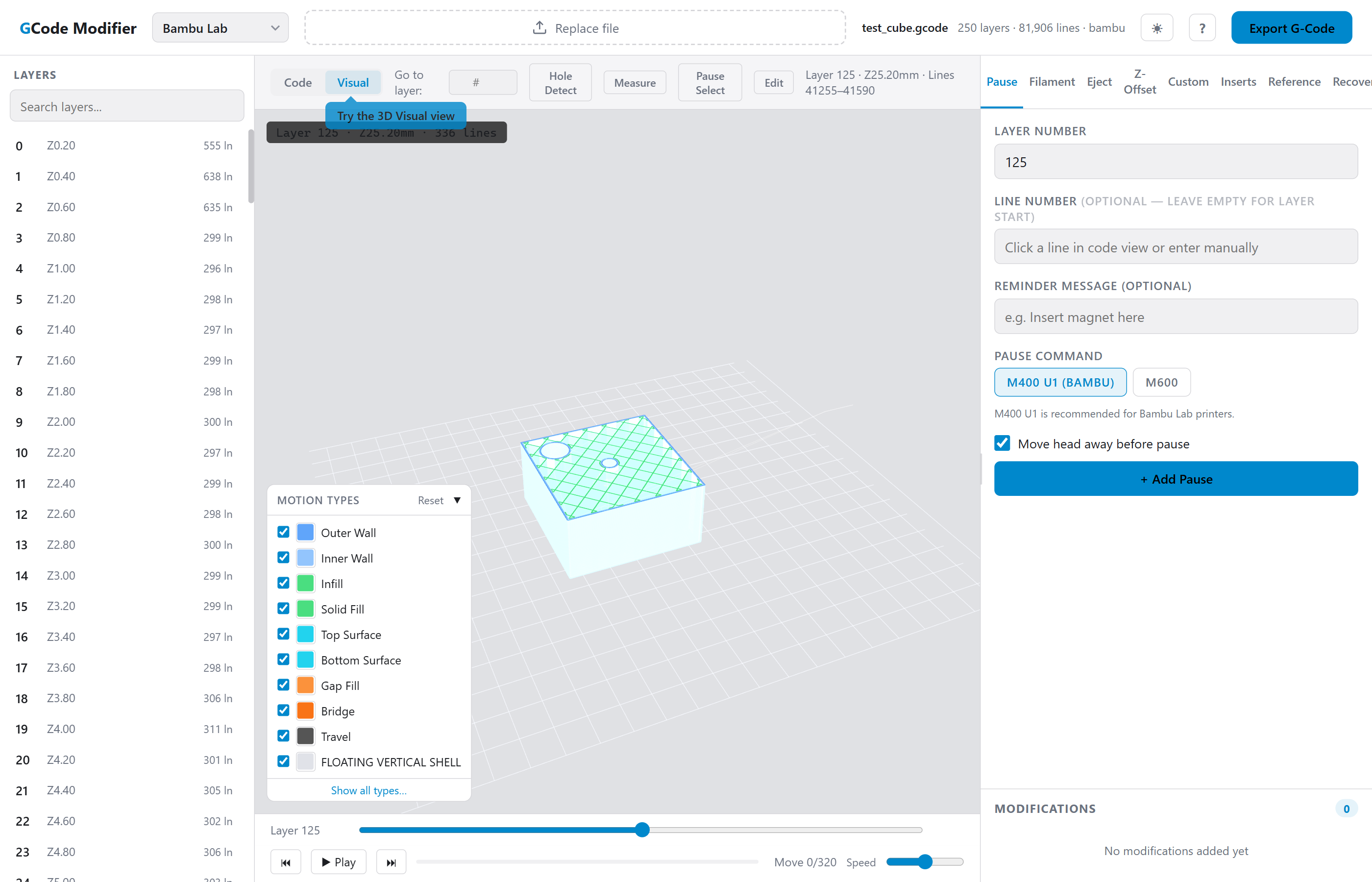
3D Visualization — WebGL layer viewer with motion-type coloring, travel moves, cross-section clipping, and interactive camera controls. |
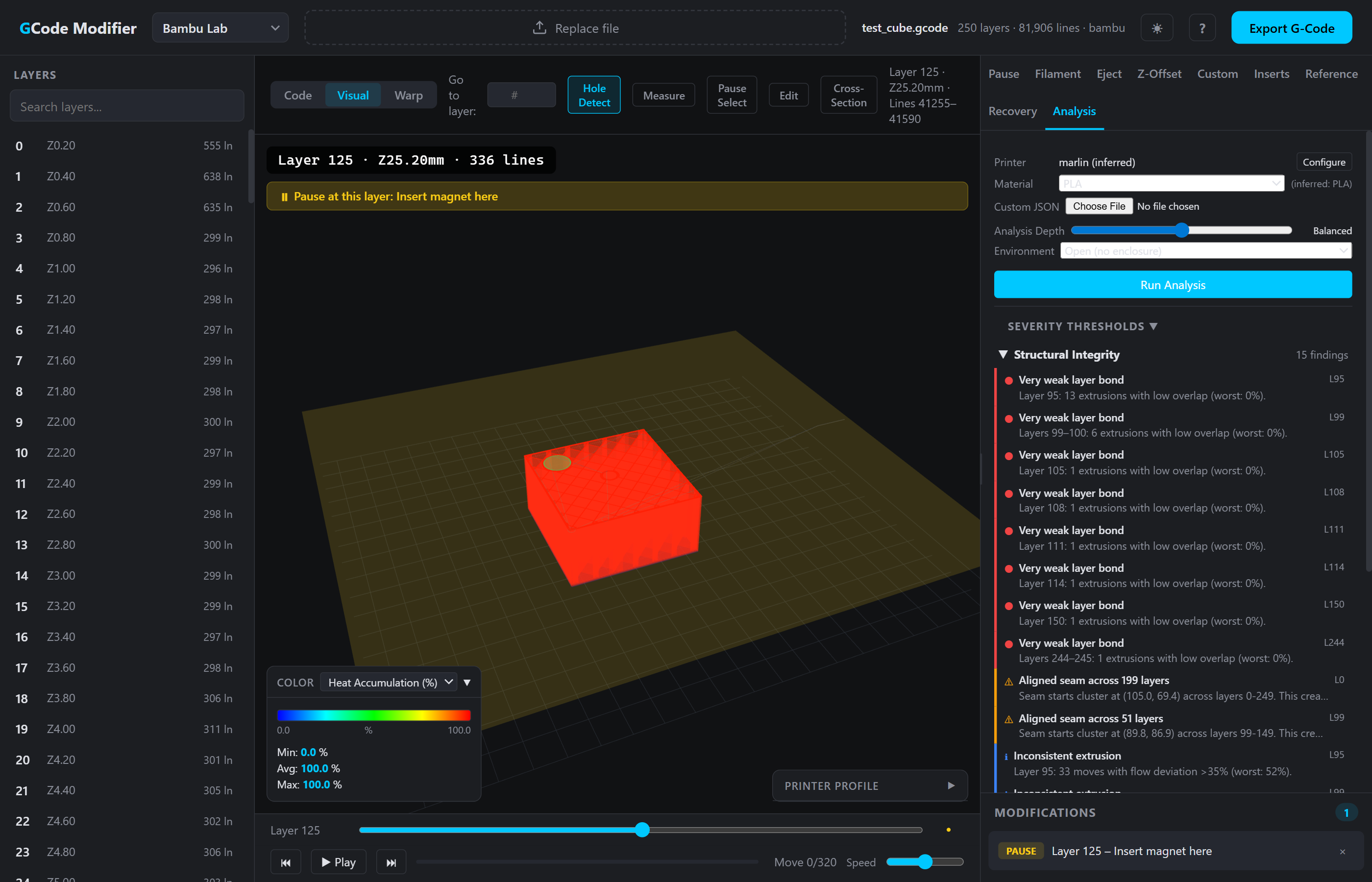 |
Print Analysis — Thermal simulation, structural analysis, and motion kinematics with 12 heatmap overlay modes. Detect failures before they happen. |
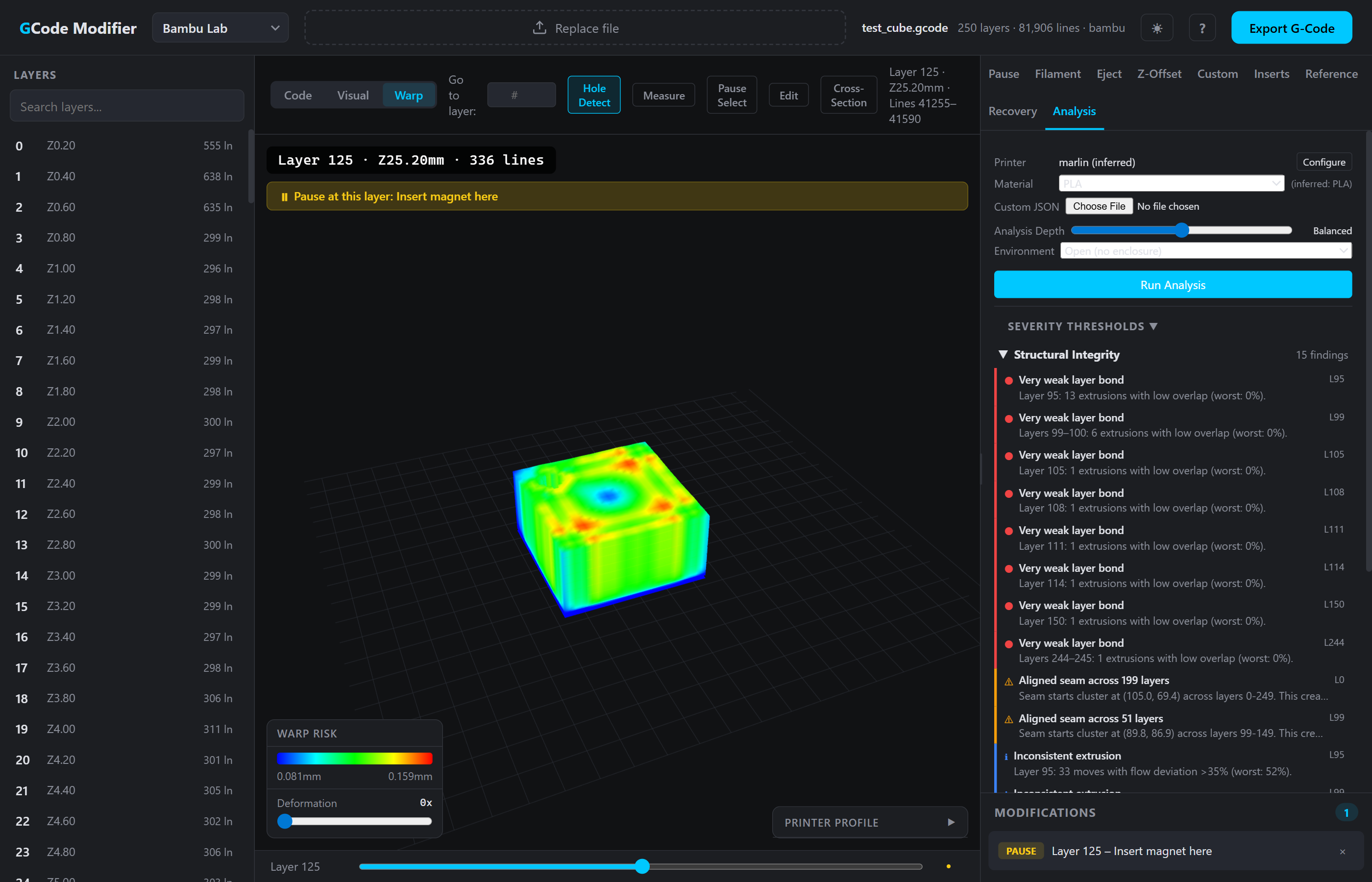 |
Warp Prediction — 3D deformation mesh with material-aware failure prediction and adjustable deformation preview. |
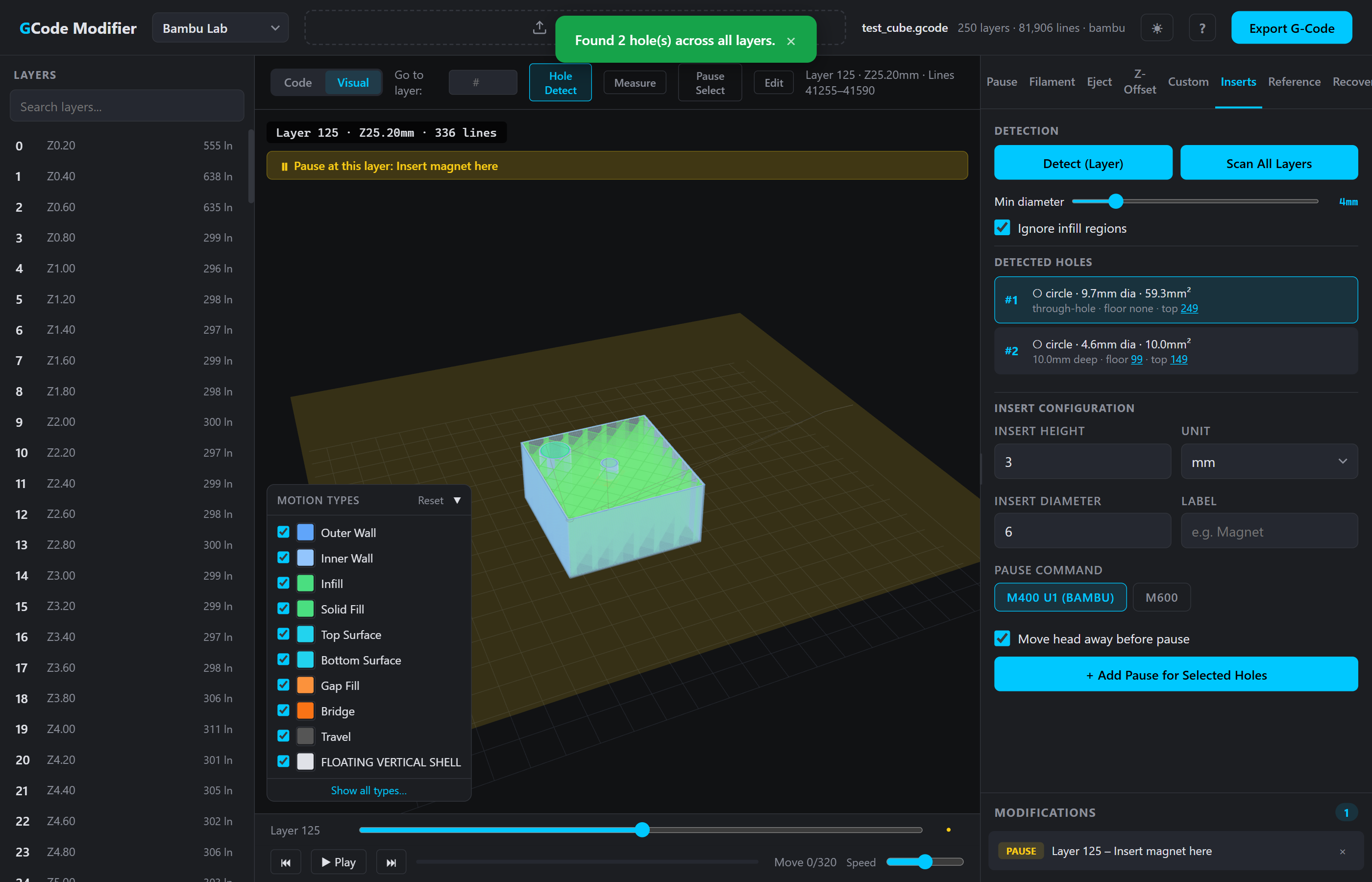 |
Hole Detection — Scan layers to find holes for magnets, threaded inserts, or nuts. Auto-calculate insert depths and add pauses. |
| Page | Description |
|---|---|
| Getting Started | Load a file, select firmware, navigate the interface |
| Viewing & Navigation | 3D viewer controls, layer slider, simulation, measure tool |
| Modification Tools | Pause, filament change, Z-offset, eject, custom G-code, recovery |
| Analysis | Thermal, structural, and motion analysis with overlay modes |
| Advanced Features | Hole detection, edit mode, material profiles |
| Reference | Keyboard shortcuts, firmware profiles, G-code commands |
| G-code Reference | Complete G-code command reference with firmware-specific sections |
| Analysis Theory | Deep technical documentation of the analysis models |
Cura, Bambu Studio, PrusaSlicer, OrcaSlicer, SuperSlicer, Simplify3D, ideaMaker
Requires WebGL2: Chrome 56+, Firefox 51+, Edge 79+, Safari 15+. All processing is client-side — no data is uploaded.