The bot's primary purpose is to allow hackathon participants self organize into teams for each hackathon. Users can add upcoming hackathons, and create teams under each one. Other users can join or leave teams as necessary, and easily contact other team members through private/group messages.
The bot is currently deployed onto the official UBC BCS Discord server.
This project was inspired by a need that arose on the UBC BCS Discord server. With classes being online, the Bachelor of Computer Science program's tight-knit community moved to Discord as our primary form of communication. There were many instances of people sending messages in the general chat looking for teammates, and losing track of who was still looking for a team vs those who had already joined a team.
Organizing teams through the bot also offers several advantages over alternatives such as Google Spreadsheets
- No singular person is responsible for updating the spreadsheet
- A cleaner interface which enforces caps on team size as specified
- Consolidates activity to an existing commonly used platform (Discord)
- JavaScript
- Firebase Real-time Database
- Node.js
- Discord.js
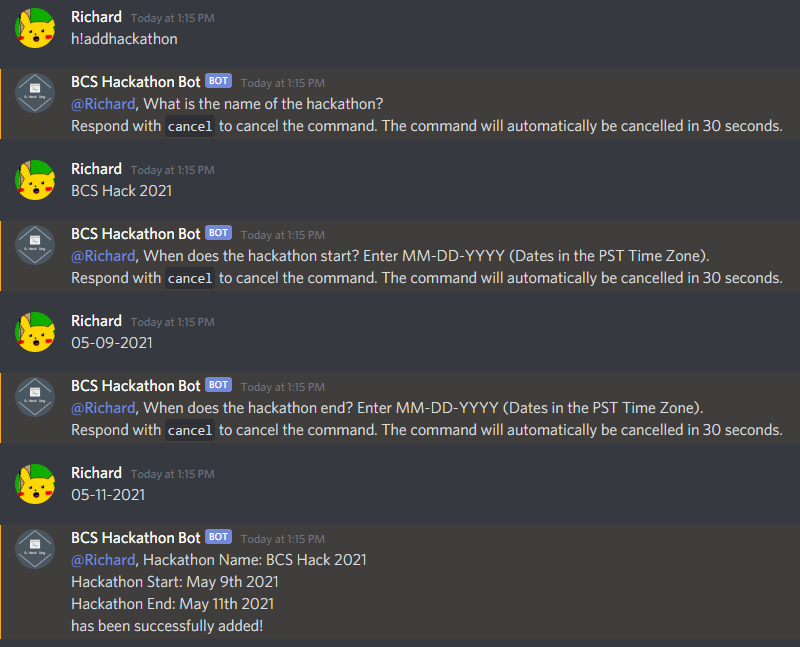
Hackathons can be added to the database using the h!addhackathon command. When the command is used standalone, the bot gives step-by-step directions. However, hackathons can also be added using the format h! addhackathon <hackathonName> <startDate> <endDate>.
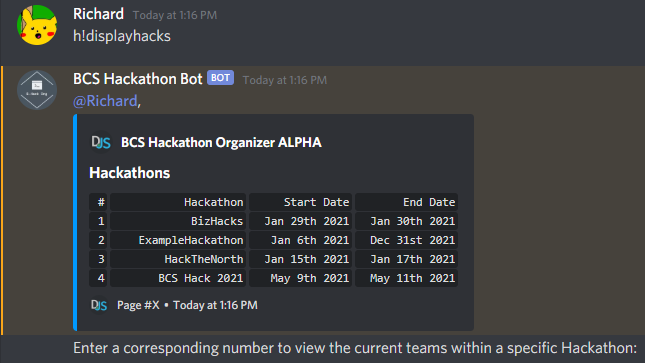
Hackthons currently in the database can be viewed using the h!displayhacks command. Specifying a number after the command is used will provide more detail on the teams created under each hackathon.
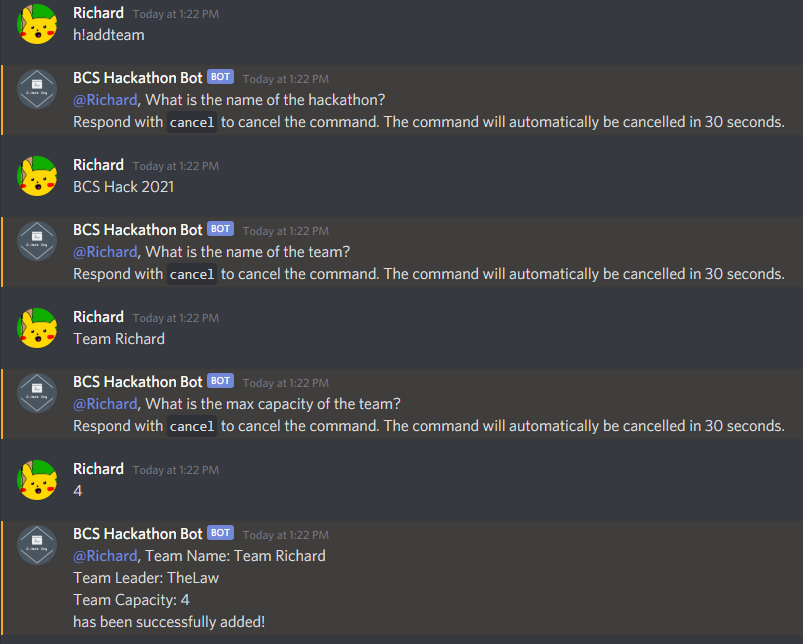
Teams can be added by specifying the associated hackathon and team size. Users who use this command automatically become the team leader. Team leaders have be ability to remove team members and designate a new team leader.
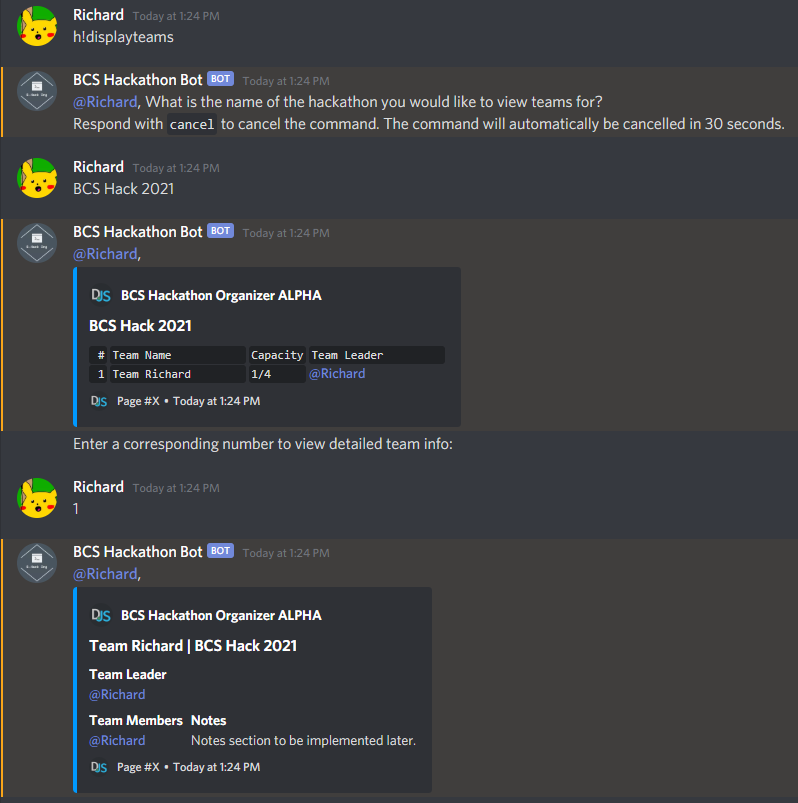
Teams can be viewed using the h!displayteams command. Specific team details can be viewed by specifying the associate team number, or directly with the h!displayteamdetails command.
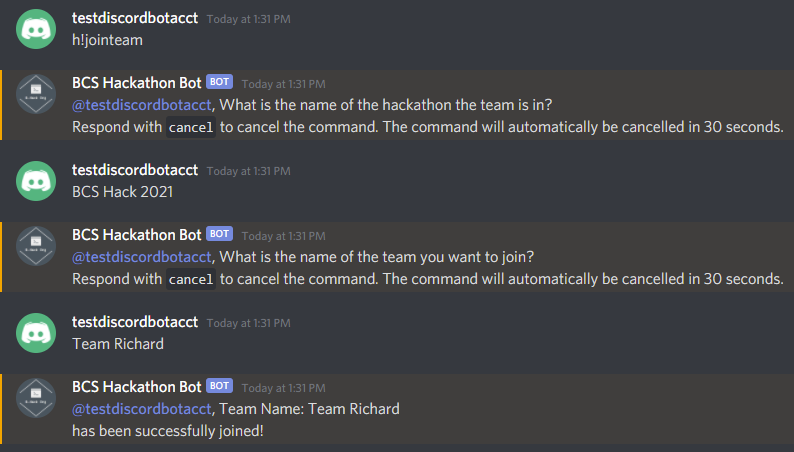
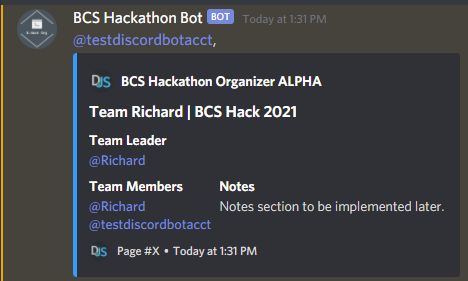
Joining a team is as easy as using the h!jointeam command.
- Storing team & user notes
- Explicit team status section (open/closed/full)
- Automatic hackathon clean-up for hackathons that lapse 10 days after the end date
- A list users can sign up for under each hackathon that shows interest in participation, but not yet affiliated with a team.