The Aqara Shutter Switch H2 EU is a Zigbee‑based in‑wall shutter controller for roller shutters and blinds, with two hard‑wired relay buttons plus two additional multi‑function buttons. It provides local control of the motor and exposes rich button events for automation in Home Assistant.
Product link (with manual download option): https://store-support.aqara.com/products/shutter-switch-h2-eu
This repository will contain:
- A custom ZHA quirk for Aqara Shutter Switch H2 EU (
lumi.switch.aeu003) - A Home Assistant automation blueprint
Coming next is the device quirk for lumi.switch.aeu003 with multi‑click support and shutter behaviour fixes.
Still in draft but will be added once tested and finalized:
zigpy/zha-device-handlers#4769

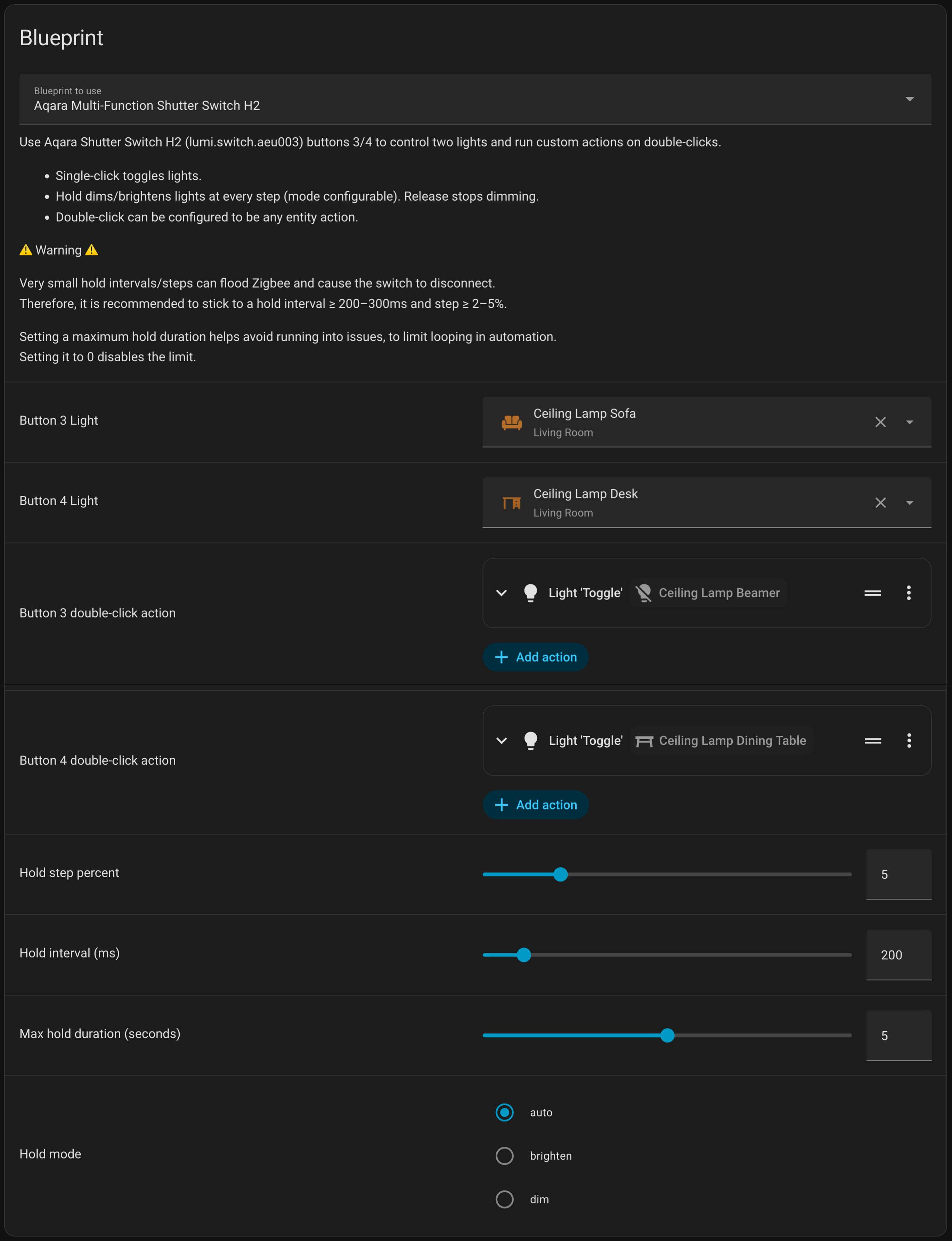
Use buttons 3/4 to control two lights and run custom actions on double‑clicks. Single‑click toggles the assigned lights. Hold dims/brightens in steps (mode configurable), and release stops dimming.
Very small hold intervals/steps can flood Zigbee and cause disconnects, so use sensible values. Maximum hold duration set to 0 disables the limit but is not advised.
- Button 3 single-click: toggle Button 3 Light (off ↔ 100%)
- Button 4 single-click: toggle Button 4 Light (off ↔ 100%)
- Button 3 double‑click: custom action
- Button 4 double‑click: custom action
- Button 3/4 hold: dim/brighten lights in steps while held (mode configurable)
- Button 3/4 release: stop dimming
Create these input_boolean helpers (Settings → Devices & Services → Helpers), or add the snippet below to your configuration.yaml (then restart Home Assistant):
input_boolean:
  aqara_btn3_hold:
    name: Aqara Button 3 Hold
  aqara_btn4_hold:
    name: Aqara Button 4 Hold
  aqara_btn3_dim:
    name: Aqara Button 3 Dim Mode
  aqara_btn4_dim:
    name: Aqara Button 4 Dim Mode
These helpers track “hold in progress” and the current dimming direction to avoid flicker while holding.
- Copy the blueprint file to your Home Assistant config:
/config/blueprints/automation/aqara-multifunction-shutter-switch-h2.yaml
- In Home Assistant:
- Settings → Automations & Scenes → Blueprints → Reload
- Create a new automation from the blueprint
- Button 3 Light / Button 4 Light: optional (can be left empty)
- Button 3 double‑click action / Button 4 double‑click action: custom actions
- Hold step percent: 1–20
- Hold interval (ms): 100–1000
- Max hold duration (seconds): 0–10 (0 = no limit)
- Hold mode:
auto(off → brighten, on → dim)brightendim
Small steps at very short intervals can flood Zigbee and cause device disconnections.
Recommended:
- Hold interval: ≥ 200–300 ms
- Hold step: ≥ 2–5%
The blueprint logs a warning in Logbook when interval/step are set very low.
- The blueprint listens for
zha_eventcommands:3_single,3_double,3_hold,3_release,4_single,4_double,4_hold,4_release. - Requires the device to emit those events (with a compatible quirk + multi‑click enabled).
Apache-2.0