
Navigate your entire screen without touching the mouse.
Built for the person who already remapped Caps Lock.




Free and open-source. No subscription. No trial. No catch.
| macOS | Linux | Windows |
|---|---|---|
| Full featured ✅ | Basic support 🔵 | Not yet supported 🔲 |
練る (neru) — "to refine through practice." The more you use it, the faster you get.
If you use Vimium in the browser, you already know what this feels like. Neru brings that to your entire operating system — every app, every window, every menu bar item. Navigate with labels, grids, or vim-style keys. Click, right-click, drag, scroll, select text — all without leaving your keyboard.
Here's the whole flow:
Cmd+Shift+Space   →  labels appear on every clickable element
type the label    →  cursor jumps there
Shift+L           →  left click
The mouse is now optional.
Unlike most tools in this space, Neru is CLI-first — every action is a command, every setting is a plain toml file, everything is scriptable. No settings panel. No GUI preferences window. It lives in your dotfiles like it was always supposed to be there.
See it in action — recursive grid mode in real use:
demo.mp4
brew tap y3owk1n/tap
brew install --cask y3owk1n/tap/neru
Grant Accessibility in System Settings → Privacy & Security → Accessibility, then:
Press Cmd+Shift+Space. Labels appear. You're already using it.
Other options (Nix flake, build from source) → Installation Guide
Four modes, one tool — mix and match as the situation calls for it.
 Recursive Grid · start here |
 Grid |
 Hints (AX + Vision OCR) |
| Mode | Hotkey | How it works | Best for |
|---|---|---|---|
| Recursive Grid ⭐ | Cmd+Shift+C |
Divides screen into cells; narrow down with home-row keys | Everything — any app, canvas, or game |
| Hints | Cmd+Shift+Space |
Labels every clickable element via Accessibility API or Vision OCR | Native apps, Electron (VS Code, Slack), Figma |
| Grid | Cmd+Shift+G |
Jump directly to a cell by row + column label | Fast coarse movement across large monitors |
| Scroll | Cmd+Shift+S |
Vim-style j/k scrolling, u/d for half pages |
Reading docs and code without lifting your hands |
All bindings are fully remappable — Colemak, Dvorak, whatever you're on. → Configuration Guide
Most tools in this space are GUI apps with a settings panel. Neru is the opposite — the CLI is the interface, and config is a file you own.
neru hints          # trigger hints mode
neru grid           # trigger grid mode
neru recursive_grid # trigger recursive grid mode
neru scroll         # trigger scroll mode
neru config reload  # hot-reload config without restarting
neru status         # check daemon state and permissions
Config lives at ~/.config/neru/config.toml — plain text, version-controllable, and hot-reloadable. Every action is available over IPC, so Neru composes naturally with skhd, Raycast, Alfred, Hammerspoon, or any shell script. If it can run a command, it can drive Neru.
neru config init      # generate a fully-commented starter config
neru config validate  # check for errors before applying
neru config reload    # apply changes without restarting
→ CLI Guide · Configuration Guide · Config Showcases
"neru: the ACTUAL BEST app for ditching mouse"
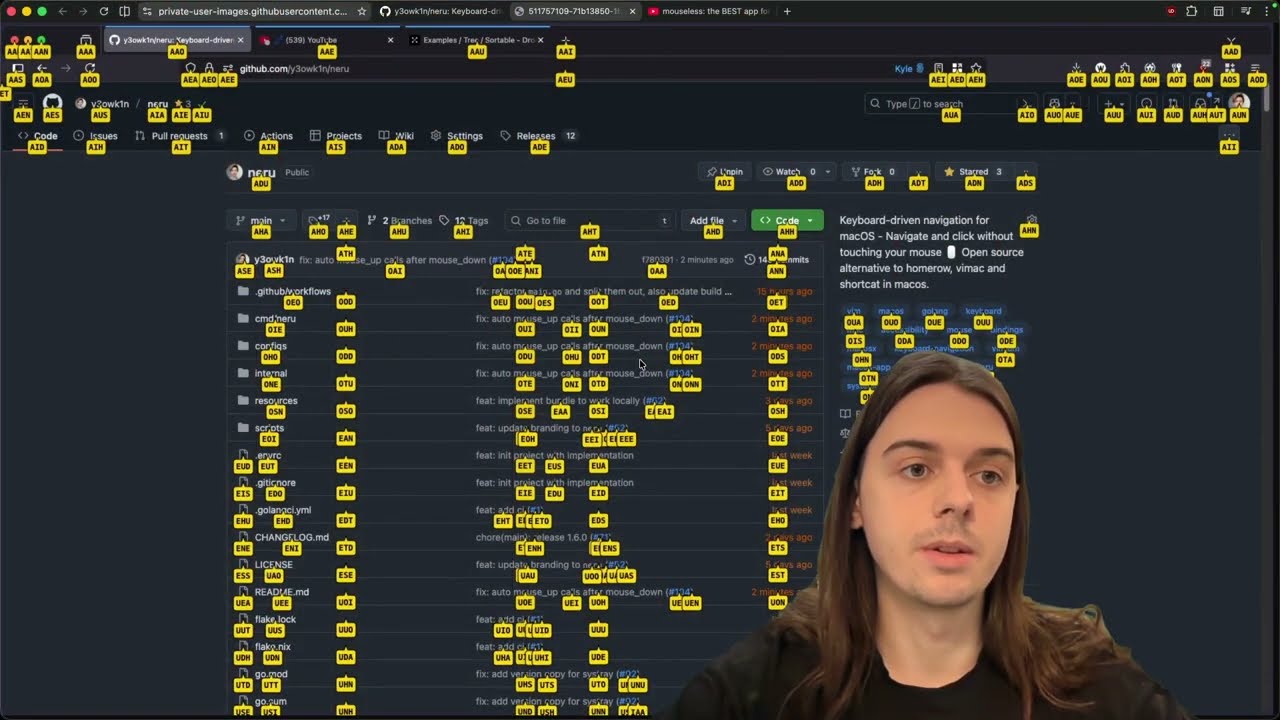
Watch the author run their entire daily workflow without touching the mouse → HOW-I-USE-NERU.md
Got questions or want to share your setup? Join the Discord →
The community built a browser-based training game to help you get fast with recursive grid and hints. Practice target acquisition, sharpen your reaction time, get reps in before it clicks.
👉 Play Neru Dojo — no install, works in any browser.
| Tool | Approach | Price | Open Source |
|---|---|---|---|
| Neru | Grid + Recursive Grid + AX Hints + Vision OCR | Free | ✅ |
| Homerow | AX-Tree Hints | Paid | ❌ |
| Wooshy | AX-Tree Search-to-click | Paid | ❌ |
| Mouseless | Grid pointer control | Paid | ❌ |
| Scoot | AX Hints + Grid | Free | ✅ |
| Glyphlow | Hints + vim text editing | Free | ✅ |
| Stochos | Keyboard driven mouse control | Free | ✅ |
| Vimac | AX Hints | Free | ✅ (unmaintained) |
| warpd | Grid + Hints + Normal Pointer | Free | ✅ |
More modes, more engines, more platforms — and it's free. If you've been paying for any of the tools above, Neru is worth 10 minutes of your time.
| Capability | macOS | Linux | Windows |
|---|---|---|---|
| Recursive Grid | ✅ | ✅ | 🔲 |
| Grid | ✅ | ✅ | 🔲 |
| Vim-Style Scroll | ✅ | ✅ | 🔲 |
| Hints (Accessibility API) | ✅ | 🔲 | 🔲 |
| Hints (Vision OCR) | ✅ | 🔲 | 🔲 |
| Direct Mouse Injection | ✅ | ✅ | 🔲 |
| Global Hotkeys | ✅ | ✅ | 🔲 |
| Native Overlays | ✅ | ✅ | 🔲 |
→ Roadmap · Cross-platform details
Everything you need to go deep:
| Guide | What's in it |
|---|---|
| Installation | Homebrew, Nix, source, permissions, launchd |
| CLI | Every command and flag |
| Configuration | Keybindings, themes, overlays, all settings |
| Tips & Tricks | Power-user patterns and setups |
| Troubleshooting | Common issues and fixes |
| Roadmap | What's coming |
| Contributing | PRs and bug reports |
Neru is written in Go and Objective-C with a clean, modular structure — adding a new feature or platform adapter is straightforward. Pull requests are very welcome.
git checkout -b feature/your-feature
just test && just lint
# open a pull request
→ Development Guide · Coding Standards
Neru is built and maintained by one person, entirely in spare time. If it's earned a place in your workflow, a sponsorship goes a long way:
MIT — see LICENSE.
Stop reaching for the mouse. It takes one command.
brew install --cask y3owk1n/tap/neruWelcome to the mouseless life.
Made with ❤️ by y3owk1n