en dev star guides html to pic
Tip
For easier development, you can use the AstrBot Text2Image Playground for online visual editing and testing of HTML templates.
AstrBot supports rendering text into images.
@filter.command("image") # Register an /image command that accepts a text parameter.
async def on_aiocqhttp(self, event: AstrMessageEvent, text: str):
    url = await self.text_to_image(text) # text_to_image() is a method of the Star class.
    # path = await self.text_to_image(text, return_url = False) # If you want to save the image locally
    yield event.image_result(url)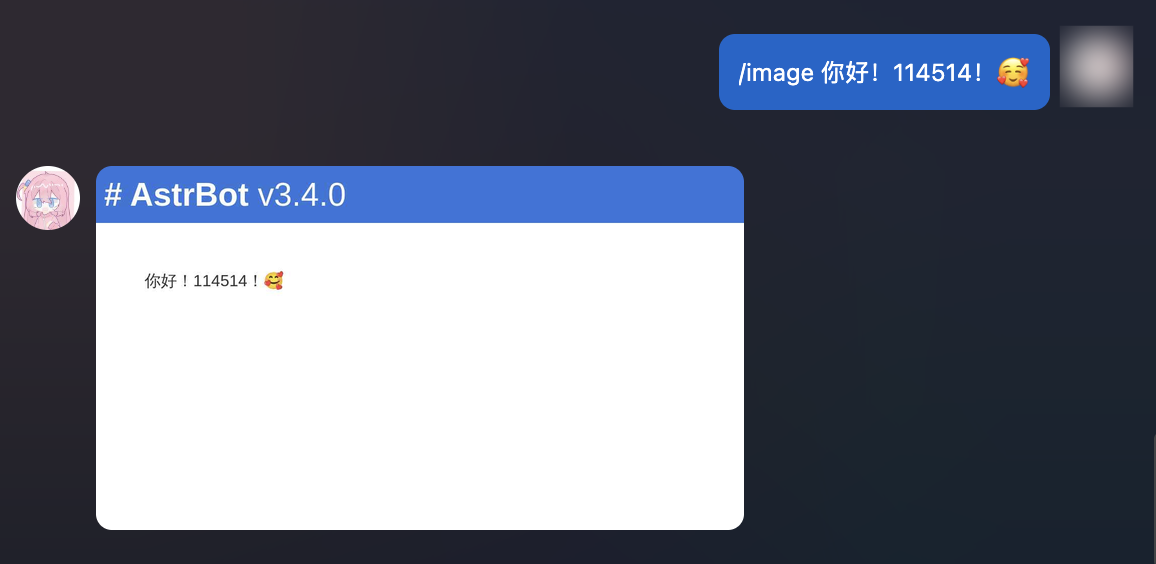
If you find the default rendered images insufficiently aesthetic, you can use custom HTML templates to render images.
AstrBot supports rendering text-to-image templates using HTML + Jinja2.
# Custom Jinja2 template with CSS support
TMPL = '''
<div style="font-size: 32px;">
<h1 style="color: black">Todo List</h1>

<ul>
{% for item in items %}
    <li>{{ item }}</li>
{% endfor %}
</div>
'''

@filter.command("todo")
async def custom_t2i_tmpl(self, event: AstrMessageEvent):
    options = {} # Optionally pass rendering options.
    url = await self.html_render(TMPL, {"items": ["Eat", "Sleep", "Play Genshin"]}, options=options) # The second parameter is the data for Jinja2 rendering
    yield event.image_result(url)
The result:
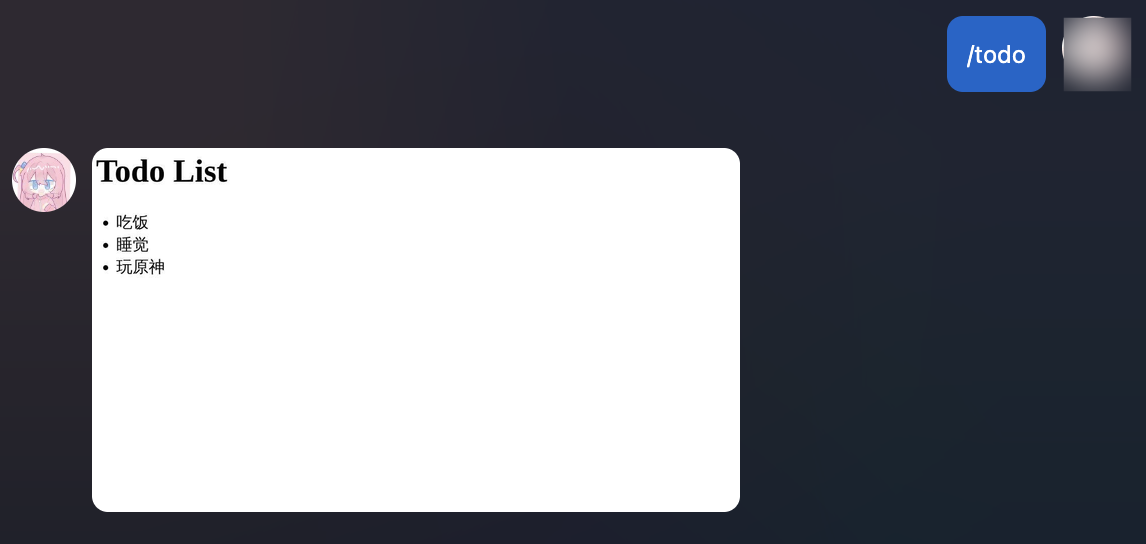
This is just a simple example. Thanks to the powerful capabilities of HTML and DOM renderers, you can create more complex and visually appealing designs. Additionally, Jinja2 supports syntax for loops, conditionals, and more to accommodate data structures like lists and dictionaries. You can learn more about Jinja2 online.
Image Rendering Options (options):
Please refer to Playwright's screenshot API.
-
timeout(float, optional): Screenshot timeout duration. -
type(Literal["jpeg", "png"], optional): Screenshot image type. -
quality(int, optional): Screenshot quality, only applicable to JPEG format images. -
omit_background(bool, optional): Whether to hide the default white background, allowing transparent screenshots. Only applicable to PNG format. -
full_page(bool, optional): Whether to capture the entire page rather than just the viewport size. Defaults to True. -
clip(dict, optional): The region to crop after taking the screenshot. Refer to Playwright's screenshot API. -
animations: (Literal["allow", "disabled"], optional): Whether to allow CSS animations to play. -
caret: (Literal["hide", "initial"], optional): When set to hide, the text cursor will be hidden during the screenshot. Defaults to hide. -
scale: (Literal["css", "device"], optional): Page scaling setting. When set to css, device resolution maps one-to-one with CSS pixels, which may result in smaller screenshots on high-DPI screens. When set to device, scaling is based on the device's screen scaling settings or the device_scale_factor parameter in the current Playwright Page/Context.