-
-
Notifications
You must be signed in to change notification settings - Fork 1.9k
en providers newapi
NewAPI is a next-generation LLM gateway and AI asset management system built on top of One API. It provides a unified interface for managing and using multiple AI model services, including OpenAI, Anthropic, Gemini, Midjourney, and more.
AstrBot can integrate with NewAPI as a model provider, so you can access those model services through AstrBot.
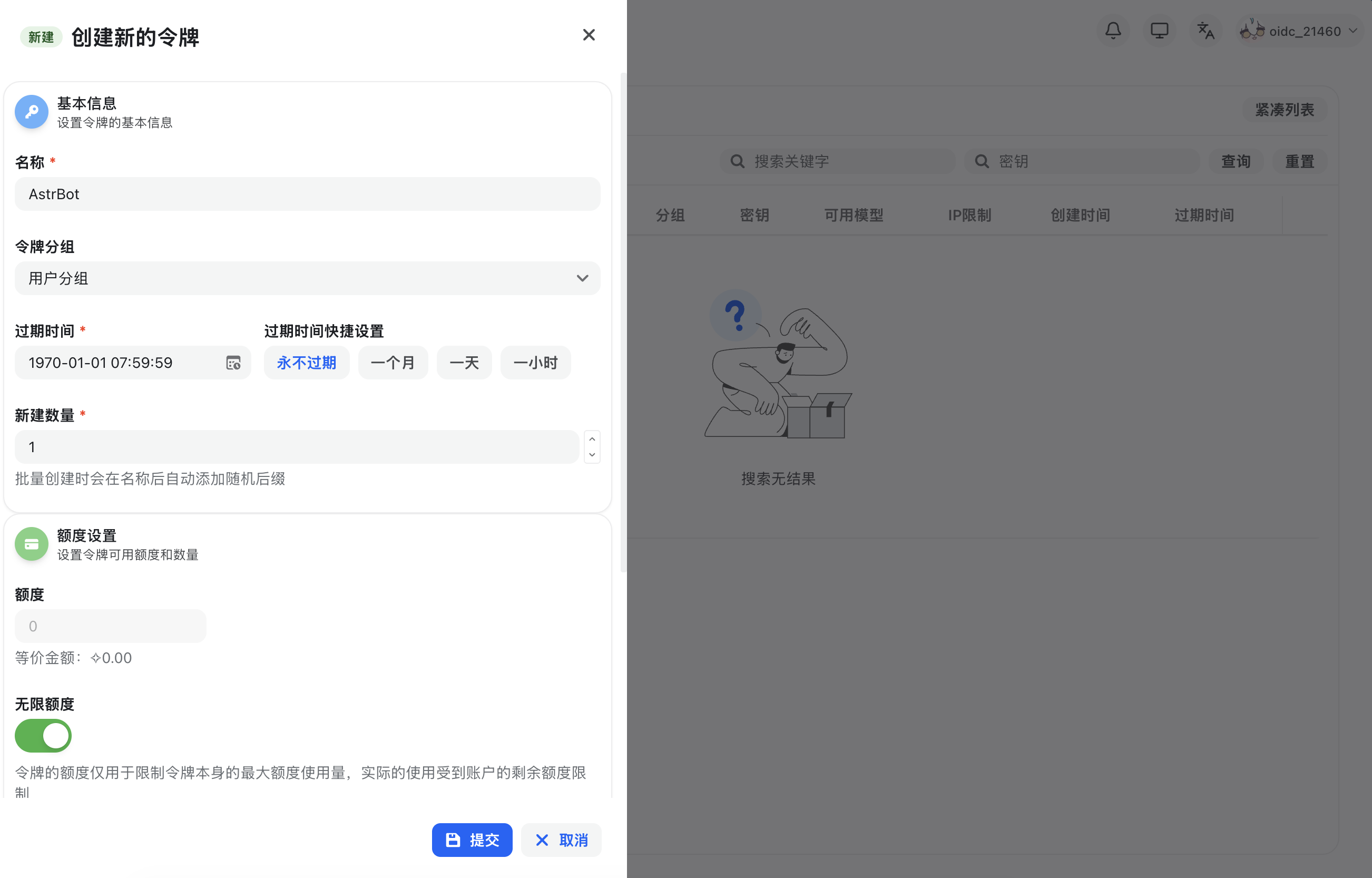
After registering and signing in to NewAPI, open Console in the top navigation bar, go to Token Management, then click Add Token to create a new API key with appropriate permissions.
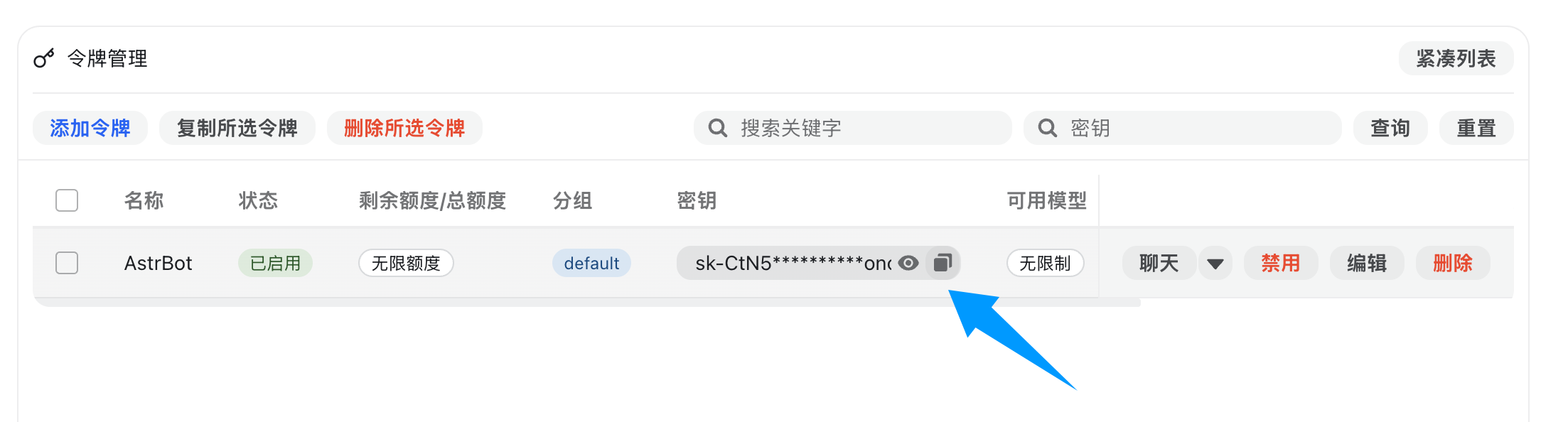
After creation, copy the generated API key.
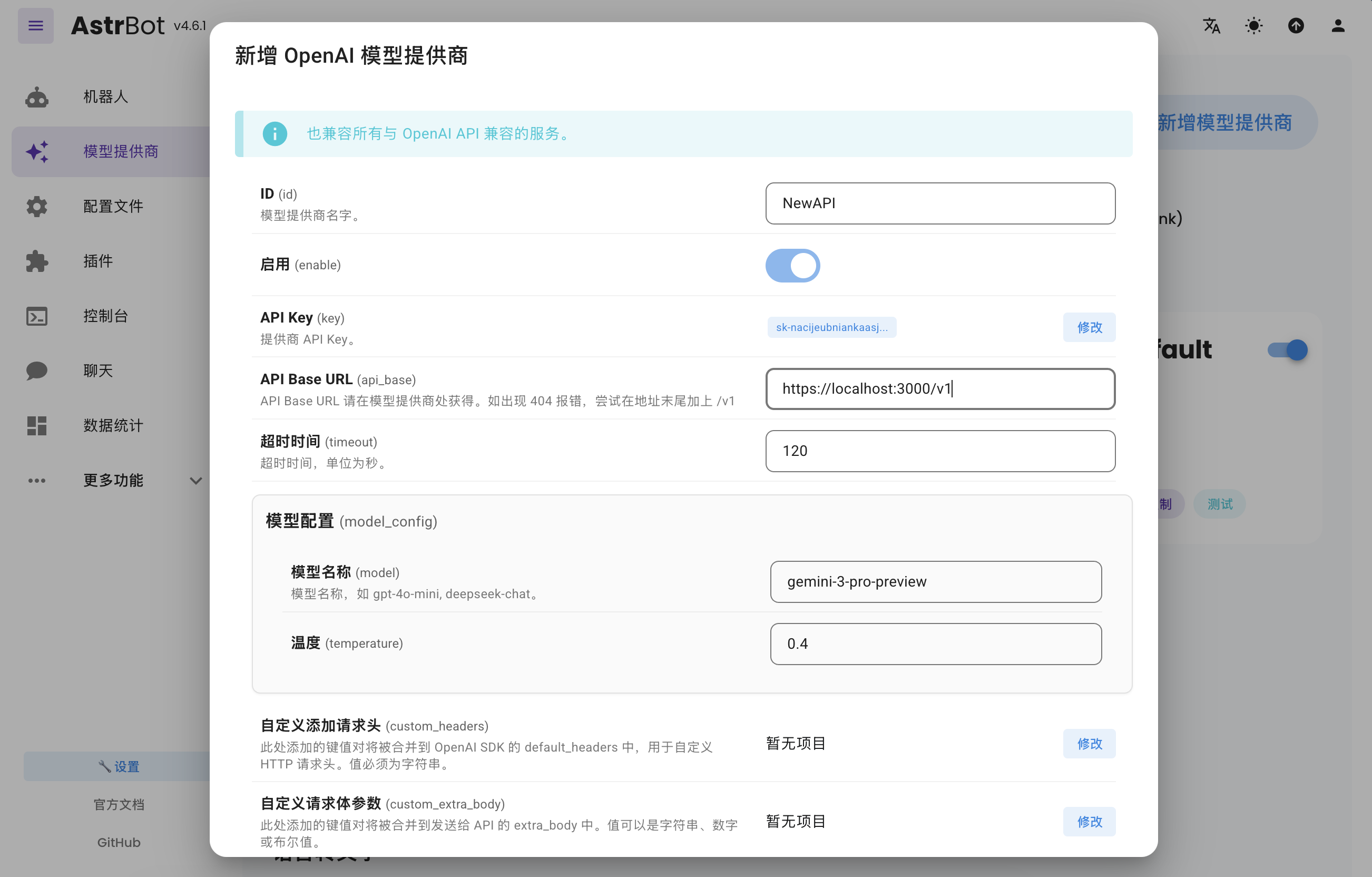
Open AstrBot WebUI, go to Service Providers, and click Add Provider.
NewAPI fully supports OpenAI Chat Completion and Responses APIs, so select OpenAI and open its provider configuration.
Set API Base URL to your NewAPI endpoint:
- Self-hosted NewAPI example:
http://localhost:3000/v1 - Hosted service example:
https://api.example.com/v1
Then paste your API key into API Key and click Save.
Go to Configuration, find the model section, set Default Chat Model to the NewAPI-based provider you just created, and click Save.
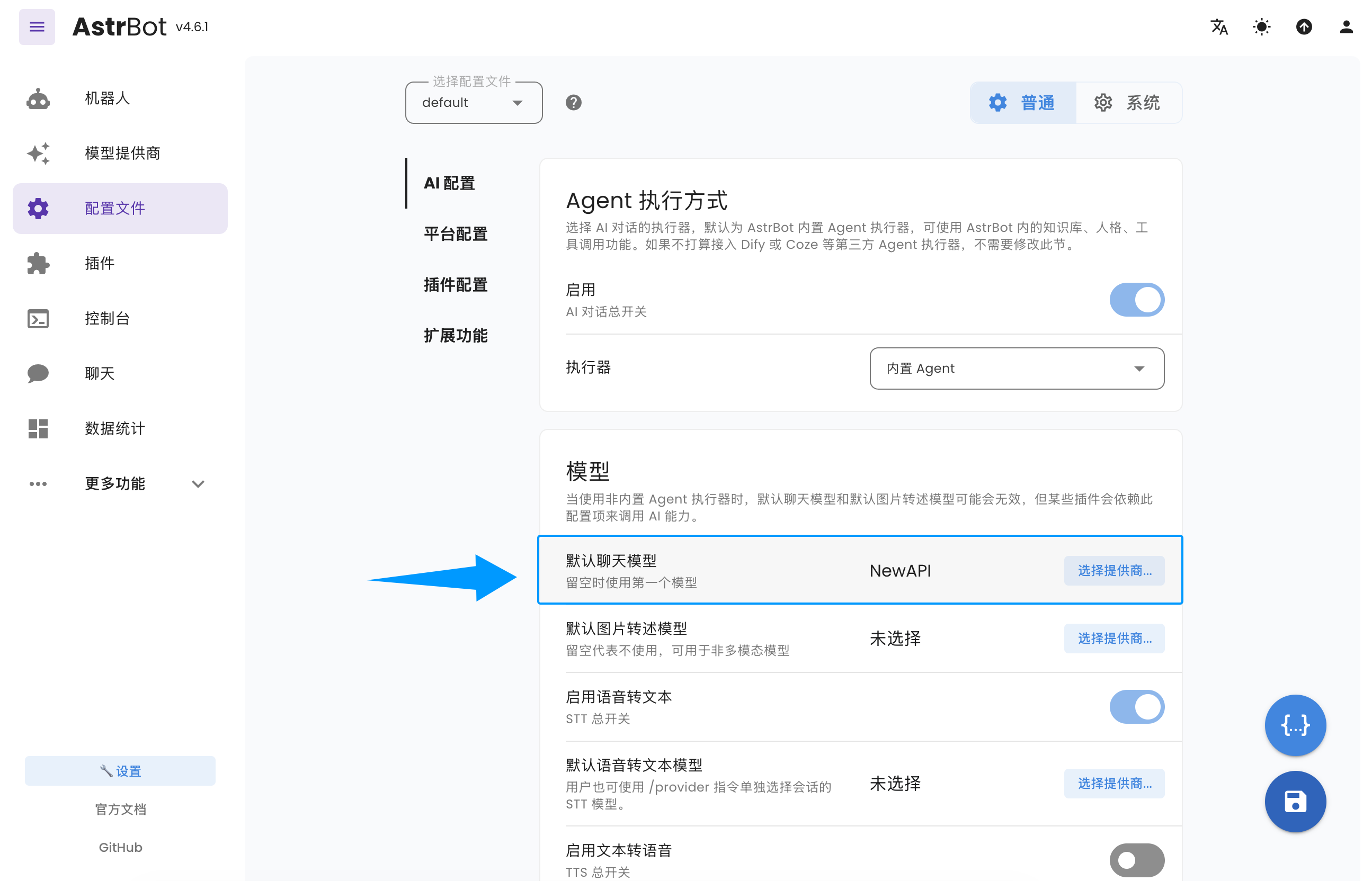
You have now successfully configured NewAPI as an AstrBot model provider.
- Home
- Docs Entry
- Top Level
- config
- deploy
- Deploy AstrBot on 1Panel
- Deploy AstrBot on BT Panel
- Deploy AstrBot on CasaOS
- Deploy AstrBot from Source Code
- Community-Provided Deployment Methods
- Deploy via Compshare
- Deploy AstrBot with Docker
- Deploy AstrBot with Kubernetes
- Deploy AstrBot with AstrBot Launcher
- Other Deployments
- Package Manager Deployment (uv)
- Installation via System Package Manager
- Preface
- dev
- ospp
- others
- platform
- Connect OneBot v11 Protocol Implementations
- Connect to DingTalk
- Connecting to Discord
- Connect to KOOK
- Connecting to Lark
- Connecting to LINE
- Connecting to Matrix
- Connecting to Misskey Platform
- Connect QQ Official Bot
- Connect QQ via QQ Official Bot (Webhook)
- Connect QQ via QQ Official Bot (Websockets)
- Connect to Satori Protocol
- Connect server-satori (Koishi)
- Connecting to Slack
- Messaging Platforms
- Connecting to Telegram
- Connect to VoceChat
- Connect AstrBot to WeCom
- Connect to WeCom AI Bot Platform
- Connect AstrBot to WeChat Official Account Platform
- Connect Personal WeChat
- providers
- 接入 302.AI
- Agent Runners
- Built-in Agent Runner
- Connect to Coze
- Connect to Alibaba Cloud Bailian Application
- Connect to DeerFlow
- Connect to Dify
- Connect AIHubMix
- coze
- dashscope
- dify
- 大语言模型提供商
- NewAPI
- 接入 PPIO 派欧云
- 接入 LM Studio 使用 DeepSeek-R1 等模型
- Integrating Ollama
- Connecting to SiliconFlow
- Connecting Model Services
- Connecting to TokenPony
- use
- Agent Runner
- Agent Sandbox Environment ⛵️
- astrbot sandbox
- Docker-based Code Interpreter
- Built-in Commands
- Context Compression
- Custom Rules
- Function Calling
- AstrBot Knowledge Base
- MCP
- AstrBot Star
- Proactive Capabilities
- Anthropic Skills
- Agent Handoff and SubAgent
- Unified Webhook Mode
- Web Search
- Admin Panel


