Mining Layer 1 Validator Mining
Becoming a layer-1 validator has the same hardware requirements as CML mining, notably a minimum of 2GB of ram.
Beyond that, please note that PoS validator mining on a substrate-based blockchain is more difficult than setting up a CML miner on our layer-2. Also note that your deposit will be slashed if you're unsuccessful in keeping your validator online. There are many ways to earn TEA from mining to staking to holding TApp tokens. If the reader has any difficulty in following the steps below, they shouldn't feel compelled to try to attempt validator mining.
Note: starting in epoch 9, there's a streamlined option for running the installation scripts for layer-1 validator mining. Simply select the option in the dropdown of the plant my CML page and then copy and run the installation scripts in sequence on your machine:
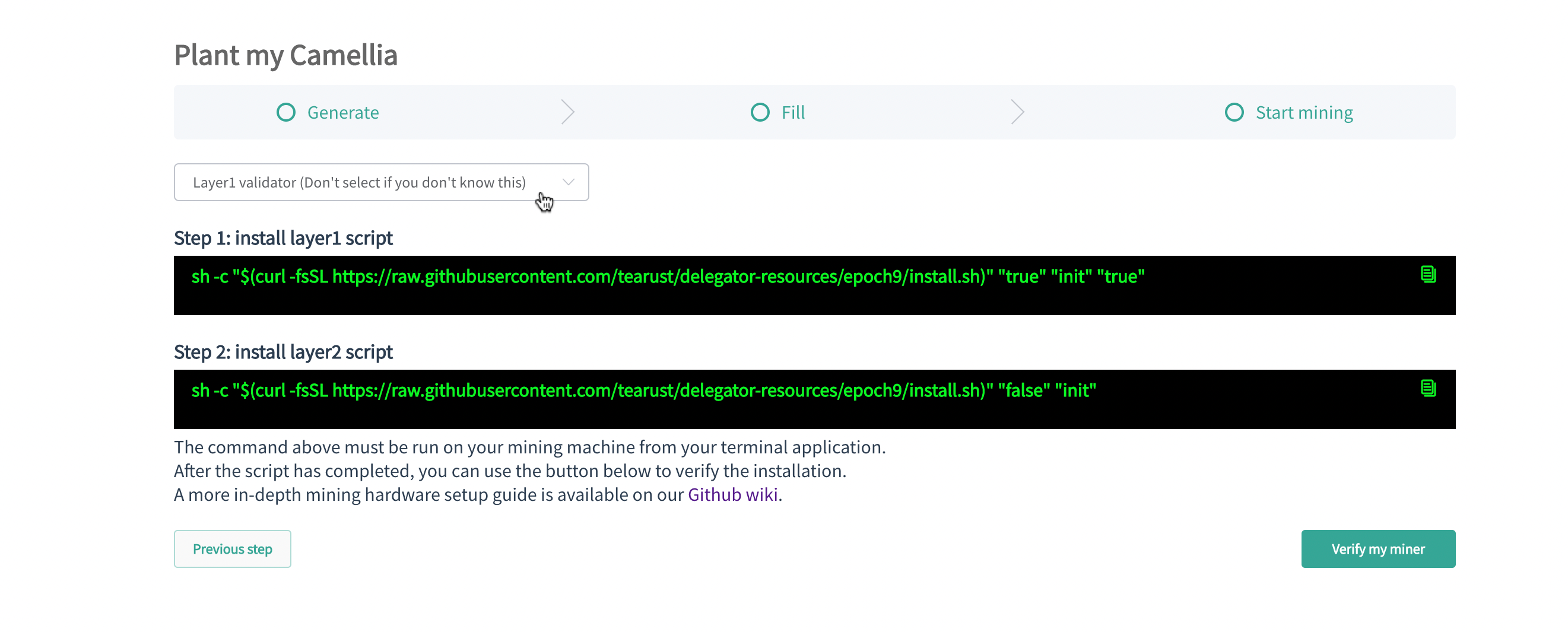
The two options listed below are currently deprecated.
When setting up your miner you can prepare it to be a validator by adding the 'init' command line parameter to the installation script. For example, this would be the command to setup your miner as a validator in epoch 7:
sh -c "$(curl -fsSL https://raw.githubusercontent.com/tearust/delegator-resources/epoch7/install.sh)" "" "init" "true"
After docker has finished installing, you can generate your session key:
./tools.sh sessionkey
If RPC was called successfully, you should see output like the following:
{"jsonrpc":"2.0","result":"<your session key>","id":1}
The "result" value is your session key of the layer-1 node.
Use this option if you've already setup your machine for CML mining and have already run the miner installation script.
First cd into the delegator-resources subdirectory containing your mining machine installation scripts and edit the docker-compose.yaml file by adding --validator as an argument line to tea-camellia:
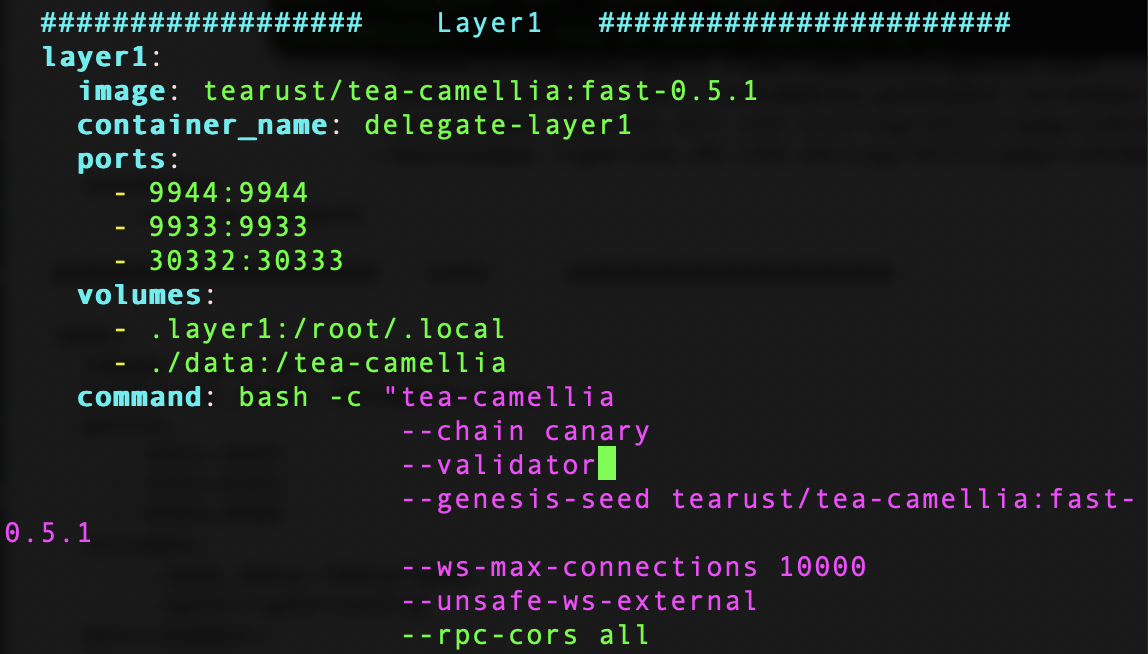
You will then need to restart your docker:
./tools.sh restart
After docker has restarted, you can generate your session key:
./tools.sh sessionkey
If RPC was called successfully, you should see output like the following:
{"jsonrpc":"2.0","result":"<your session key>","id":1}
The "result" value is your session key of the layer-1 node.
You can connect to the Polkadot staking page here to register as a validator using the session key (aka rotate key) generated in step 1.