How to Implement Mixed Computations Between Oracle and MySQL with esProc
Logical data warehouses can implement multi-source mixed computations, but require configuring views and preprocessing data, resulting in an overly heavyweight architecture. DuckDB offers a lightweight solution but lacks a native Oracle connector, rendering custom development too complex. esProc, as another lightweight solution, supports the common JDBC interface, enabling mixed computations between any RDBs.
First, download and install esProc (Standard Edition recommended): https://www.esproc.com/download-esproc/
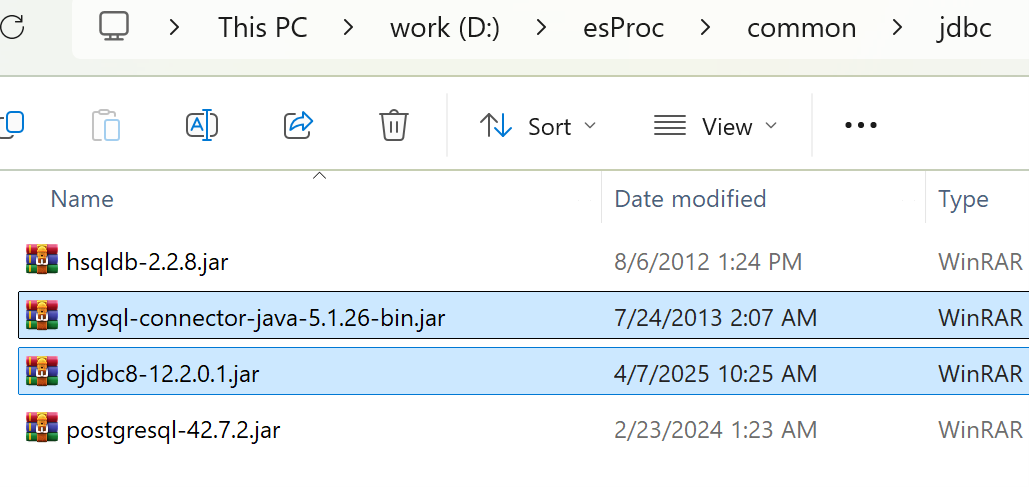
Place the database’s JDBC driver in the directory ‘[Installation Directory]\common\jdbc,’ which is one of esProc’s classpath directories. The following are the JDBC drivers for MySQL and Oracle:
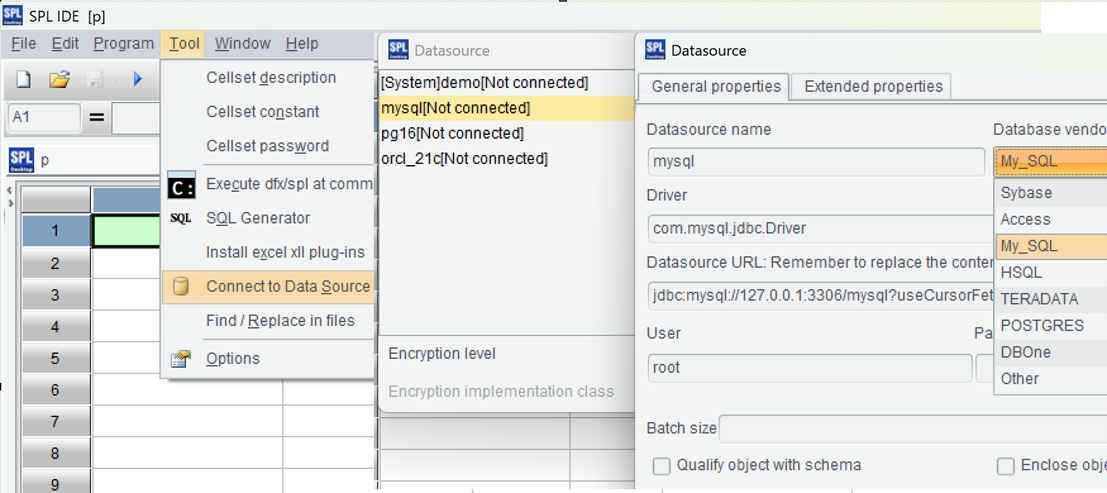
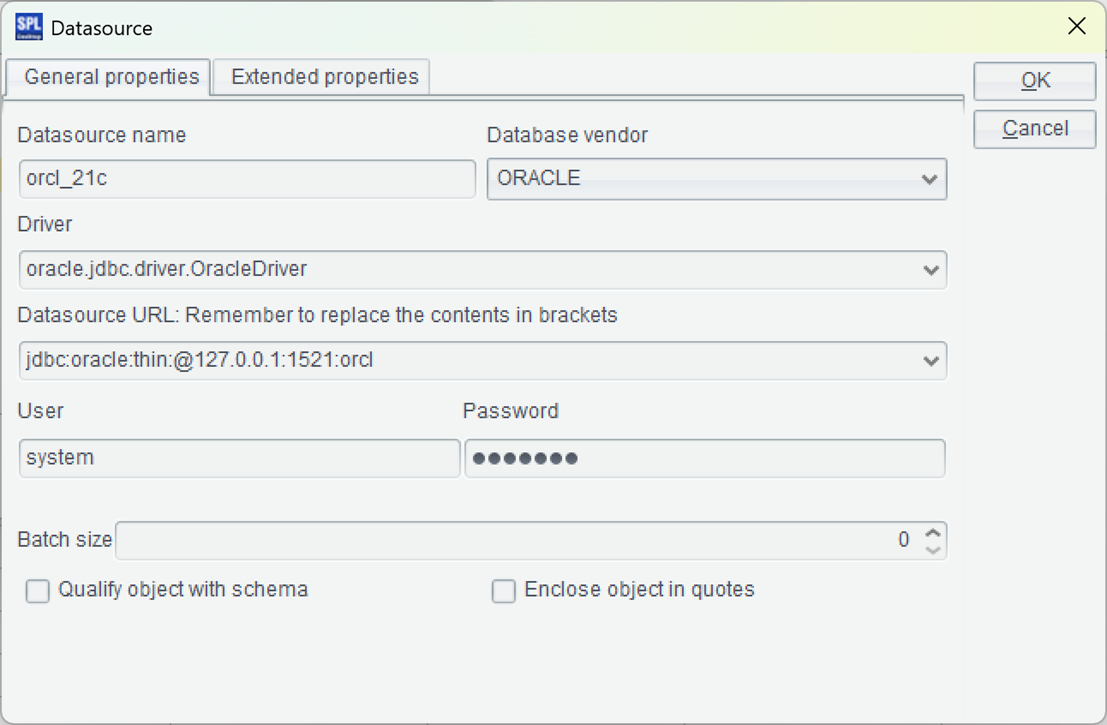
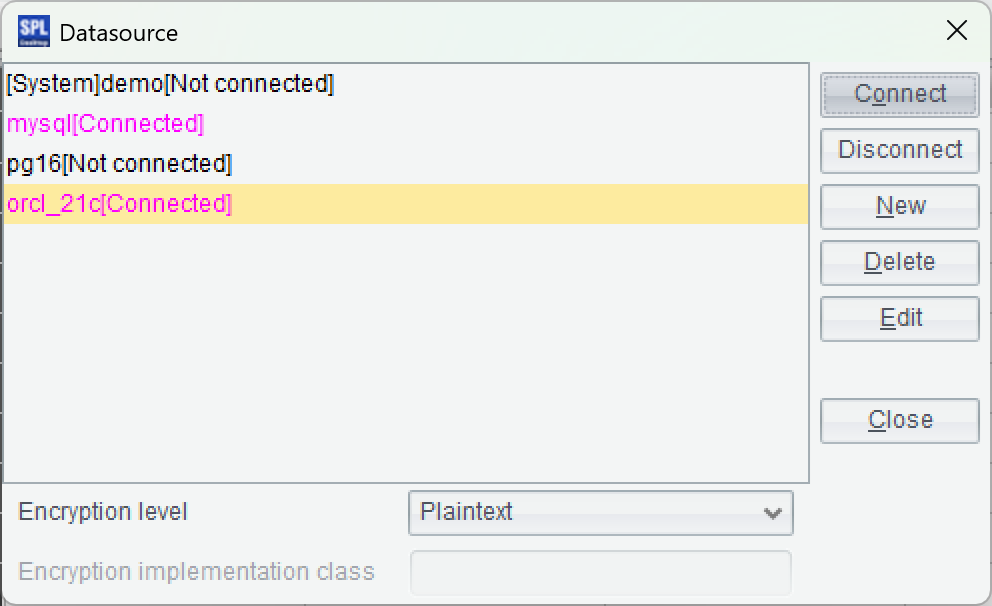
=connect("orcl_21c").query@x("select * from ALifeSurvey")
Press Ctrl+F9 to execute the script. The execution results will appear as a data table on the right side of the IDE, which is convenient for debugging SPL code.
| A | ||
|---|---|---|
| 1 | =connect("orcl_21c").query@x("select telNo,age,marital from ALifeSurvey") | =connect("mysql").query@x("select telNo,price from AVehicleSurvey where purchase_year>=? and purchase_year<=?",arg1,arg2) |
| 2 | =join(A1:L, long(TELNO); B1:V, telNo) | |
| 3 | =A2.groups(L.AGE, L.MARITAL; avg(V.price):avgPrice) |
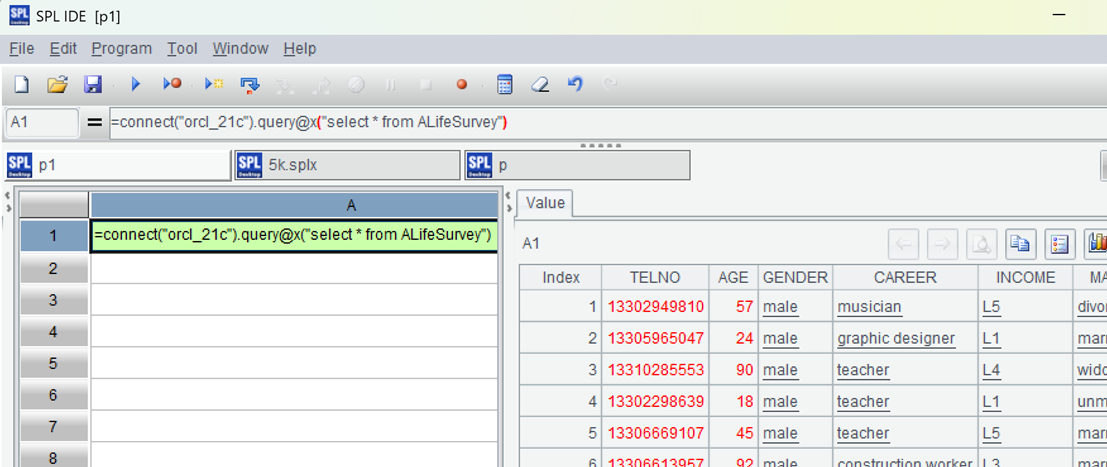
Filter the MySQL vehicle insurance survey table using parameters, then perform an inner join with the Oracle life insurance survey table based on phone number. Group the results by age and marital status from the life insurance survey table, and calculate the average vehicle purchase price from the vehicle insurance survey table for each group.
Save the above script to a directory (e.g., D:\data\SurveyCross.splx). Run the script to see the results:
| A | ||
|---|---|---|
| 1 | =now() | |
| 2 | =connect("orcl_21c").cursor@x("select telNo,age,marital from ALifeSurveyB order by telNo") | =connect("mysql").cursor@x("select telNo,price from AVehicleSurveyB order by telNo") |
| 3 | =joinx(A2:L, long(TELNO); B2:V, telNo) | |
| 4 | =A3.groups(L.AGE, L.MARITAL; avg(V.price):avgPrice) | |
| 5 | =output("time cost(seconds):",interval@s(A1,now())) |
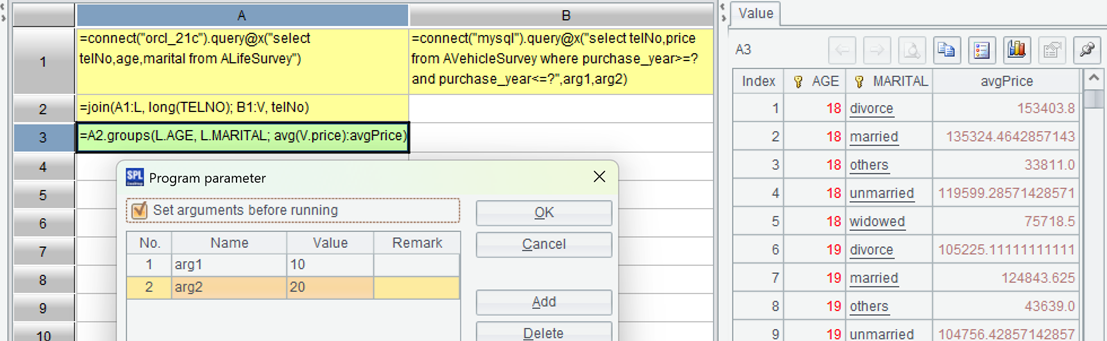
The code changes little. It uses the cursor function to retrieve data and the joinx function to merge and associate data, and adds time statistics in A1 and A5.
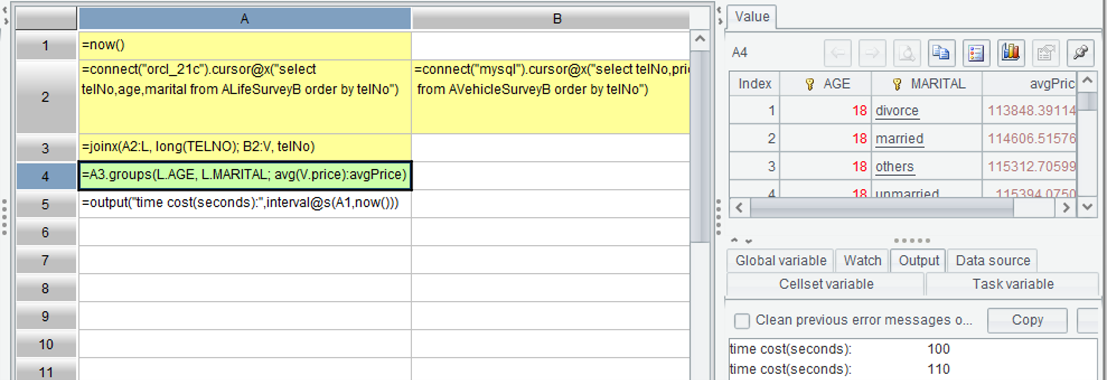
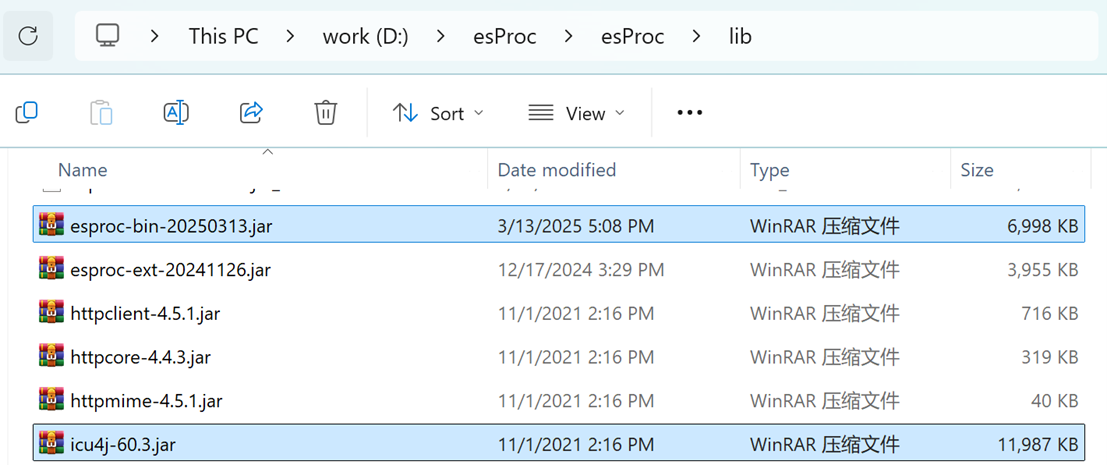
The execution time is displayed in the log window in the lower right corner. This shows that for two tables with data volumes exceeding ten million rows, cross-database mixed computation takes approximately 100 seconds. Having completed debugging in the IDE, the next step is to configure the Java application environment. Locate the esProc JDBC-related jars, esproc-bin-xxxx.jar and icu4j_60.3.jar, in the [installation directory]\esProc\lib directory.
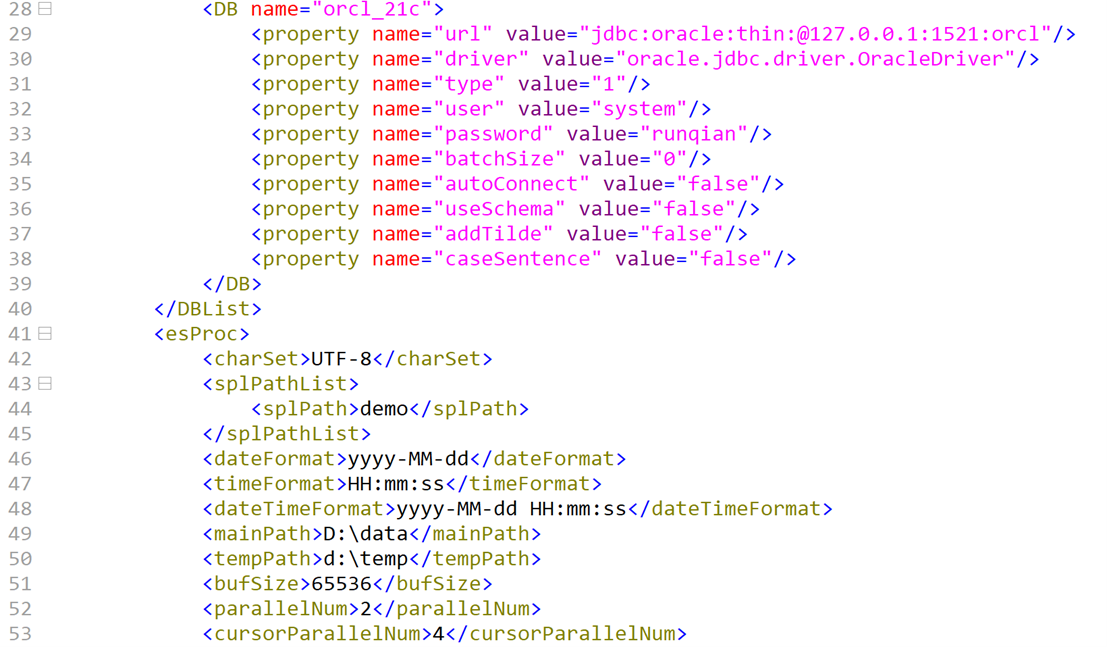
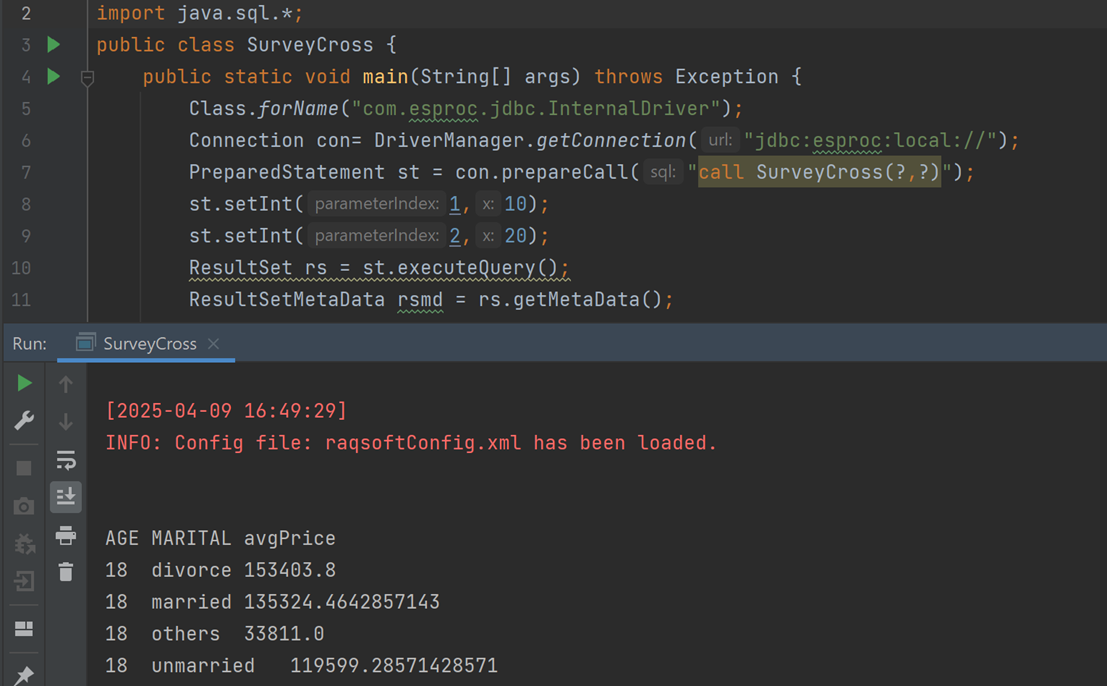
Class.forName("com.esproc.jdbc.InternalDriver");
Connection con= DriverManager.getConnection("jdbc:esproc:local://");
PreparedStatement st = con.prepareCall("call SurveyCross(?,?)");
st.setInt(1,10);
st.setInt(2,20);
ResultSet rs = st.executeQuery();
After execution, the results are visible:
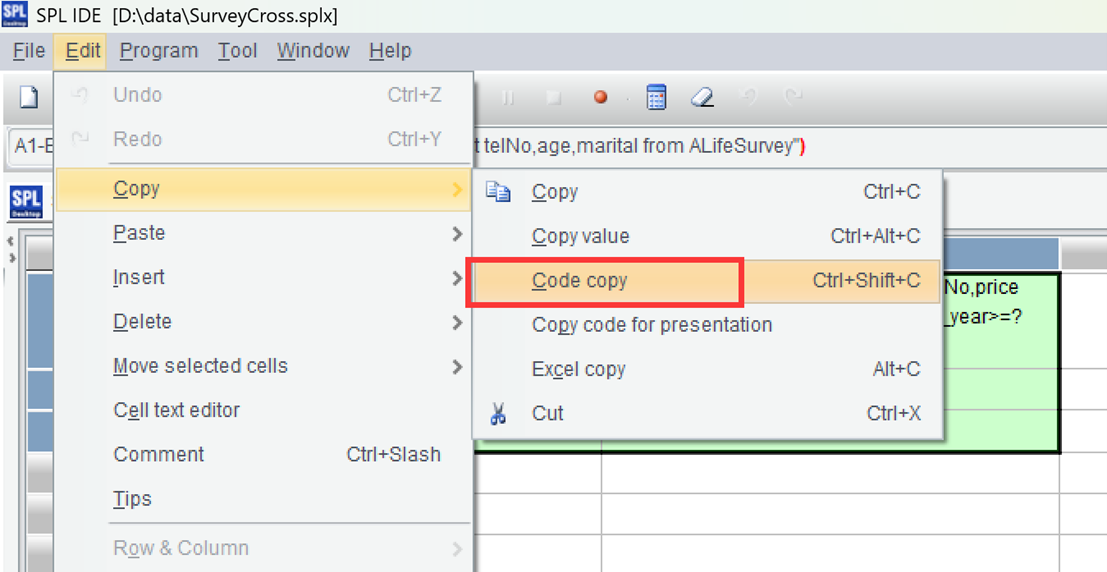
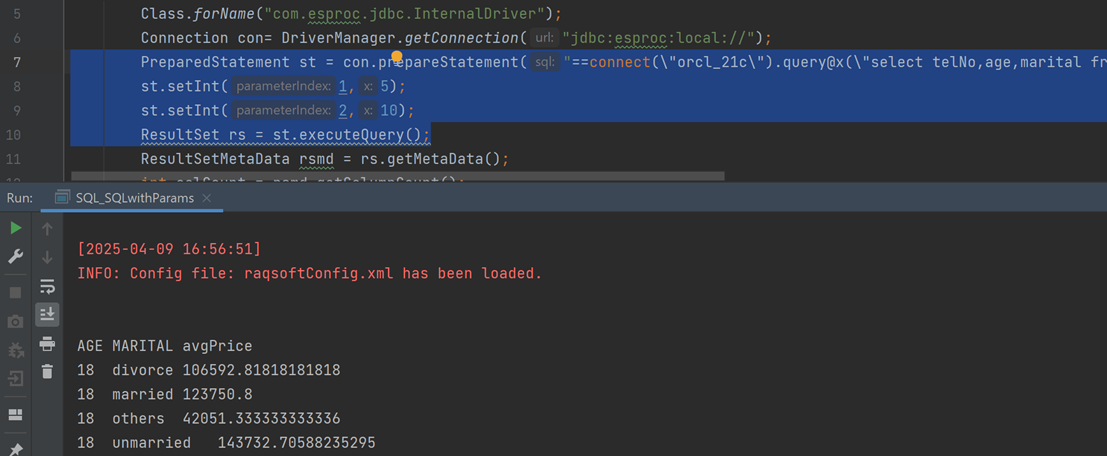
PreparedStatement st = con.prepareStatement("==connect(\"orcl_21c\").query@x(\"select telNo,age,marital from ALifeSurvey\")\t=connect(\"mysql\").query@x(\"select telNo,price from AVehicleSurvey where purchase_year>=? and purchase_year<=?\",?,?)\n=join(A1:L, long(TELNO); B1:V, telNo)\t\n=A2.groups(L.AGE, L.MARITAL; avg(V.price):avgPrice)\t");
st.setInt(1,5);
st.setInt(2,10);
ResultSet rs = st.executeQuery();
It can be seen that calling SPL code in Java is just like calling SQL code. The results are then visible upon execution: