How to supplement the missing capabilities of database SQL with esProc
Some database SQL lacks necessary capabilities and usually requires writing large sections of code to indirectly implement similar functions. In some cases, stored procedures are even used to drive architecture changes. Common examples include: generating time series, retaining grouped subsets, dynamic row column conversion, natural numbering, relative position, generating multiple records by sequence and set, cumulative calculation, conditional grouping, cross database calculation, set calculation, sequence calculation, self-association structure, recursive calculation, aligned association, etc. Use the following examples to quickly experience it.
Generate time series: The Time field of a certain database table is time, and the time interval is sometimes greater than 1 minute.
| Time | Value |
|---|---|
| 10:10:05 | 3 |
| 10:11:06 | 4 |
| 10:13:13 | 5 |
| 10:13:19 | 9 |
| 10:13:32 | 8 |
| 10:14:35 | 2 |
Now we need to divide the data into windows every minute, fill in the missing windows, and count four values for each window: the last start_value of the previous window; The last item in this window; The minimum value of this window; The maximum value of this window. The start value in the first minute is based on the first record in this window; If data for a certain window is missing, replace it with the last record of the previous window.
| start | end | start_value | end_value | min | max |
|---|---|---|---|---|---|
| 10:10:00 | 10:11:00 | 3 | 3 | 3 | 3 |
| 10:11:00 | 10:12:00 | 3 | 4 | 4 | 4 |
| 10:12:00 | 10:13:00 | 4 | 4 | 4 | 4 |
| 10:13:00 | 10:14:00 | 4 | 8 | 5 | 9 |
| 10:14:00 | 10:15:00 | 8 | 2 | 2 | 2 |
The SQL of many databases does not have a convenient way to generate a month sequence, and many databases require multiple nested queries and window functions to indirectly implement it.
Retain grouped subsets: A table stores events that occur for multiple accounts on multiple dates.
| Row | Account Number | Date |
|---|---|---|
| 1 | 1001 | 2011-01-10 |
| 2 | 1001 | 2011-02-01 |
| 3 | 1001 | 2011-02-20 |
| 4 | 1001 | 2011-02-22 |
| 5 | 2001 | 2011-04-11 |
| 6 | 2001 | 2012-01-01 |
| 7 | 2001 | 2012-01-30 |
| 8 | 2001 | 2012-02-09 |
Now we need to find a pair of events that meet the criteria under each account, namely: event a with the earliest date, and event b with the earliest date among events that are more than 30 days away from event a.
| Row | Account Number | Date |
|---|---|---|
| 1 | 1001 | 2011-01-10 |
| 3 | 1001 | 2011-02-20 |
| 5 | 2001 | 2011-04-11 |
| 6 | 2001 | 2012-01-01 |
After SQL grouping, it must aggregate immediately, making it difficult to filter records based on condition b. It can only be indirectly implemented using a join statement in conjunction with multiple CTE clauses.
Dynamic row column conversion: A certain database table records the monthly sales of different products, where the values of the products are unknown.
| product | month | amount |
|---|---|---|
| AA | 1 | 100 |
| AA | 1 | 150 |
| AA | 2 | 200 |
| AA | 2 | 120 |
| BB | 2 | 180 |
| BB | 2 | 220 |
| CC | 3 | 80 |
Now we need to group by product and month, sum up sales amount, and then convert products from rows to columns.
| month | AA | BB | CC |
|---|---|---|---|
| 1 | 250 | ||
| 2 | 320 | 400 | |
| 3 | 80 |
Some databases lack dynamic row column conversion capability in SQL, and column names must be written when converting rows to columns. Many databases can only use stored procedures instead.
esProc SPL has a rich built-in calculation library that can supplement the missing SQL capabilities of these databases, such as the three examples above:
"https://c.esproc.com/article/1742378003626"
"https://c.scudata.com/article/1735173106193"
"https://c.esproc.com/article/1741597722712"
Next, let's try how to integrate esProc into an application.
Download esProc first, recommend standard edition:https://www.esproc.com/download-esproc/
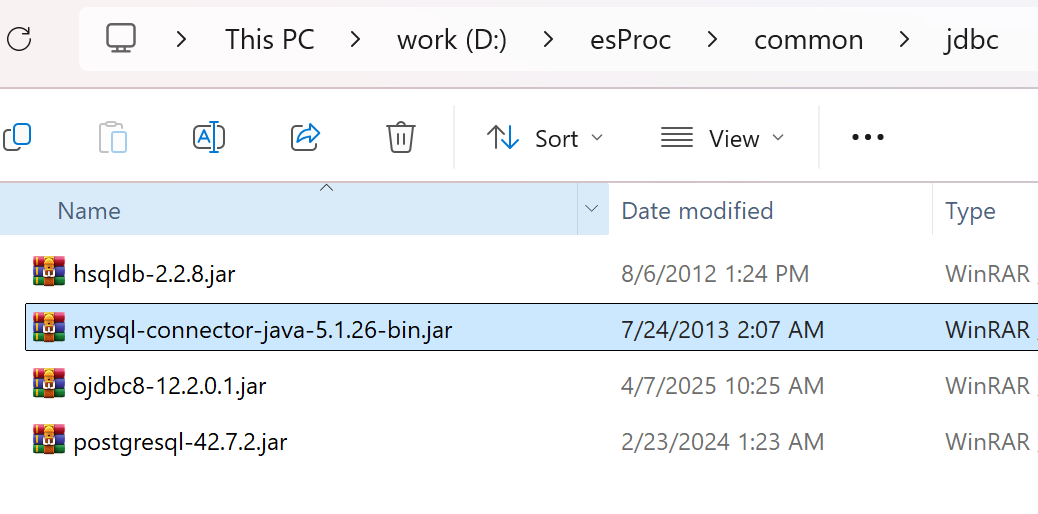
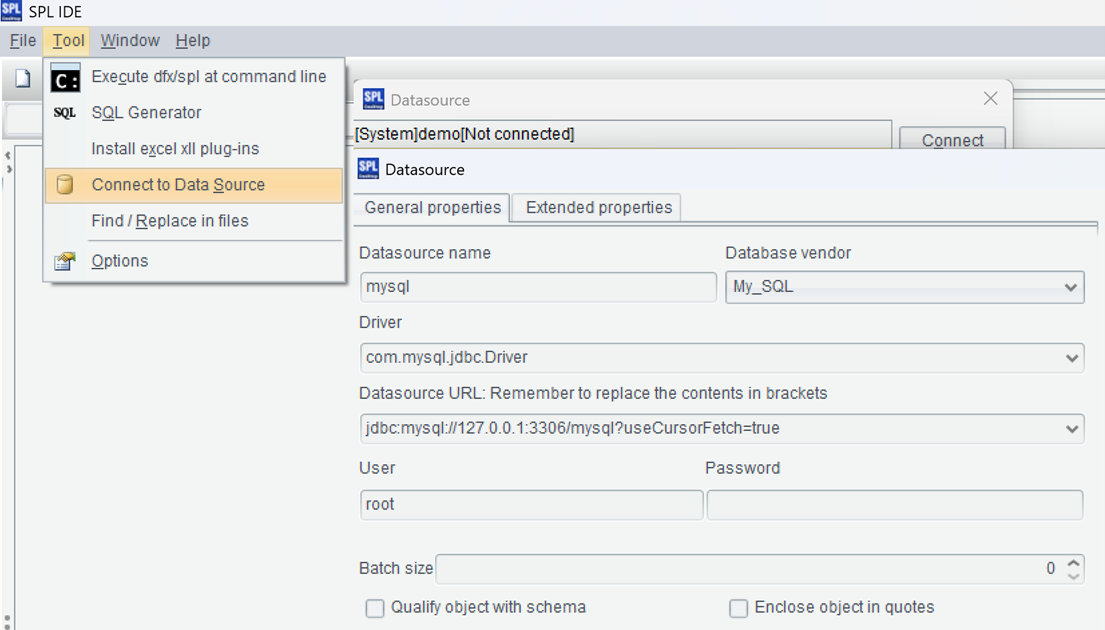
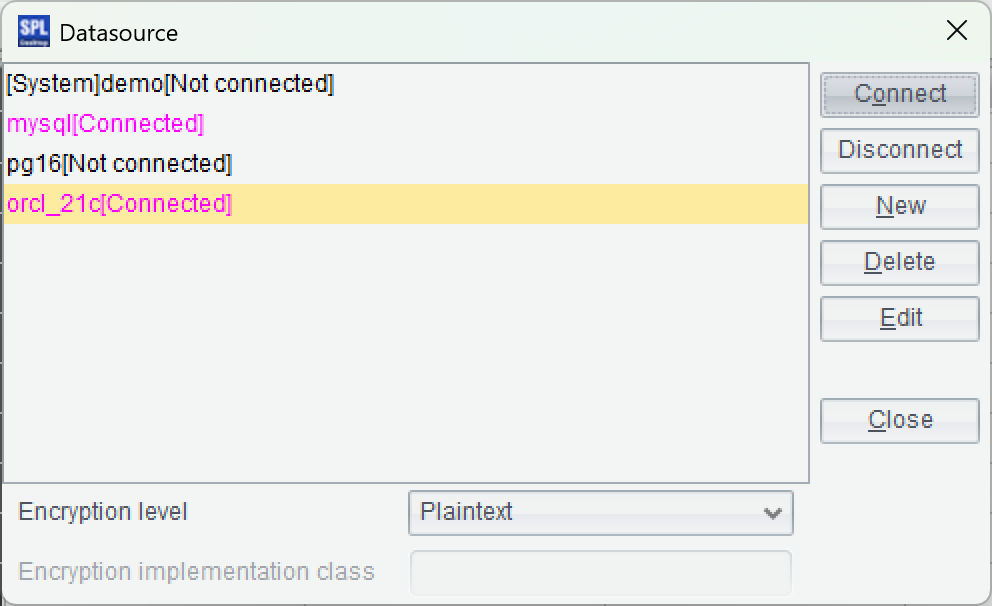
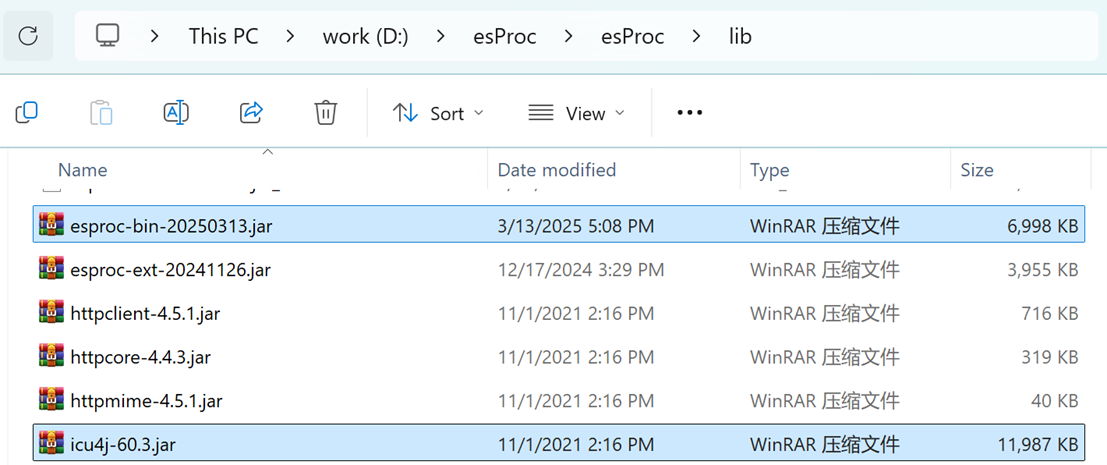
After installation, try to see if esProc IDE can access the database normally. First, place the JDBC Driver of the database in the directory "[installation directory] \ common \ jdbc", which is one of the class paths of esProc. For example, JDBC for mySQL:
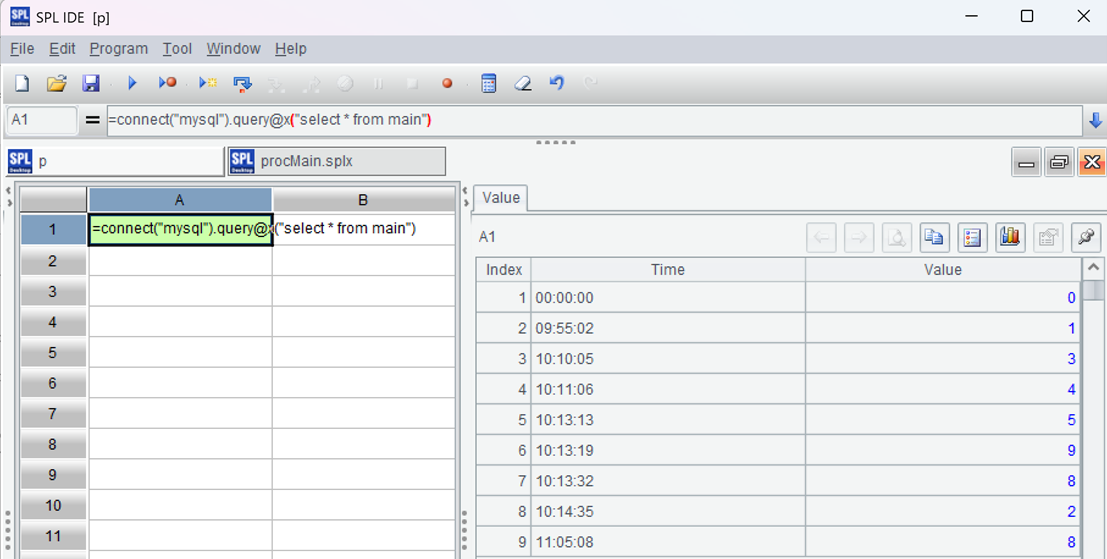
=connect("mysql").query@x("select * from main")
Press ctrl-F9 to execute, and you can see the execution result on the right side of the IDE, presented in the form of a data table, which is very convenient for debugging SPL code.
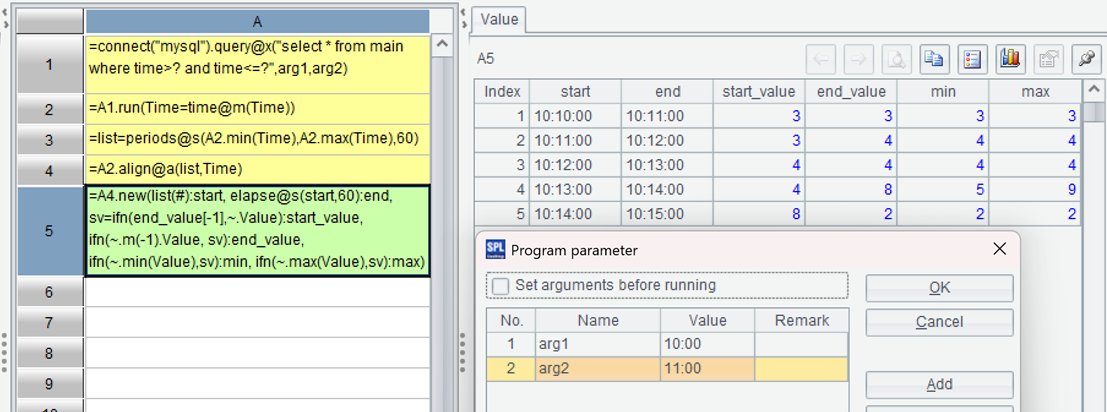
| A | |
|---|---|
| 1 | =connect("mysql").query@x("select * from main where time>? and time<=?",arg1,arg2) |
| 2 | =A1.run(Time=time@m(Time)) |
| 3 | =list=periods@s(A2.min(Time),A2.max(Time),60) |
| 4 | =A2.align@a(list,Time) |
| 5 | =A4.new(list(#):start, elapse@s(start,60):end, sv=ifn(end_value[-1], |
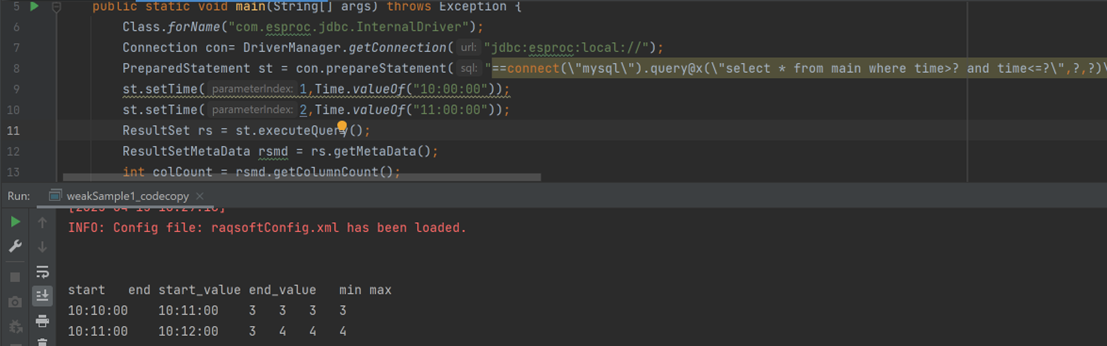
First, filter with parameters; Then change the time to full minutes; Generate a continuous time series of minutes; Align the data in time series, with each group of data corresponding to a one minute window; Generate a new record using each group of data as required.
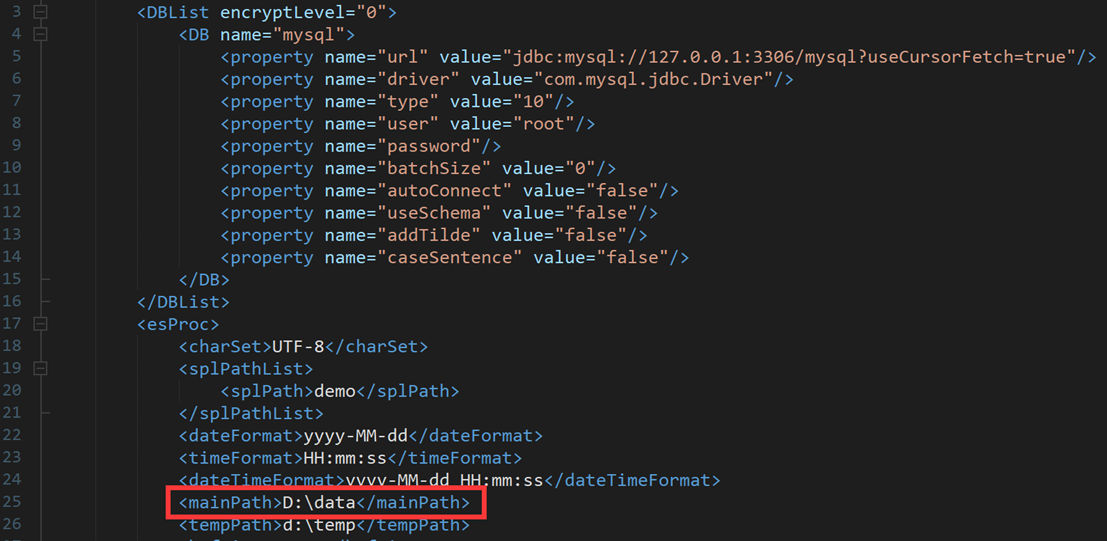
Save the above script in a directory, such as D: \ data \ procMain.splx. After running it, you can see the result:
| A | |
|---|---|
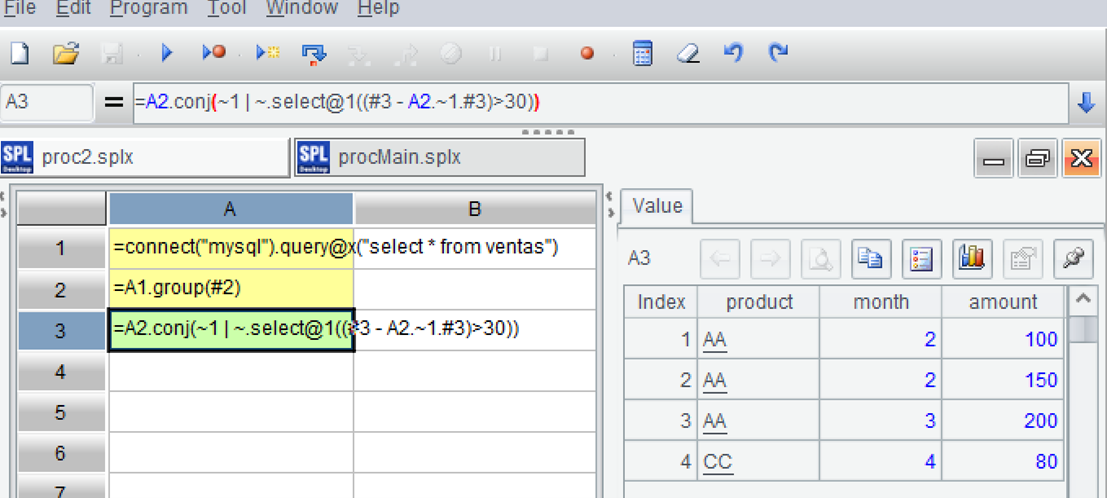
| 1 | =connect("mysql").query@x("select * from ventas") |
| 2 | =A1.group(#2) |
| 3 | =A2.conj(~1 |
Load data; Group by two fields, but do not aggregate; Select the first record of each group, and then filter out records that are more than 30 days away from the first record, and also select the first record; Merge these two records and finally merge the processing results of each group.
Save as D: \ data \ proc2.splx, execute and see the result:
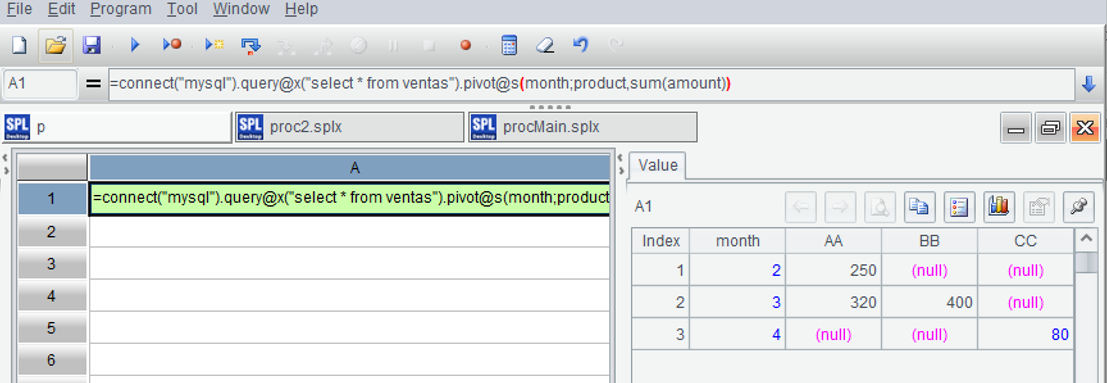
=connect("mysql").query@x("select * from ventas").pivot@s(month;product,sum(amount))
Dynamic transposition after loading data, execution result:
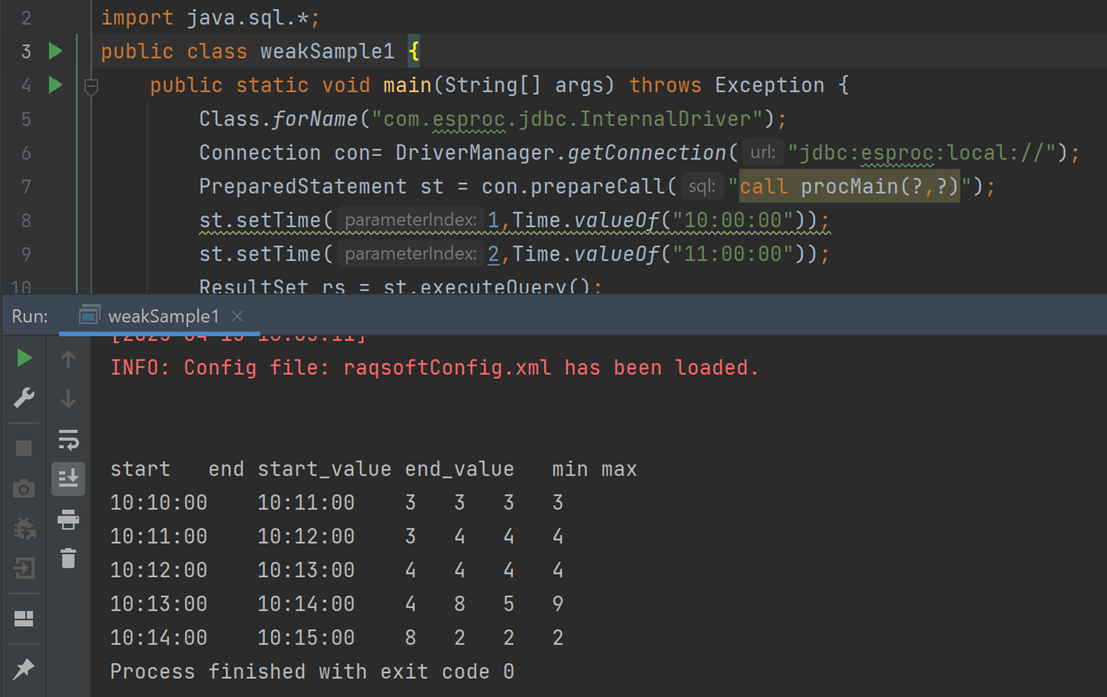
Class.forName("com.esproc.jdbc.InternalDriver");
Connection con= DriverManager.getConnection("jdbc:esproc:local://");
PreparedStatement st = con.prepareCall("call procMain(?,?)");
st.setTime(1,Time.valueOf("10:00:00"));
st.setTime(2,Time.valueOf("11:00:00"));
ResultSet rs = st.executeQuery();
As can be seen, the process of calling SPL scripts is the same as calling stored procedures. The calculated result is as follows:
Connection con= DriverManager.getConnection("jdbc:esproc:local://");
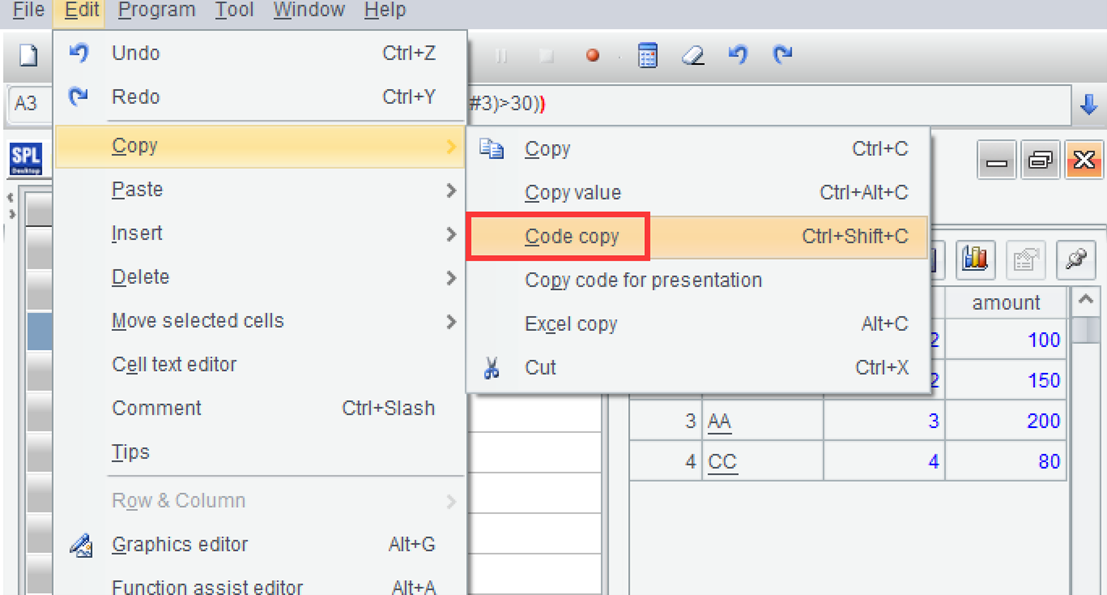
PreparedStatement st = con.prepareStatement("==connect(\"mysql\").query@x(\"select * from ventas\")\n=A1.group(#2) \n=A2.conj(~1 | ~.select@1((#3 - A2.~1.#3)>30))");
ResultSet rs = st.executeQuery();
As can be seen, the process of calling SPL code in Java is the same as calling SQL code. After running, you can see the result:
Connection con= DriverManager.getConnection("jdbc:esproc:local://");
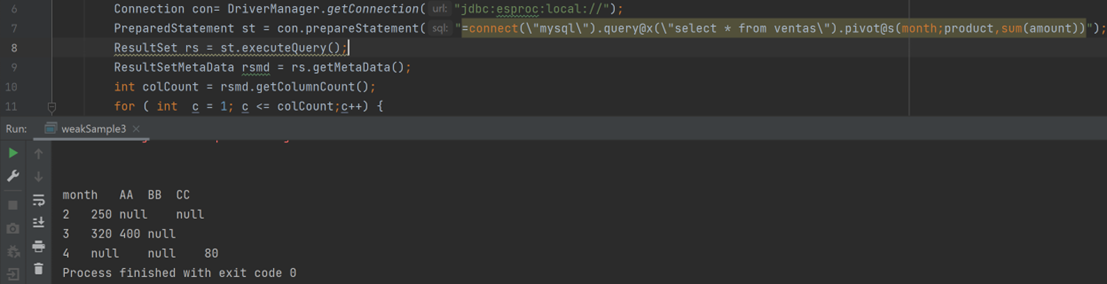
PreparedStatement st = con.prepareStatement("=connect(\"mysql\").query@x(\"select * from ventas\").pivot@s(month;product,sum(amount))");
ResultSet rs = st.executeQuery();
The execution result looks like the following: