How to simplify nested SQL in applications with esProc
In data analysis or reporting applications, various complex SQL statements are sometimes encountered: nested in multiple layers, self-join, dynamically transposing, …
Here are some exmaples:
From SQL to SPL:Create columns from distinct values of a column
From SQL to SPL: Statistics by time window
For the same task, the code of esProc SPL is simpler and easier to understand than SQL.
Next, let's try how to integrate esProc in applications and simplify these complex SQL statements.
Download esProc first, recommend standard edition: https://www.esproc.com/download-esproc/
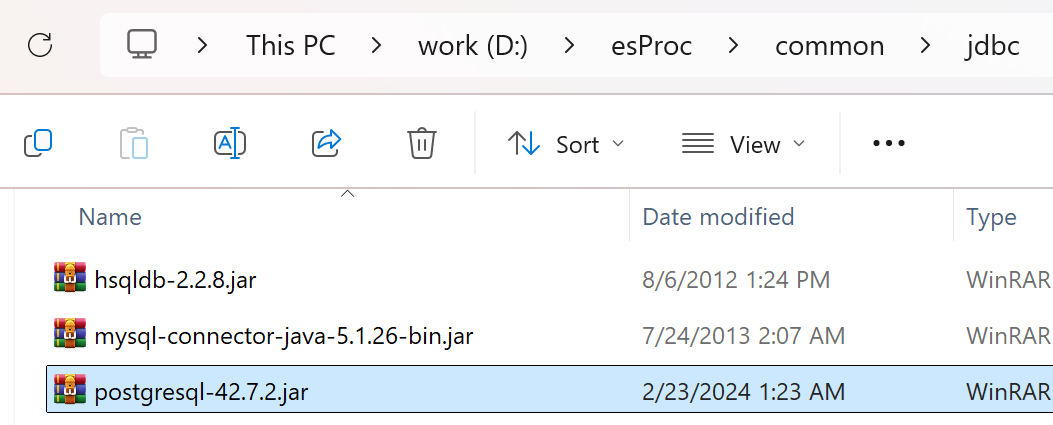
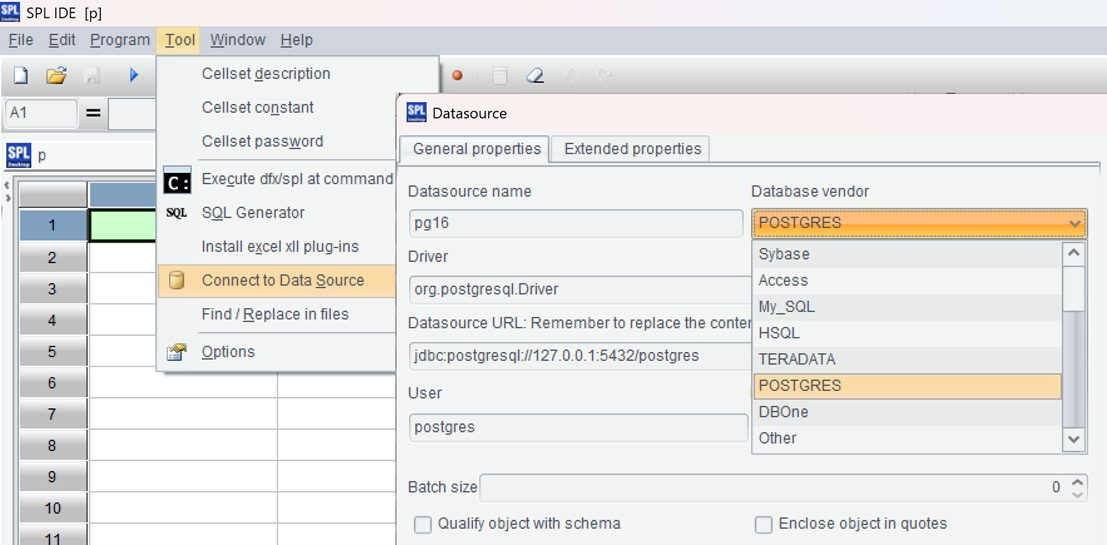
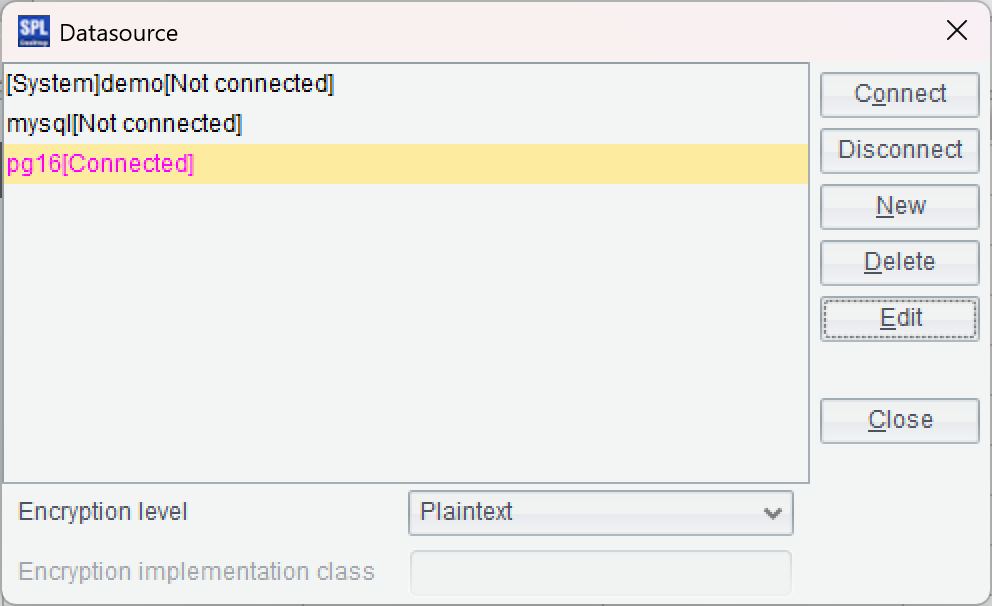
After installing esProc, try to see if the esProc IDE can access the database normally. First, place the JDBC driver of the database in the directory "[installation directory] \ common \ jdbc", which is one of the class paths of esProc. For example, JDBC for PostgreSQL:
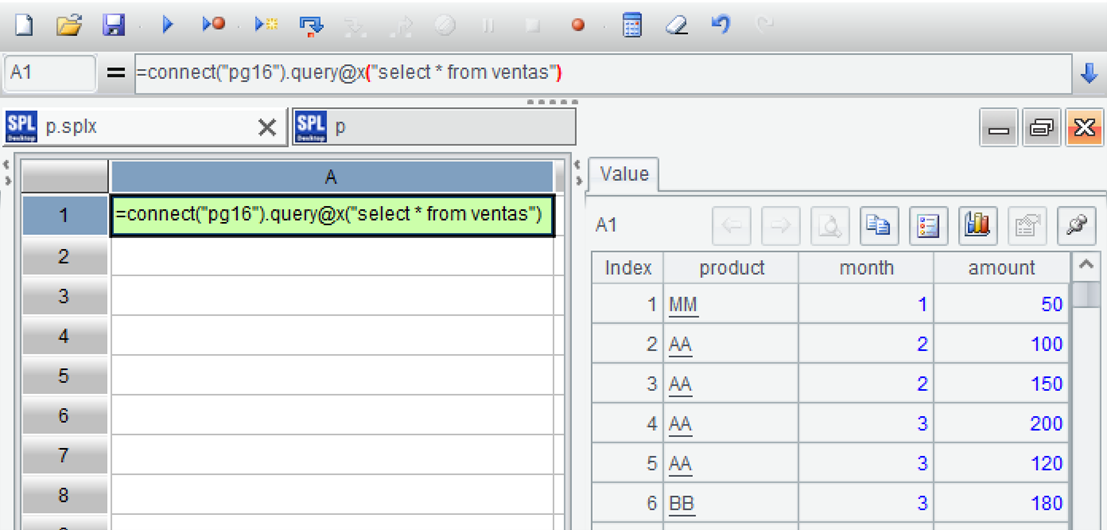
=connect("pg16").query@x("select * from ventas")
Press ctrl-F9 to execute, and you can see the execution result on the right side of the IDE, presented in the form of a data table, which is very convenient for debugging SPL code.
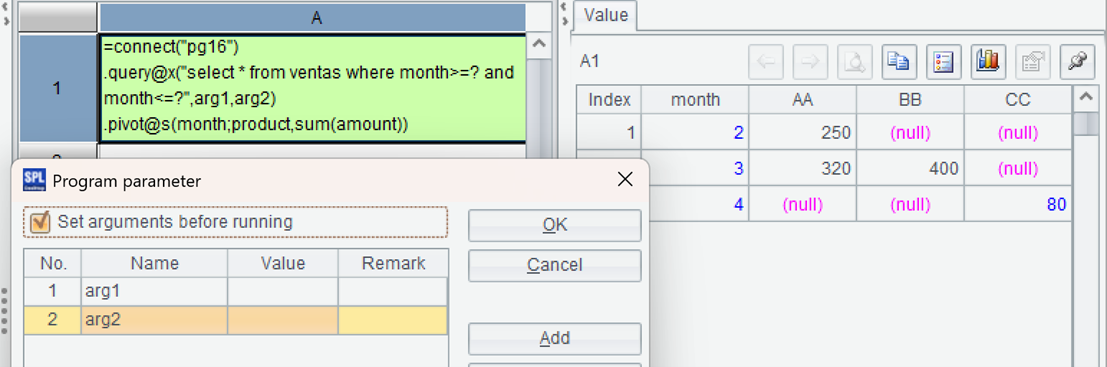
=connect("pg16").query@x("select * from ventas where month>=? and month<=?",arg1,arg2).pivot@s(month;product,sum(amount))
First filter with parameters, then transpose the grouped summary, and the result is on the right:
| A | |
|---|---|
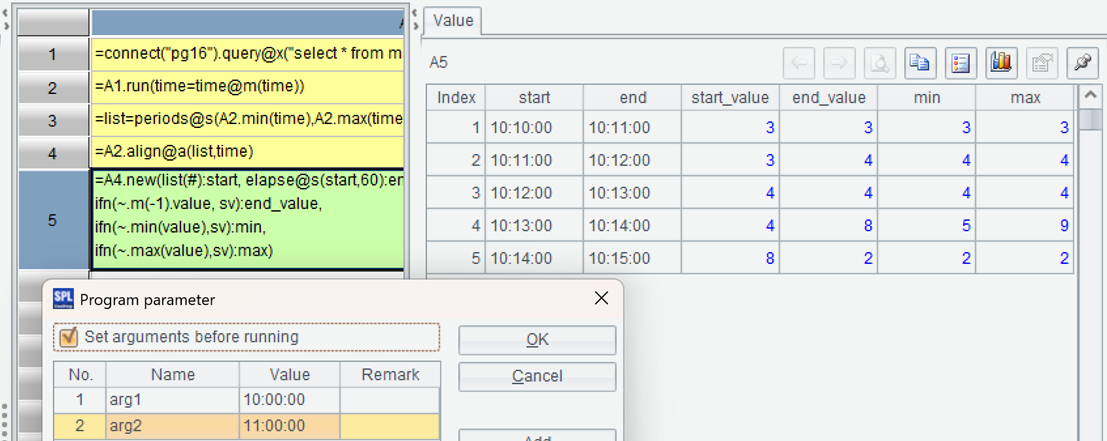
| 1 | =connect("pg16").query@x("select * from main where time>? and time<=?",arg1,arg2) |
| 2 | =A1.run(time=time@m(time)) |
| 3 | =list=periods@s(A2.min(time),A2.max(time),60) |
| 4 | =A2.align@a(list,time) |
| 5 | =A4.new(list(#):start, elapse@s(start,60):end, sv=ifn(end_value[-1], |
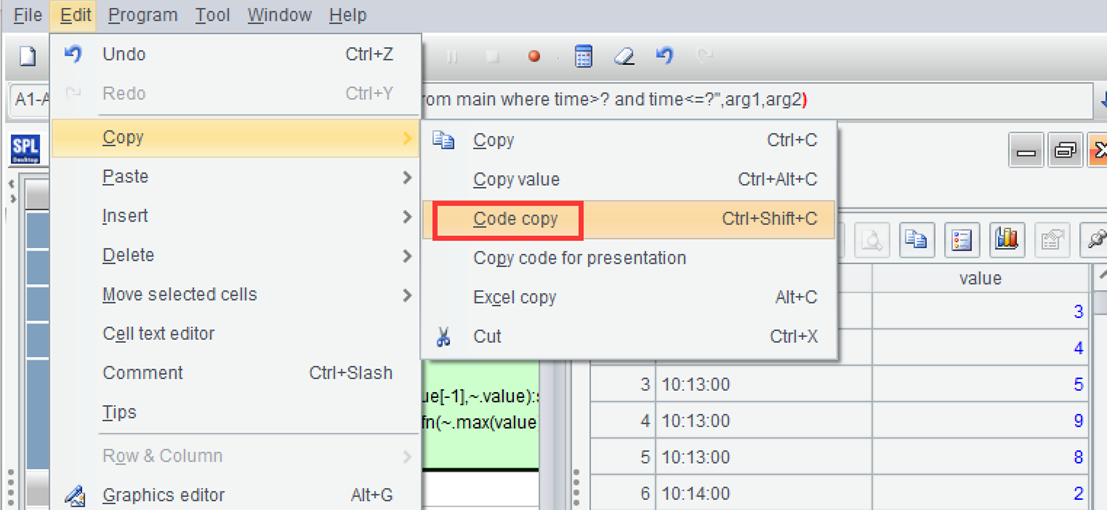
Save the above script as a file, such as D:\data\mainProc.splx. After running it, you can see the result:
After debugging in the IDE, configure the Java application environment.
Find the esProc JDBC related jar files from the directory "[Installation directory]\esProc\lib": esproc-bin-xxxx.jar, icu4j_60.3.jar.
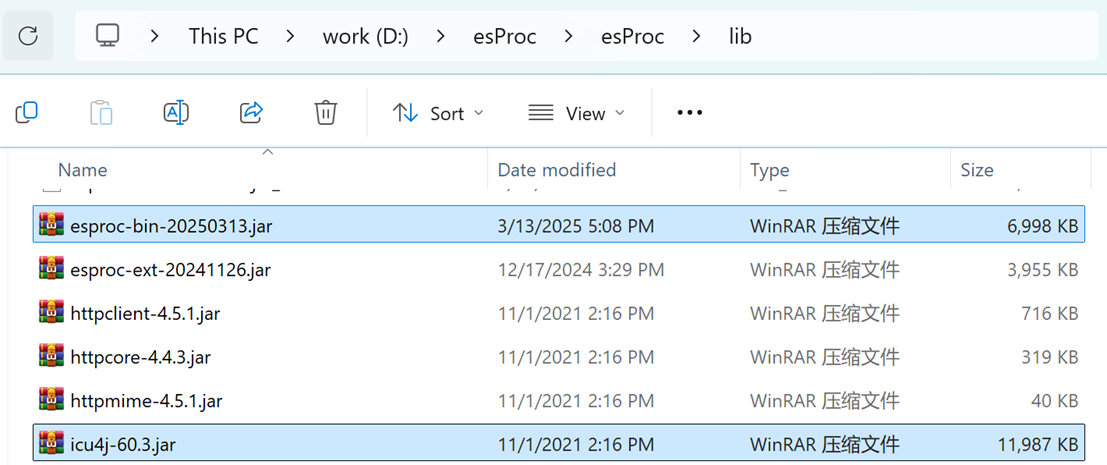
Deploy these two jars to the class path of the Java development environment.
Find the esProc configuration file raqsoftConfig. xml from the directory "[Installation directory]\esProc\config" and deploy it to the Java development environment's class path.
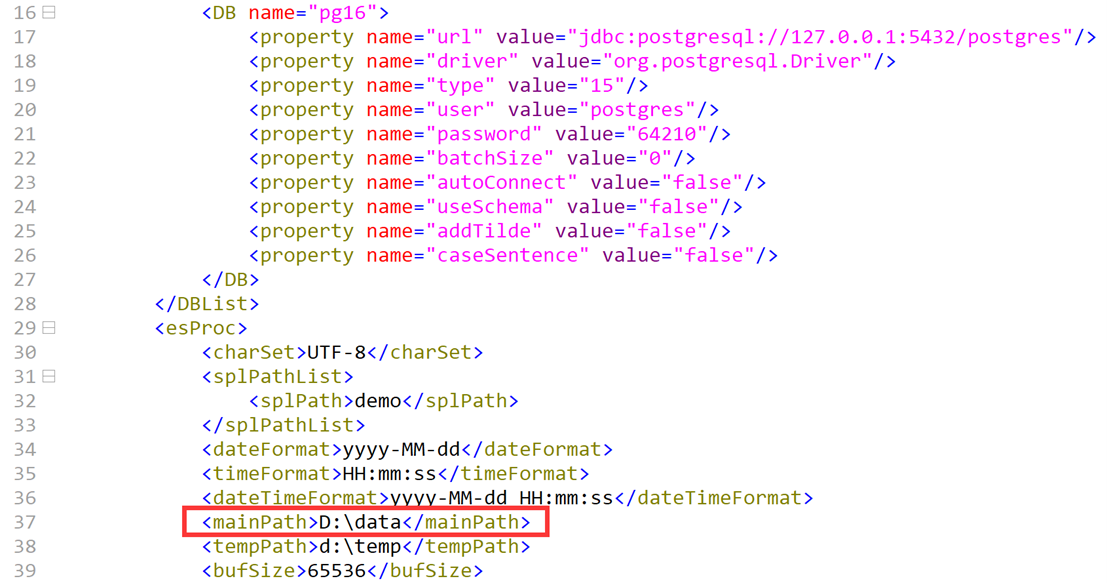
The configuration item to be changed in the configuration file is mainPath, which represents the default path for scripts and other files. Note that the information of the data source is also in the configuration file. Next, you can write Java code to execute SPL through esProc JDBC. Let's try Example 2 first:
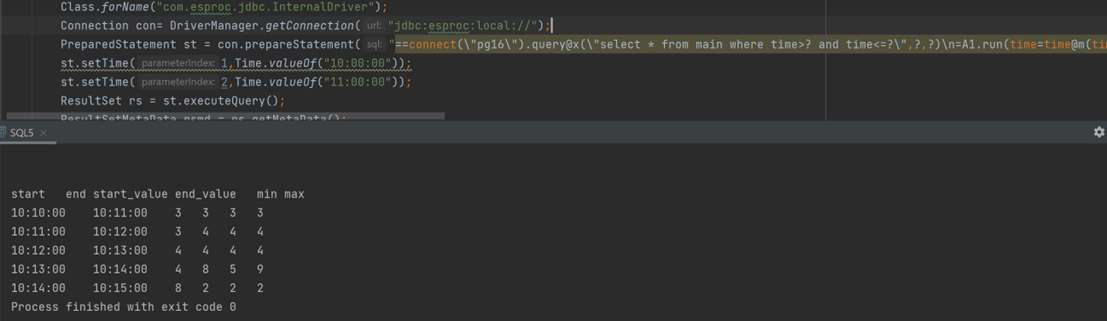
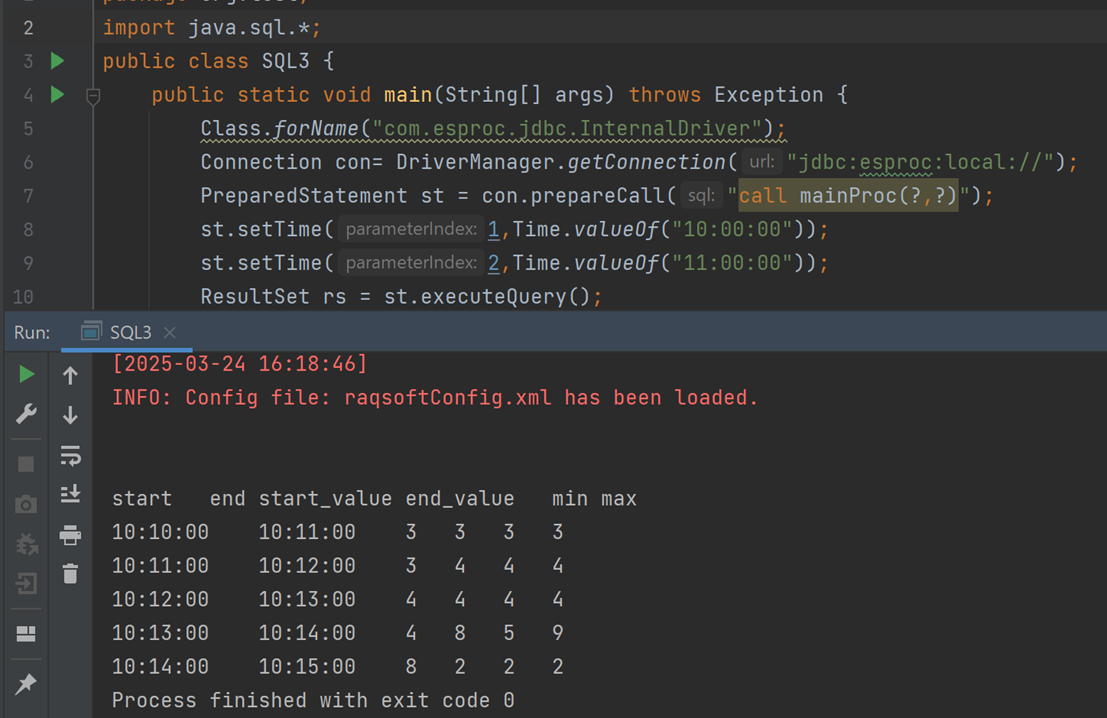
Class.forName("com.esproc.jdbc.InternalDriver");
Connection con= DriverManager.getConnection("jdbc:esproc:local://");
PreparedStatement st = con.prepareCall("call mainProc(?,?)");
st.setTime(1,Time.valueOf("10:00:00"));
st.setTime(2,Time.valueOf("11:00:00"));
ResultSet rs = st.executeQuery();
After running, you can see the result:
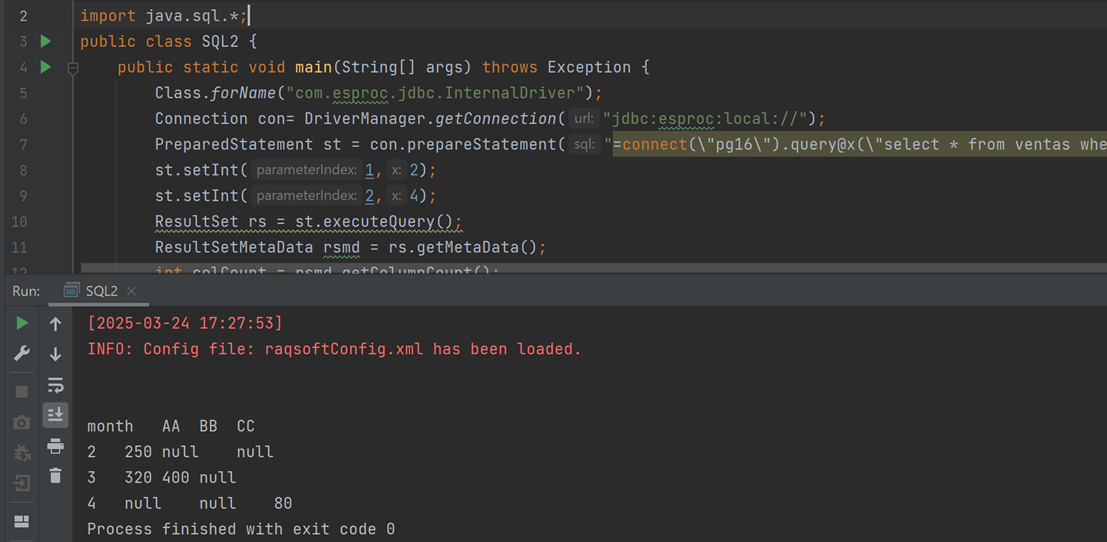
PreparedStatement st = con.prepareStatement("=connect(\"pg16\").query@x(\"select * from ventas where month>=? and month<=?\",?,?).pivot@s(month;product,sum(amount))");
st.setInt(1,2);
st.setInt(2,4);
ResultSet rs = st.executeQuery();
After execution, you can see the calculation result: